API BAY BIBLE
The API Bay Bible
Find a dataset, call it from a program or an agent, publish a table of your own and run it with confidence. Written by example: every idea is used first and explained after.
PWhy API Bay
Data that others could use usually sits in a file or a database, and getting it out takes four jobs: build an API over it, check who is calling, count and limit the calls, and bill for them. Most owners of data never get past the first. Most users of data meet the same four jobs from the other side: a different key, a different query syntax, a different error format and a different bill for every source.
API Bay is Minimal's answer to both. Every dataset in its catalog is already a live, authenticated REST API behind one key and one query model, and anyone can publish a table of their own for others to call, with metering, a prepaid wallet and plans around it. This book teaches a reader who has never called an API to find data, call it from a program or an agent, publish a table of their own and run it with confidence. It does so by example: each idea is used first and explained after.
Three words are used with care. A table is rows and columns, the thing you upload. A dataset is a table that has a listing, a price and an endpoint, so that others can find and call it. An endpoint is the address a call goes to. A table that is not published is not a dataset yet.
flowchart LR
    C[Consumer] -->|live key| DH[Data host: catalog datasets, billed]
    C -->|test key| SB[Sandbox host: free, limited]
    P[Publisher] -->|upload| T[Your tables]
    T -->|workspace key| WA[Workspace address: your own tables, free]
    T -->|expose, price, publish| DH
Three addresses: the data host and the sandbox serve the catalog, and the workspace address serves your own tables.
Two readers
The book has two readers who share a product. The consumer calls datasets; the publisher uploads them. A reader who needs one role can skip the other's chapters.
| You want to | Read | Your running example |
|---|---|---|
| Call datasets | Chapters 1 to 6, then 11 and 12 | NYC Food Cart Menu Statistics, a dataset of the catalog |
| Publish a table | Chapters 7 to 10, then 11 | Acme Corporation's HR data, three CSV files in Appendix A |
Chapters 2 and 3, on the query model and on errors, serve both. Each track opens with a short setup box that stands up its running example without the other track's chapters. Appendix B is a quick reference to look things up in once you know the rest.
What you need
An API Bay workspace, a wallet with a little credit, and a way to send HTTP requests: curl for the early chapters, and Python with the requests library for Chapter 12. The examples cost fractions of a cent. Where an exercise spends money or cannot be undone, it says so, says what it costs, and asks for a disposable workspace.
Conventions
- Labels. Bold type is the exact label of something on the screen: the Discover tab, the Create live key button. API Bay is in beta, and screens change; the labels in this book are the ones its screens showed when it was written.
- Hosts. The examples write the data host as
api.bay.example, the sandbox host assandbox.bay.exampleand the host of your own tables asacme.bay.example. Your dataset's page shows the real host to use. - Keys. A live key is written
<your-api-key>, a test key<your-test-key>and a workspace key<your-workspace-key>. Chapter 1 shows how to keep one out of a command line. - Requests and responses. Each HTTP exchange is a request block, the head of the response, and its body. Header names of a response are written in lower case, as the data host sends them.
- Exercises. Every chapter ends with three tasks, numbered, that need only what the chapter taught. They are tasks, not questions: each one ends with something you can check on the screen or in a response.
The chapters
| Chapter | For | |
|---|---|---|
| 1 | Your first call | consumers |
| 2 | The query model | both |
| 3 | Errors and refusals | both |
| 4 | Plans and limits | consumers |
| 5 | The wallet and spending caps | consumers |
| 6 | The Playground and the sandbox | consumers |
| 7 | Your own data | publishers |
| 8 | Data access | publishers |
| 9 | Publish and price | publishers |
| 10 | Earnings and the berth | publishers |
| 11 | Alerts, notifications and status | both |
| 12 | Calling API Bay from code and agents | consumers |
| A | The Acme data | publishers |
| B | Quick reference | both |
1Your first call
An API is a way for one program to ask another for something, and on the web the asking is an address. A dataset in API Bay is already one: send a request to its address and it answers with rows, whatever it holds. There is nothing to install and nothing to deploy. You need a key, a wallet with credit in it, and one request.
Two things make the first call safe to try. The key says who is calling, so that every call is metered and billed to the right wallet, and a key is read-only: it can read the catalog and spend your credit, and it can change nothing. And the price of a call is printed before you make one, on the dataset's card. The dataset of this chapter costs $1.70 per 1,000 requests, which is $0.0017 a call. Within a few minutes you hold a key, a call that succeeded, and the habit of reading the headers that say what it cost.
Setup for consumers. To follow only this track, open Discover, pick NYC Food Cart Menu Statistics, create a key on Keys, and run the request under "Make the call". Every chapter of the consumer track runs on this dataset and this key.
Find a dataset
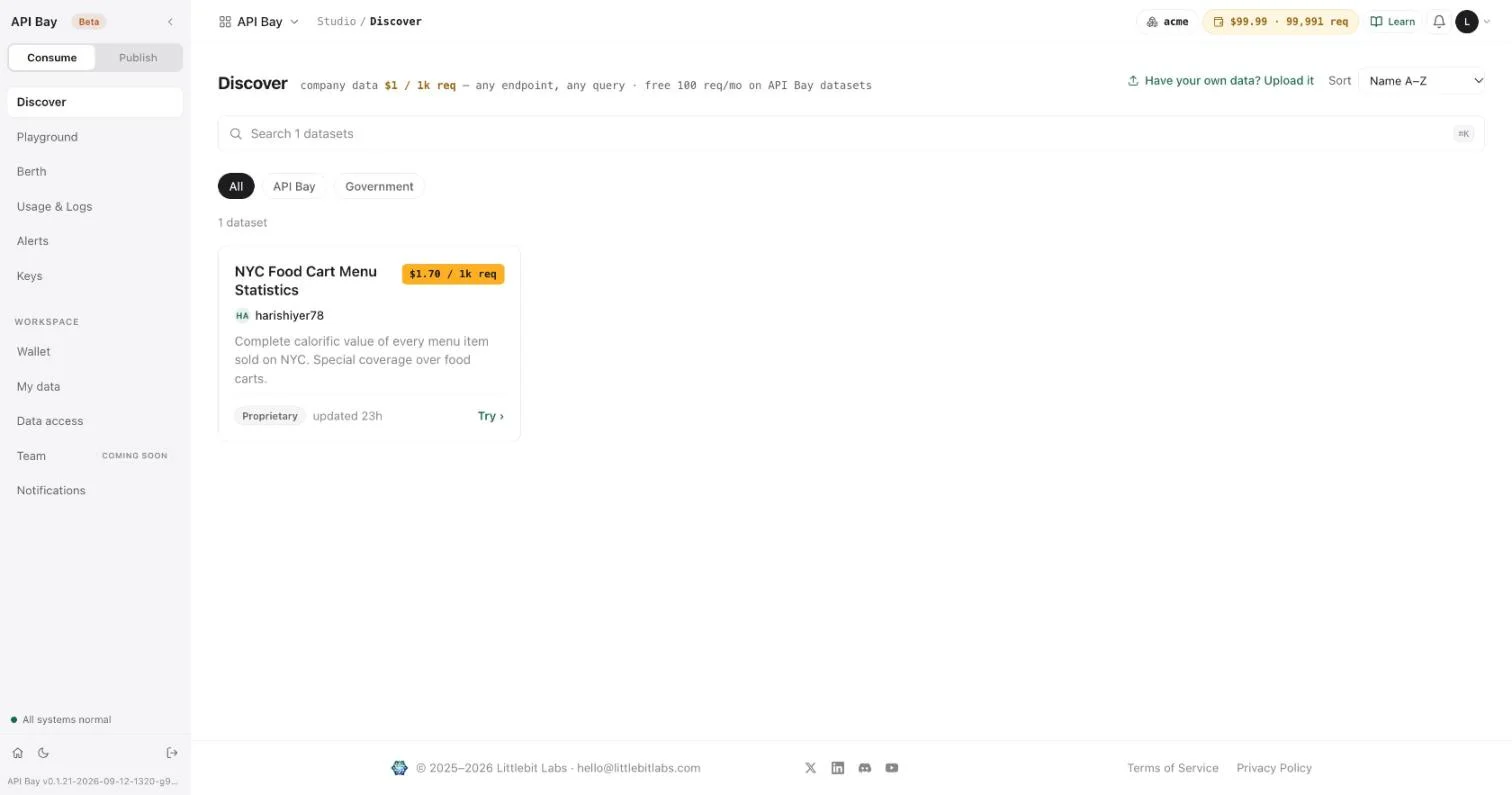
- Open Discover. Each card shows a dataset's name, its publisher, its license, and its price per 1,000 requests.
- Select the card for NYC Food Cart Menu Statistics. The dataset page has five tabs; Manifest & endpoints opens first. It lists the dataset's size (65,219 rows, 49 columns), its table name, and its one endpoint,
GET /v1/apibay/nyc_food_cart_menu_statistics. The price is $1.70 per 1,000 requests; the endpoint row shows the same price per call, rounded, as $0.002.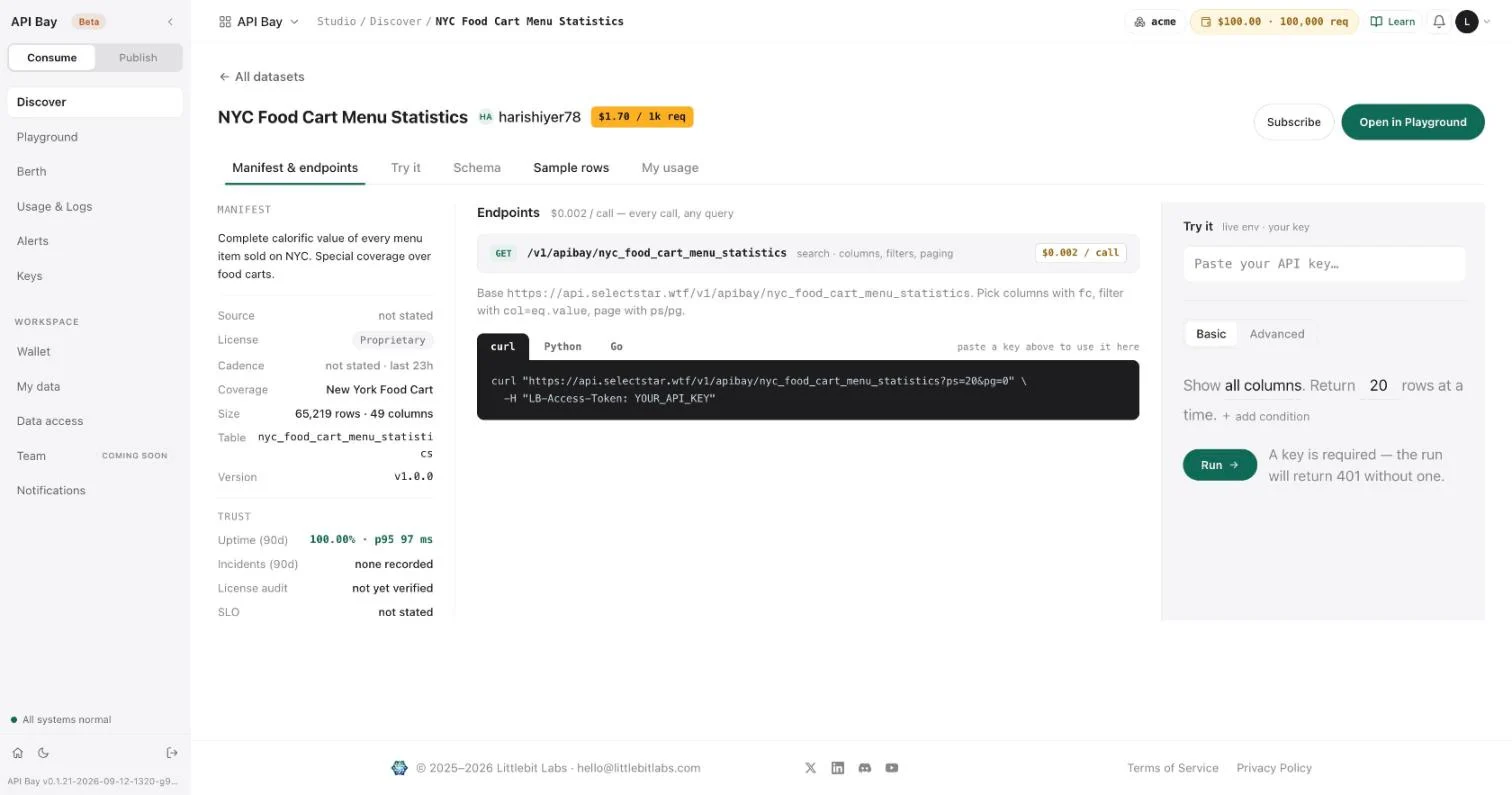
The panel on the right says what a call needs: "A key is required — the run will return 401 without one."
Create a key
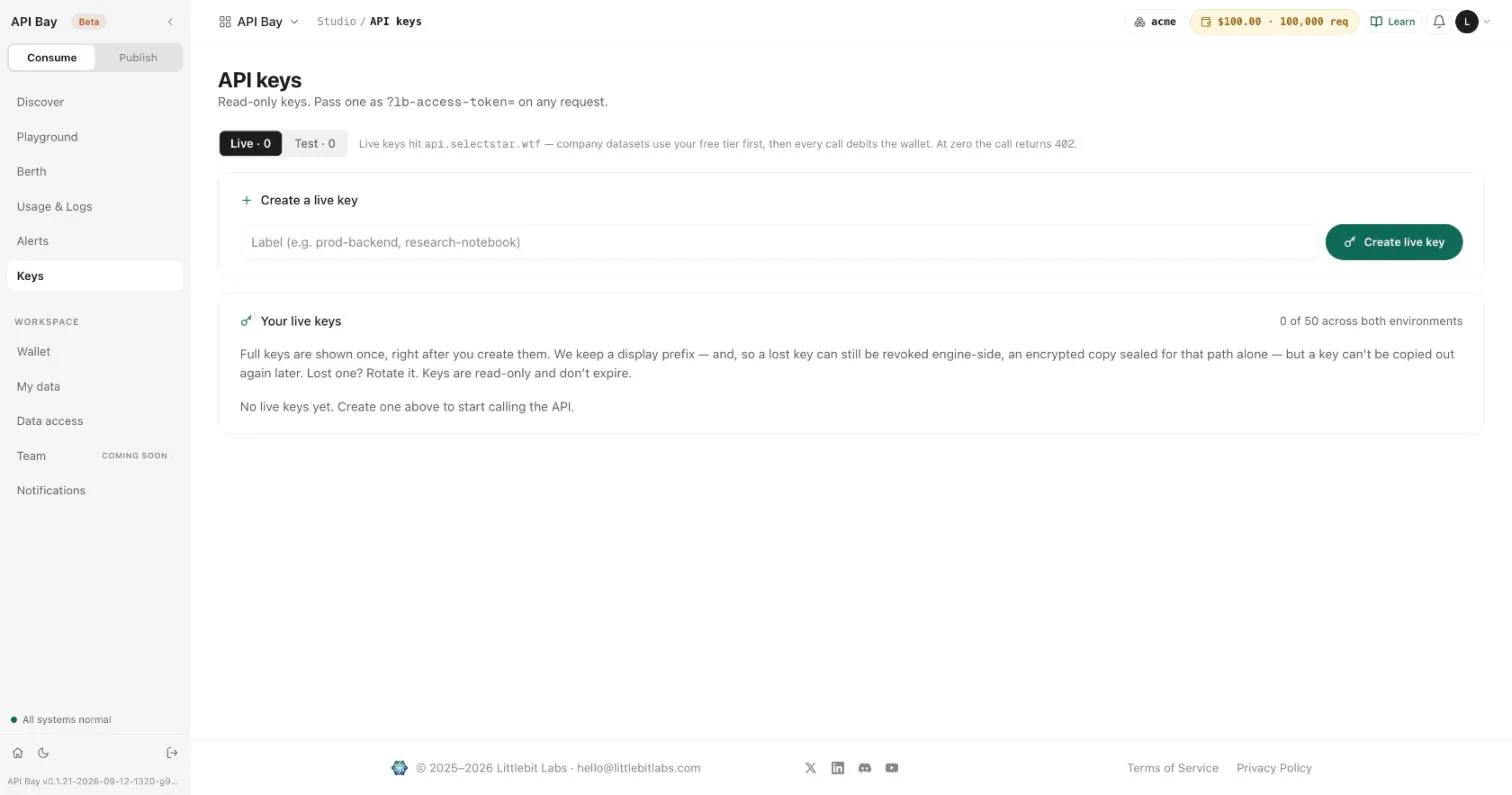
- Open Keys. A new workspace has none.
- Type a label, such as
first-call, and select Create live key. The key appears once, above the form: "Key created — copy it now, it won't be shown again." Afterward the list keeps only a prefix. A lost key cannot be shown again; you rotate it.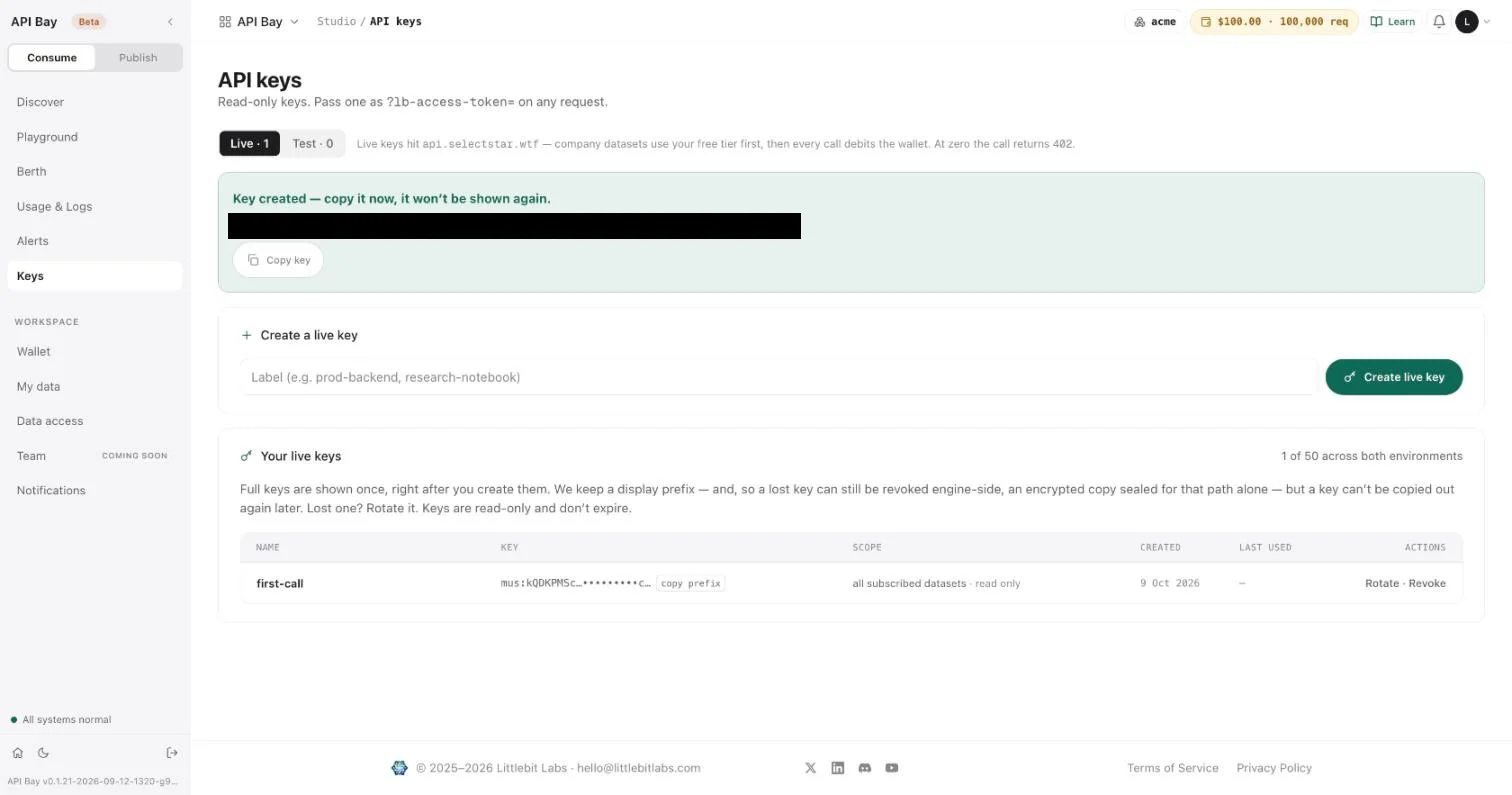
Keys are read-only and do not expire. Keep yours out of command lines, where other users of the machine can read it. Store it in a file that only you can read, and have curl read the header from that file:
read -rs KEY    # paste the key, press Return
printf 'LB-Access-Token: %s\n' "$KEY" > ~/.apibay-key && chmod 600 ~/.apibay-key
Make the call
The examples use api.bay.example for the data host. Use the host shown in the curl template on your dataset's page. The call costs the dataset's price, $0.0017, and the response reports it.
curl -i -H @$HOME/.apibay-key \
  "https://api.bay.example/v1/apibay/nyc_food_cart_menu_statistics?ps=2&pg=0&fc=menu_item_id,restaurant,item_name,calories"
On the wire curl sends this request. It is how the rest of the book writes a request, with <your-api-key> standing for the value in your key file:
GET /v1/apibay/nyc_food_cart_menu_statistics?ps=2&pg=0&fc=menu_item_id,restaurant,item_name,calories HTTP/1.1
Host: api.bay.example
LB-Access-Token: <your-api-key>
ps is the page size, the number of rows to return. pg is the page number, counting from 0. fc names the columns you want. A response has a head and a body. The head, with the metering headers shown and the others omitted:
HTTP/2 200
content-type: application/json
x-free-tier-remaining: 100
x-ratelimit-reset: 1791612737
x-cost-per-1k: USD 1.70
x-ratelimit-remaining: 143994
x-wallet-remaining: USD 99.99
x-ratelimit-limit: 144000
x-wallet-remaining-requests: 99989
x-plan-tier: pro
And the body:
[
  { "calories": 25, "item_name": "Broccoli", "menu_item_id": 14850, "restaurant": "Denny's" },
  { "calories": 130, "item_name": "Mushroom Chicken, Kids", "menu_item_id": 62672, "restaurant": "Panda Express" }
]
The body is a JSON array with one object per row and one property per column. The properties come out in alphabetical order, whatever order fc names them. Leave fc out and every row carries all 49 columns. A missing value is null. The request names no order, so the two rows you get may differ from these.
Filter rows
A filter is a column name, an equals sign, eq., and a value. The value is percent-encoded: an apostrophe is %27.
curl -H @$HOME/.apibay-key \
"https://api.bay.example/v1/apibay/nyc_food_cart_menu_statistics?ps=2&pg=0&restaurant=eq.Denny%27s&fc=menu_item_id,restaurant,item_name"HTTP/2 200
content-type: application/json[
{ "item_name": "Broccoli", "menu_item_id": 14850, "restaurant": "Denny's" },
{ "item_name": "55+ Country Fried Steak", "menu_item_id": 121408, "restaurant": "Denny's" }
]The key may also travel as the query parameter lb-access-token. Use the header: a URL is logged by every proxy it passes.
Read the headers
Every response from a metered call carries the state of your account after that call. Your values differ from the ones above: they depend on your balance and on how many calls you have made.
| Header | Above | Meaning |
|---|---|---|
x-cost-per-1k | USD 1.70 | The dataset's price per 1,000 requests, the figure on its badge. |
x-wallet-remaining | USD 99.99 | Your balance in dollars. |
x-wallet-remaining-requests | 99989 | Your balance as requests at the company rate, $1 per 1,000, rounded down. This dataset costs $1.70 per 1,000, so each call takes 1.7 of them. |
x-free-tier-remaining | 100 | Free requests left this month. Calls to this dataset do not use them; the free tier covers API Bay datasets only. |
x-plan-tier | pro | Your plan, the one Wallet shows. |
x-ratelimit-limit | 144000 | Calls allowed in the 24-hour window. |
x-ratelimit-remaining | 143994 | Calls left in the window. It falls by one per call. |
x-ratelimit-reset | 1791612737 | The end of the window, in Unix seconds. Here it is exactly 24 hours after the first call. |
A program that spends money reads two of these on every response: x-wallet-remaining-requests, to stop before the wallet is empty, and x-ratelimit-remaining, to slow down before the limit. Chapters 4 and 5 show what happens when each runs out.
sequenceDiagram
    participant You
    participant API as Data host
    You->>API: GET dataset path with key
    API-->>You: 200, rows, metering headers
    Note over You,API: One row in Usage and Logs
One call: the request carries a key; the response carries rows and the account's state after the call.
See the call
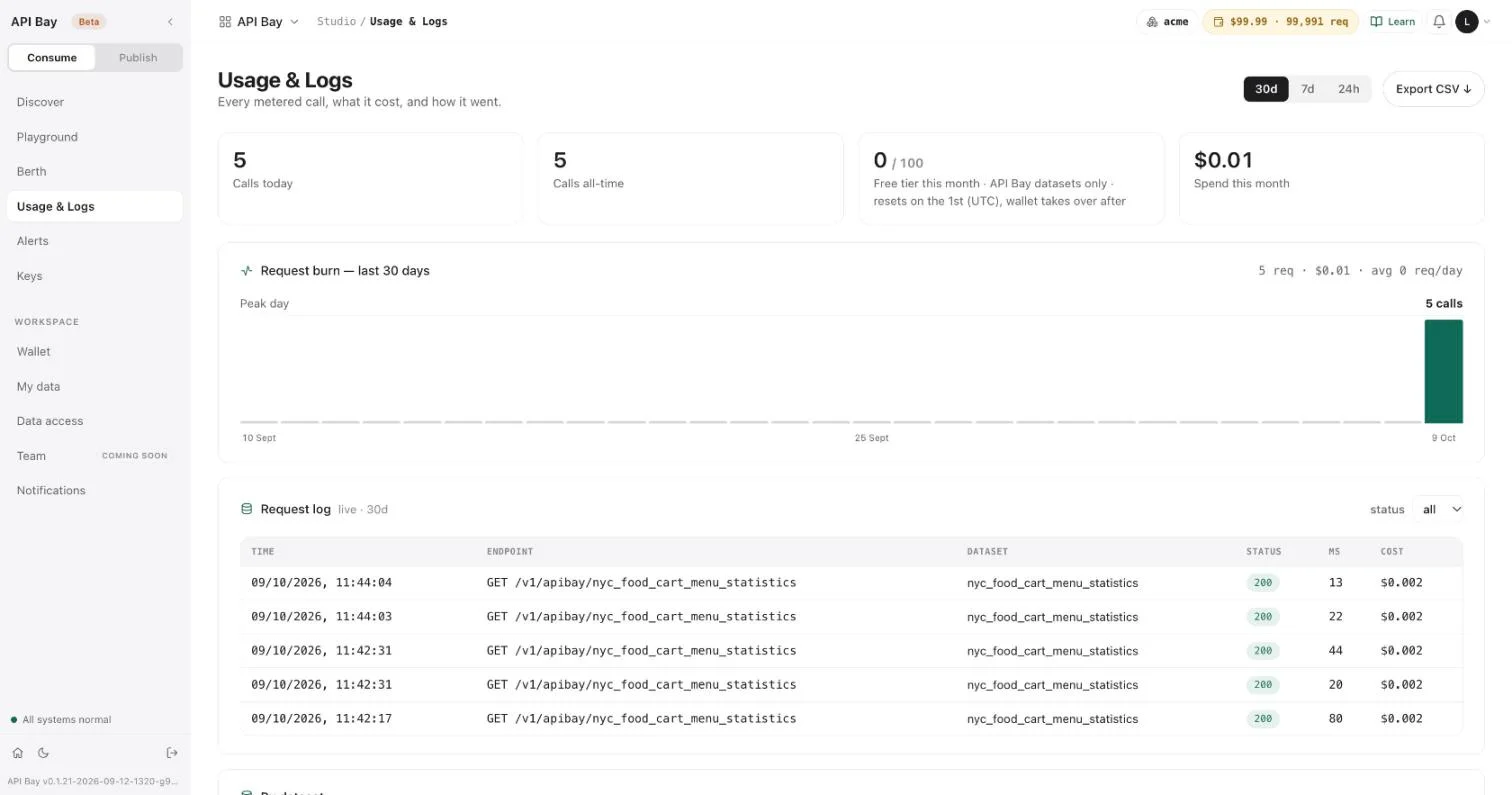
- Open Usage & Logs. It lists every metered call, what it cost, and how it went. Each call is one row with its time, endpoint, dataset, status, duration in milliseconds, and cost. The cost is $0.002 per call here, the price of $1.70 per 1,000 requests rounded.
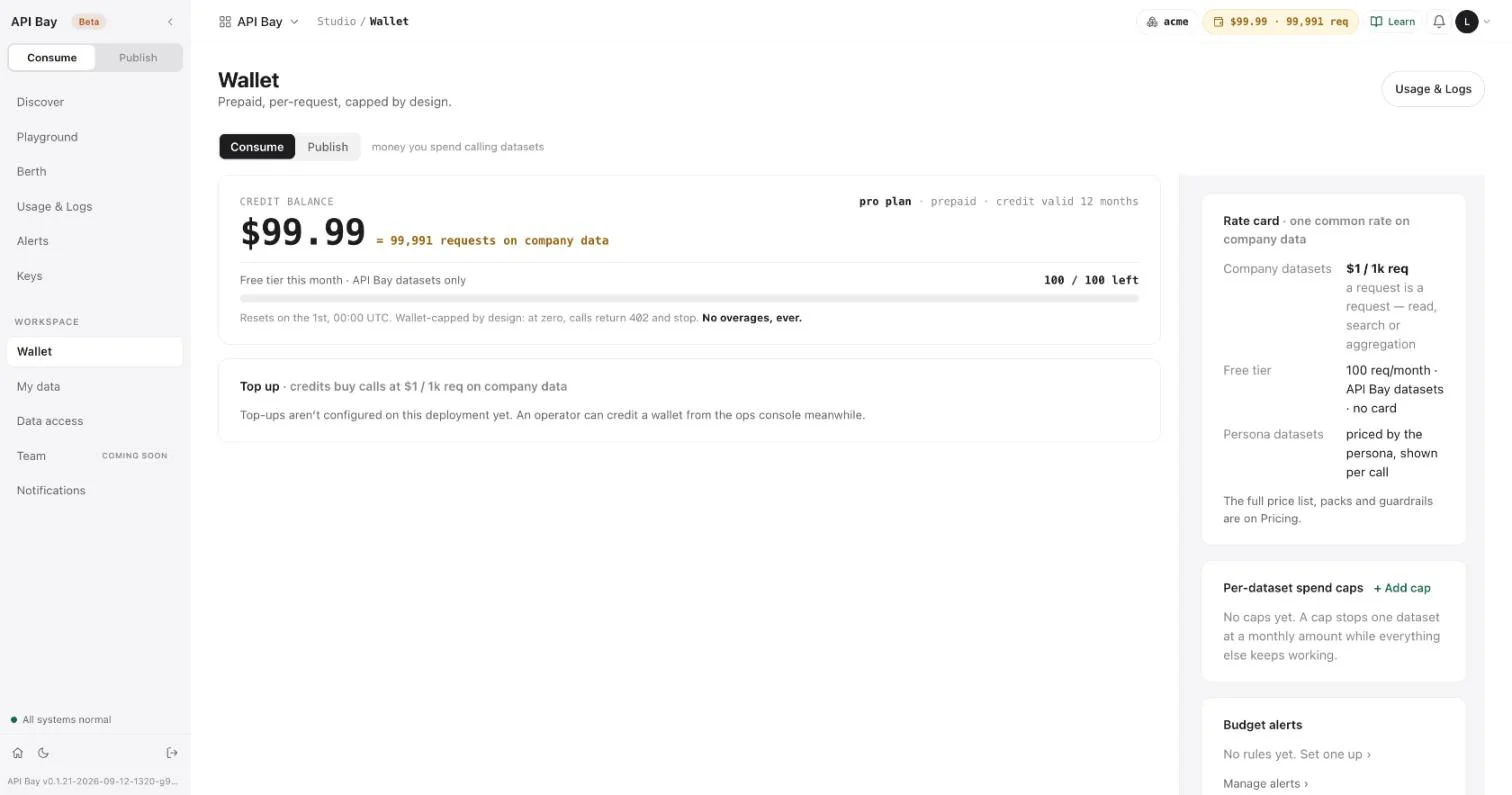
- Open Wallet. It shows the balance in dollars and as requests on company data, the same two figures as the headers.
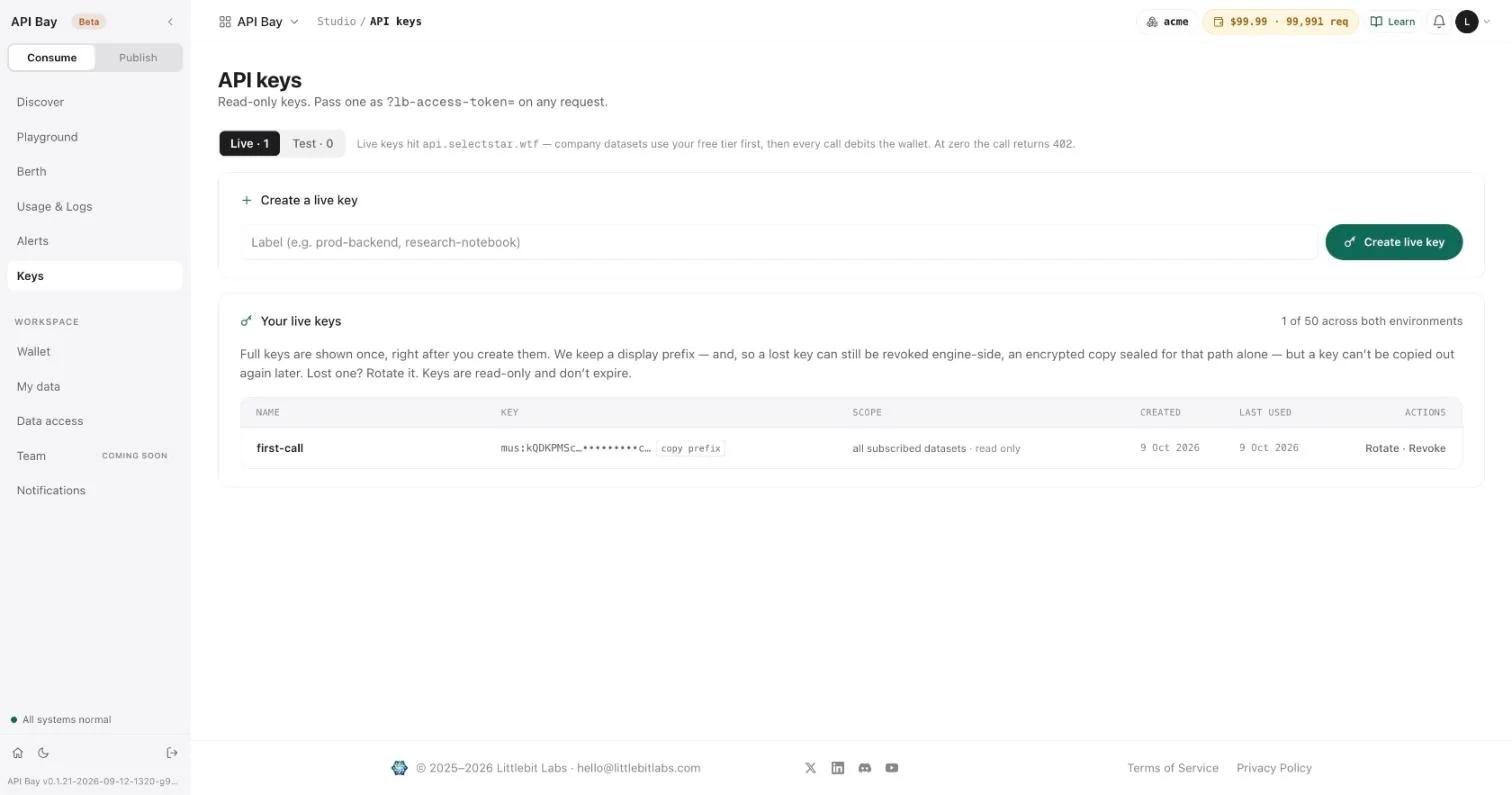
- Open Keys. The key's LAST USED column now shows today's date.
Exercises
Two of these exercises send a call that the dataset bills, at $1.70 per 1,000 requests; the third is refused before it costs anything. Use a disposable workspace.
- Create a second key labeled
second. Repeat the first request with it. On Keys, read the LAST USED column of both keys. - Request three rows for the restaurant Panda Express, with the columns
restaurant,item_nameandcalories. The space in the value must be percent-encoded. Check that every row you receive names Panda Express. - Send the first request again without the key header. Read the status line and the body. Then open Usage & Logs and Wallet, and check whether the refused call appears in the log and whether the balance changed.
2The query model
Every dataset in API Bay answers the same request. The catalog holds tables of every kind, and each is read through one endpoint, one set of parameters and nineteen operators, so a question learned on one table is the same question on the next. The price of a call does not depend on the question: a call for one row and a call for 100 cost the same. That shapes the way you ask. Ask for the rows you need, in the order you need them, in as few calls as you can.
The examples run against one dataset, NYC Food Cart Menu Statistics, whose table is nyc_food_cart_menu_statistics.
Start with a request that uses most of the model at once. It asks for the three highest-calorie menu items at or above 9,000 calories, and for three columns only:
GET /v1/apibay/nyc_food_cart_menu_statistics?ps=3&pg=0&fc=restaurant,item_name,calories&calories=ge.9000&oy=calories.ds HTTP/1.1
Host: api.bay.example
LB-Access-Token: <your-api-key>HTTP/2 200
content-type: application/json[
{ "calories": 13960, "item_name": "Crave Crate w/ Any 100 Sliders in a Crate", "restaurant": "White Castle" },
{ "calories": 10205, "item_name": "Prime Rib", "restaurant": "Dickey's Barbeque Pit" },
{ "calories": 9240, "item_name": "Rib Tips Til Payday, Dinner", "restaurant": "Famous Dave's" }
]Five parameters did the work. fc chose the columns, calories=ge.9000 chose the rows, oy chose their order, and ps and pg chose the slice. A sixth, format, chooses how the rows are written.
Look at the data first
- Open the dataset's page and select Schema. It lists every column with its type: whole numbers (
Int32), decimals (Float64) and text (String). A type wrapped inNullablemeans a row may have no value in that column.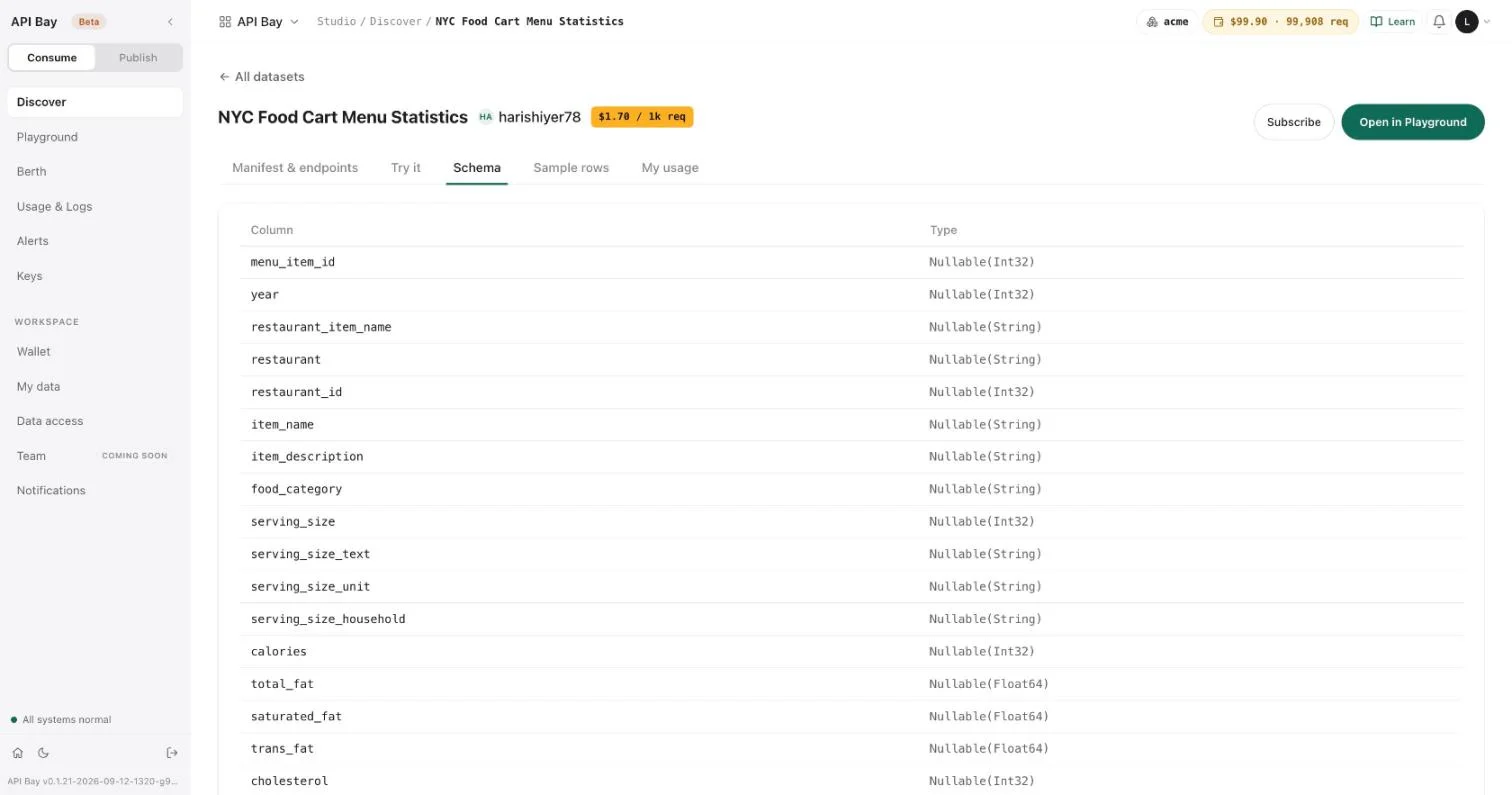
- Select Sample rows to see ten rows. A
∅marks a null.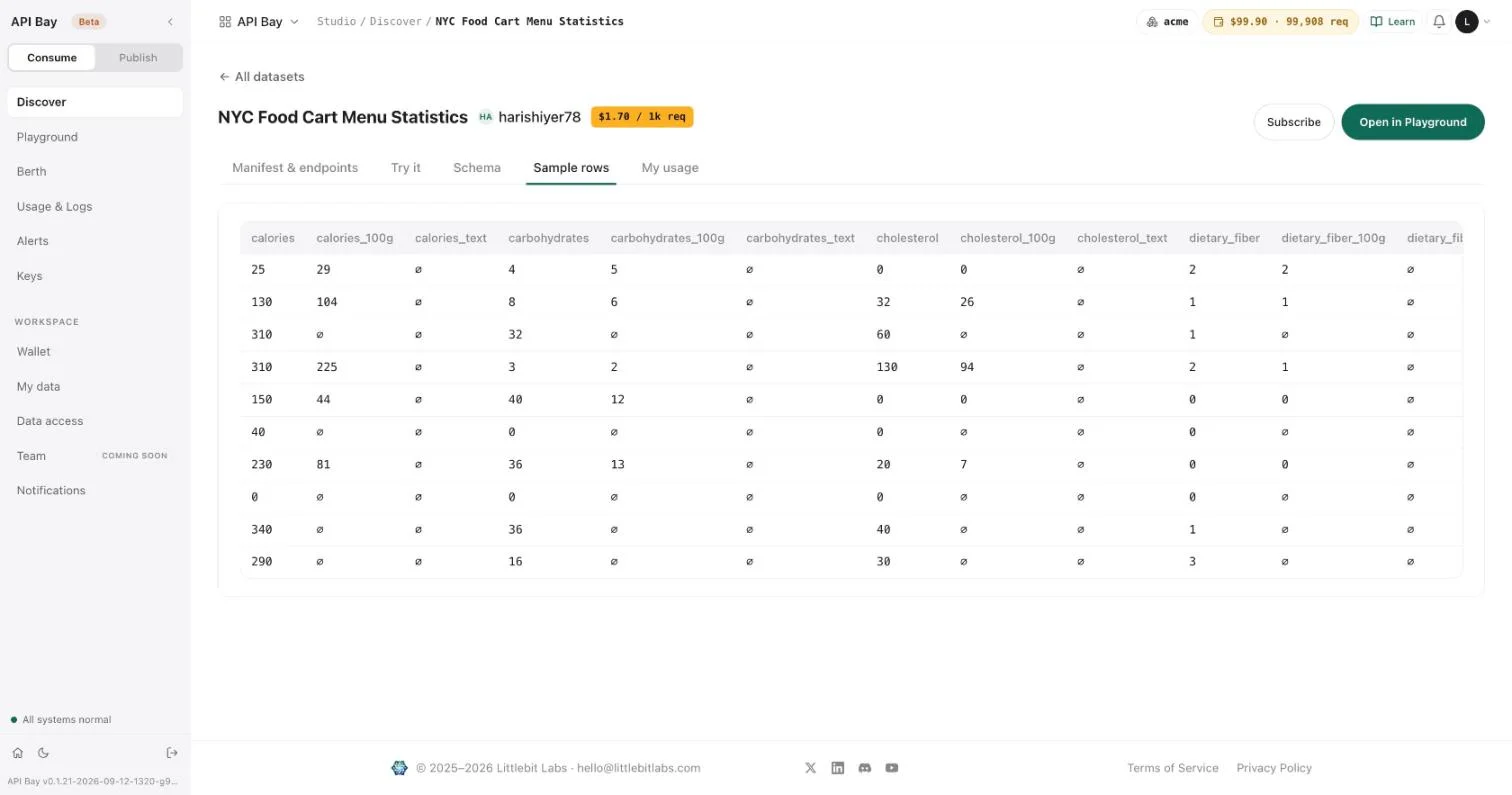
The builder writes the URL for you
- Select Try it. The page repeats the refusals a call can meet, asks for your key, and offers two modes. Basic builds a request from a sentence: which columns, how many rows, and any conditions.
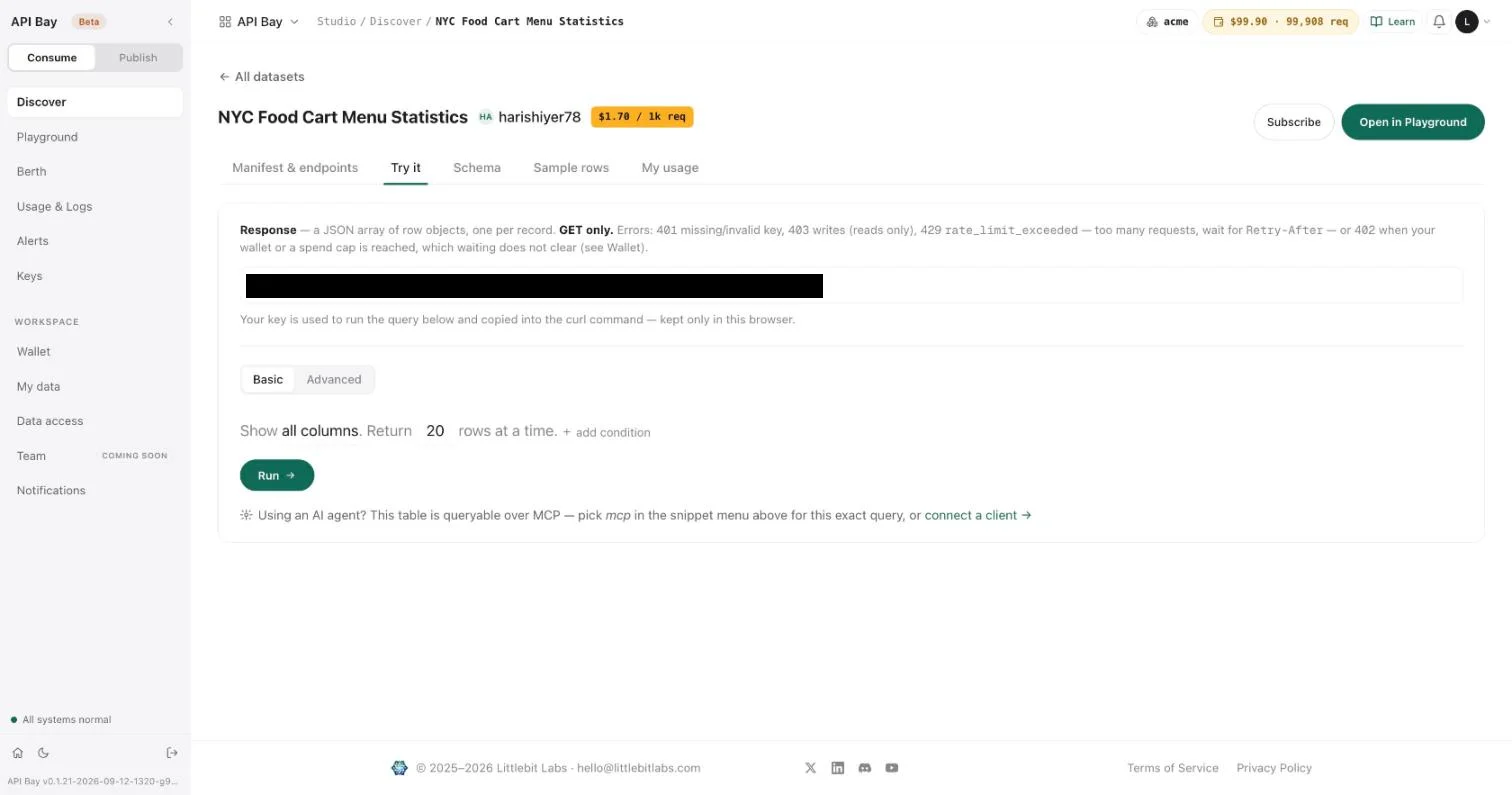
- Select Advanced. The same screen now shows every control as a labeled section: Columns, Filters, and, under Options, grouping, ordering, paging and format.
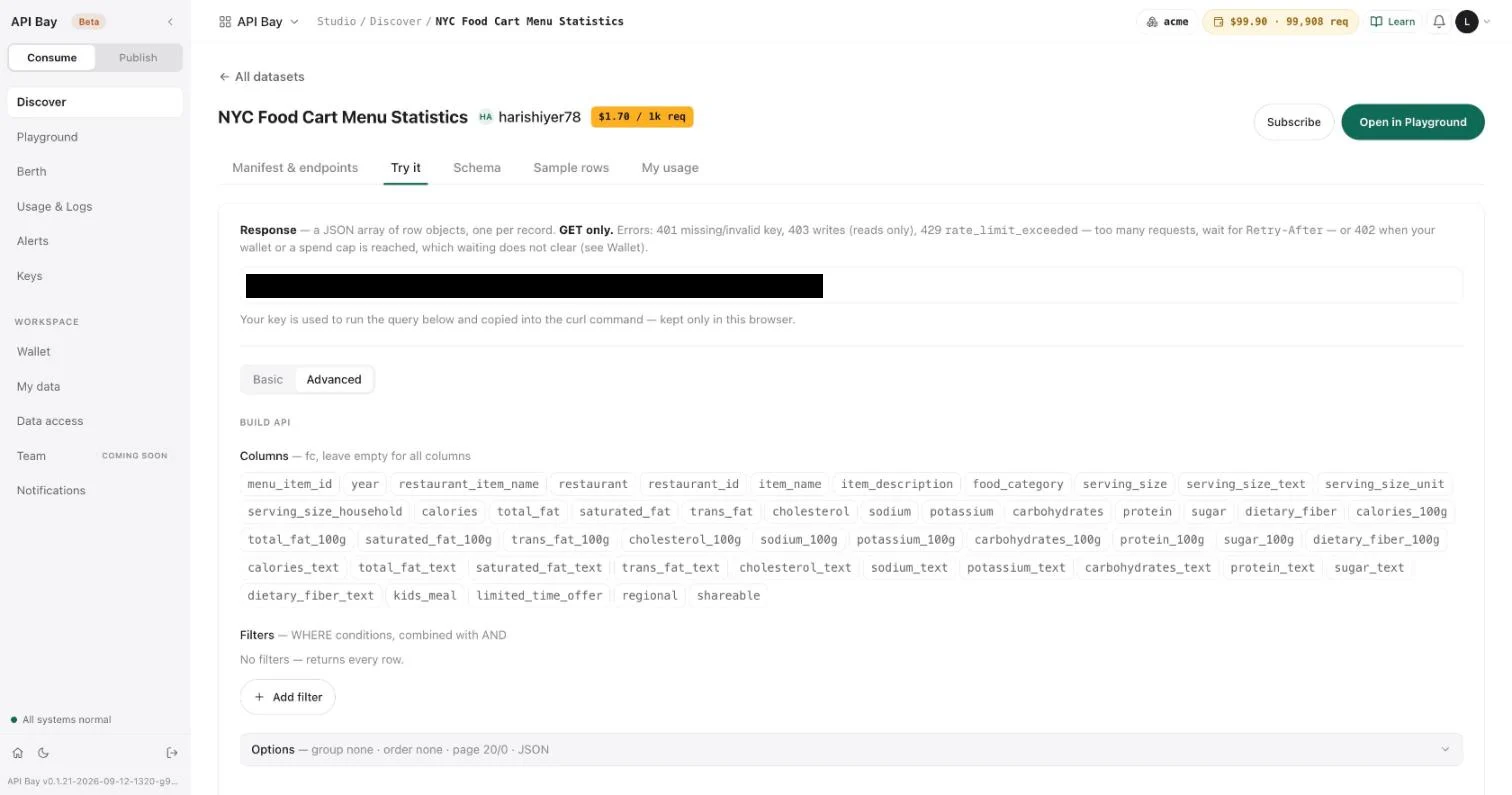
- Select Options. Each field names the parameter it writes: Group by is
gy, Order by isoy, Page size / page ispsandpg, and Format isformat. Below, a preview shows the request you have built, in the language you pick.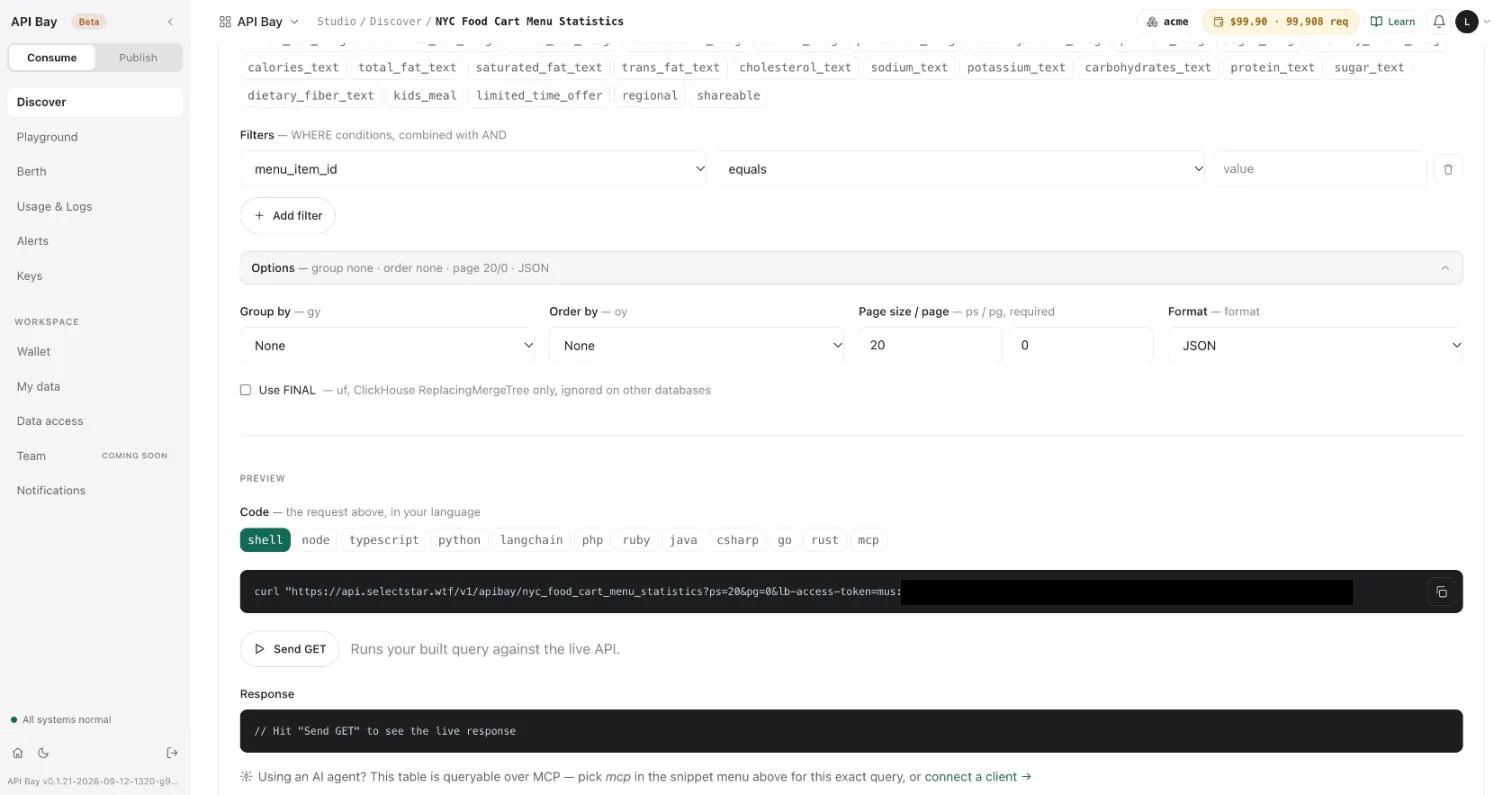
The builder is a quick way to see a request. Your code writes the URL itself, so the sections below do too.
Choose columns
fc is a comma-separated list of column names. Naming the columns you need is the cheapest way to shrink an answer: the call costs the same, and fewer bytes cross the wire. fc=*, or no fc at all, returns all 49 columns. In JSON, XML and YAML the columns of each row come out in alphabetical order, as Chapter 1 showed.
A column name that does not exist is refused, not ignored. A request that reaches the dataset is billed whether it succeeds or not; Chapter 3 shows each refusal and which ones are billed. fc takes column names only: an expression such as count(*) is refused as an unknown column.
Choose a page
Every request must carry both ps, the page size, and pg, the page number. Pages count from 0. Leave either out and the request is refused with 406. Because every call names its page, no call can return a whole table by accident, and a program always knows how to ask for the next part.
The largest page is 100 rows; ps=101 is refused. A call costs the same at ps=1 and at ps=100, so ask for the rows you need in as few calls as you can. A page past the last row is not an error: it is 200 with an empty array, [], and so is ps=0.
Choose an order
A request that names no order gets its rows in no order you should rely on. oy is a comma-separated list of column.direction pairs, where as is ascending and ds is descending. Here is the second page of the same descending order as the opening request:
GET /v1/apibay/nyc_food_cart_menu_statistics?ps=3&pg=1&fc=restaurant,item_name,calories&oy=calories.ds HTTP/1.1
Host: api.bay.example
LB-Access-Token: <your-api-key>HTTP/2 200
content-type: application/json[
{ "calories": 8213, "item_name": "Smoked Turkey", "restaurant": "Dickey's Barbeque Pit" },
{ "calories": 8020, "item_name": "Buttermilk Pancakes w/ Pork Sausage Links", "restaurant": "Friendly's" },
{ "calories": 7560, "item_name": "Cookie Dough Blizzard Cake, 10 in", "restaurant": "Dairy Queen" }
]Paging is only as reliable as the order under it. Rows that are equal on every oy column have no defined order among themselves, and this dataset has many such rows: menu_item_id is not unique, so several rows share an id. Add columns to break ties, as in oy=menu_item_id.as,item_name.as, until no two rows are equal on all of them. oy=~rand asks for a random order.
An identical request repeated within moments may be answered from a cache. The response header apisix-cache-status then reads HIT, where a fresh answer reads MISS or EXPIRED, and a cache hit is billed like any other call. So a repeated ~rand request can return the same rows, while changing only ps returns different ones. If you need fresh rows, change the request.
Filter rows
Any parameter that is not one of ps, pg, fc, oy, gy, hv, df, format, or or lb-access-token is a filter on the column of that name. Its value is an operator, a dot, and an operand: calories=ge.9000. Filters on different columns combine with AND, and a column takes one filter: a second filter on the same column is refused, so write a range with bw. Operands are percent-encoded, and eq compares exactly: eq.denny%27s finds nothing where eq.Denny%27s finds Denny's.
Nineteen operators are available:
| Operator | Meaning | Example |
|---|---|---|
eq ne | equals, not equals | restaurant=eq.Subway |
gt ge lt le | greater than, greater or equal, less than, less or equal | calories=ge.9000 |
bw | between two values; it takes exactly two | calories=bw.100.110 |
in nin | in a list, not in a list | menu_item_id=in.14850,62672 |
li nli | contains, does not contain | restaurant=li.anda |
rli nrli | starts with, does not start with | restaurant=rli.Panda |
lli nlli | ends with, does not end with | restaurant=lli.Express |
il | contains, ignoring case | restaurant=il.PANDA |
mt | regular-expression match, ignoring case | restaurant=mt.%5Epan |
is nis | is, is not; is takes NULL or NOT NULL, and nis takes NULL | calories=is.NULL |
mt takes a regular expression: ^pan matches names that start with "pan", and Panda|Subway matches either word. The builder's list of operators shows labels such as "contains" and "starts with" and omits il and nis; the URL accepts all nineteen.
Test for a missing value with is. nis already means "is not", so nis.NOT%20NULL is refused. Here are menu items with no calories recorded, in a fixed order:
GET /v1/apibay/nyc_food_cart_menu_statistics?ps=3&pg=0&fc=restaurant,item_name&calories=is.NULL&oy=menu_item_id.as,item_name.as HTTP/1.1
Host: api.bay.example
LB-Access-Token: <your-api-key>HTTP/2 200
content-type: application/json[
{ "item_name": "Big Buford Burger", "restaurant": "Checker's Drive-In/Rallys" },
{ "item_name": "Buttermilk Chicken Cordon Bleu Sandwich", "restaurant": "Arby's" },
{ "item_name": "Sweet Onion Chicken Teriyaki, Footlong", "restaurant": "Subway" }
]or=(...) ORs a group of conditions, written column.operator.operand and separated by commas, and ANDs the group with every other filter. The list operators in and nin are refused inside it, because their own commas would be ambiguous. This request reads: McDonald's or Subway, and at least 1,000 calories:
GET /v1/apibay/nyc_food_cart_menu_statistics?ps=4&pg=0&fc=restaurant,item_name,calories&or=(restaurant.eq.McDonald%27s,restaurant.eq.Subway)&calories=ge.1000&oy=calories.ds HTTP/1.1
Host: api.bay.example
LB-Access-Token: <your-api-key>HTTP/2 200
content-type: application/json[
{ "calories": 2500, "item_name": "Extra Value Meal w/ 40 Pc Nuggets, Medium Coke & Medium Fries", "restaurant": "McDonald's" },
{ "calories": 1770, "item_name": "40 Chicken McNuggets", "restaurant": "McDonald's" },
{ "calories": 1770, "item_name": "40 Chicken McNuggets", "restaurant": "McDonald's" },
{ "calories": 1440, "item_name": "Extra Value Meal w/ 20 Pc Nuggets, Medium Coke & Medium Fries", "restaurant": "McDonald's" }
]The two McNugget rows are two rows of the dataset, not one row returned twice: they differ in columns the request did not ask for, such as year. The value of a filter must fit the column: a text operand against a whole-number column is refused.
An operator tour
Each row below is one request with ps=1, ordered by oy=calories.ds,menu_item_id.as,item_name.as,restaurant.as, and shows the first row it returned as restaurant, item and calories.
| Operator | Filter | First row |
|---|---|---|
eq | restaurant=eq.Subway | Subway, Chicken & Bacon Ranch Melt, Footlong, 1210 |
ne | restaurant=ne.White%20Castle | Dickey's Barbeque Pit, Prime Rib, 10205 |
bw | calories=bw.9000.10000 | Famous Dave's, Rib Tips Til Payday, Dinner, 9240 |
in | menu_item_id=in.14850,62672 | Panda Express, Mushroom Chicken, Kids, 130 |
li | restaurant=li.anda | Panda Express, Fried Rice, 520 |
rli | restaurant=rli.Panda | Panda Express, Fried Rice, 520 |
lli | restaurant=lli.Express | Panda Express, Fried Rice, 520 |
il | restaurant=il.PANDA | Panda Express, Fried Rice, 520 |
mt | restaurant=mt.%5Epan | Panera Bread, Mini Scones Variety Pack, 1490 |
The not forms, nin, nli, nrli and nlli, return what their positive forms leave out. gt leaves out its operand and ge keeps it. With ps=3 and the order above, calories=gt.10205 returns one row, the White Castle crate at 13,960, and calories=ge.10205 returns two: the crate and the Prime Rib at 10,205.
Distinct values and groups
df returns each distinct value of a column once. It cannot be combined with fc, and an oy alongside it may name only the df column. No order is promised, so the five values you get may differ from these.
GET /v1/apibay/nyc_food_cart_menu_statistics?ps=5&pg=0&df=food_category HTTP/1.1
Host: api.bay.example
LB-Access-Token: <your-api-key>HTTP/2 200
content-type: application/json[
{ "food_category": "Appetizers & Sides" },
{ "food_category": "Entrees" },
{ "food_category": "Baked Goods" },
{ "food_category": "Beverages" },
{ "food_category": "Toppings & Ingredients" }
]gy groups rows by a column, and hv filters the groups in the same column.operator.operand form. Name the grouped column in fc as well. The model has no aggregate functions, and an fc of count(*) is refused as an unknown column, so grouping answers "which groups", never "how many in each". This returns the one group, out of all the restaurants, whose name is Subway:
GET /v1/apibay/nyc_food_cart_menu_statistics?ps=5&pg=0&fc=restaurant&gy=restaurant&hv=restaurant.eq.Subway HTTP/1.1
Host: api.bay.example
LB-Access-Token: <your-api-key>HTTP/2 200
content-type: application/json[
{ "restaurant": "Subway" }
]Choose a format
format selects how the rows are written. json is the default; csv, xml and yaml are the others, and they arrive with the content types text/csv, application/xml and application/yaml. A value it does not know is ignored, and you get JSON. CSV puts the columns in the order fc names them, with a header row:
GET /v1/apibay/nyc_food_cart_menu_statistics?ps=3&pg=0&fc=restaurant,item_name,calories&calories=ge.9000&oy=calories.ds&format=csv HTTP/1.1
Host: api.bay.example
LB-Access-Token: <your-api-key>HTTP/2 200
content-type: text/csvrestaurant,item_name,calories
White Castle,Crave Crate w/ Any 100 Sliders in a Crate,13960
Dickey's Barbeque Pit,Prime Rib,10205
Famous Dave's,"Rib Tips Til Payday, Dinner",9240flowchart LR
R[Request URL] --> W[Which rows: filters, or]
R --> S[What shape: fc, df, gy, hv]
R --> O[What order: oy]
R --> P[Which slice: ps, pg]
R --> F[How written: format]
The parameters of a request, grouped by what each controls.
Exercises
Calls that reach the dataset are billed at $1.70 per 1,000 requests whatever the page size, so ask for the rows you need in the fewest calls. Use a disposable workspace.
- Using
oy,psandpgonly, find the five items with the most sodium, and the restaurant of each. Then request the second page of the same order and check whether any row appears on both pages. - Build a request that returns the distinct values of
restaurant, 20 to a page, in a fixed order: addoy=restaurant.as. Request pages 0, 1, 2 and so on until you receive[], and count the values you collected. - Write one request for items from either McDonald's or Subway with at least 1,000 calories, ordered by calories descending, with only
restaurant,item_nameandcalories, returned as CSV. Check that the CSV header lists the columns in the order you wrote them infc.
3Errors and refusals
A request can fail before API Bay reads any data, or while it reads. The difference matters because only one of them costs you money.
Start with the commonest: a request with no key.
GET /v1/apibay/nyc_food_cart_menu_statistics?ps=1&pg=0 HTTP/1.1
Host: api.bay.exampleHTTP/2 401
content-type: text/plain; charset=utf-8The body is empty. A key that is not a key gets the same answer: on the data host an empty 401 means the key is missing or unknown. A key of the wrong kind for the host gets a 401 with a body, which Chapter 6 shows. The Try it tab on a dataset's page lists the refusals a call can meet: this 401, a 403 for anything but a read, a 429 with a Retry-After header when you send too many requests, and a 402 when your wallet or a spend cap is reached, which waiting does not clear. The sections below show the rest. The rate limit and the wallet have chapters of their own.
Refused at the door
Some requests are refused before they reach a dataset. They carry no metering headers, they do not appear in Usage & Logs, and they cost nothing.
API Bay is read-only. Any method but GET is refused with 403:
POST /v1/apibay/nyc_food_cart_menu_statistics?ps=1&pg=0 HTTP/1.1
Host: api.bay.example
LB-Access-Token: <your-api-key>
Content-Type: application/json

[]HTTP/2 403
content-type: text/plain; charset=utf-8{ "error": "read_only" }PUT and DELETE get the same answer. A page larger than 100 rows is refused with 400:
GET /v1/apibay/nyc_food_cart_menu_statistics?ps=101&pg=0 HTTP/1.1
Host: api.bay.example
LB-Access-Token: <your-api-key>HTTP/2 400
content-type: text/plain; charset=utf-8{
"detail": "at most 100 rows a request (ps) — paginate with pg",
"error": "page_too_large"
}Note the content type. Both bodies above are JSON, but the response calls them text/plain. Read the status first, then parse the body.
A dataset that its publisher has de-listed is refused at the door too. The data host answers 503, with the error dataset_disabled in a body of the same kind, and the call is not billed. Chapter 9 shows the exchange. A 503 is the service's answer rather than a fault in your request, so change nothing in the request: try again later, or ask the publisher.
Refused by the query
The rest are refused while the request is read, and they are different in kind: they arrive with the metering headers, they are logged, and they are billed at the dataset's price like a call that succeeded. A mistake in a request costs a call, so check the URL before you send it.
These bodies share a shape: code, status, message, and often details. A column that does not exist, in a filter or in fc, is refused with 417. The response carries the metering headers of Chapter 1, because the call is billed:
GET /v1/apibay/nyc_food_cart_menu_statistics?ps=1&pg=0&no_such_column=eq.1 HTTP/1.1
Host: api.bay.example
LB-Access-Token: <your-api-key>HTTP/2 417
content-type: application/json; charset=utf-8
x-free-tier-remaining: 97
x-ratelimit-reset: 1791612737
x-cost-per-1k: USD 1.70
x-ratelimit-remaining: 143778
x-wallet-remaining: USD 99.63
x-ratelimit-limit: 144000
x-wallet-remaining-requests: 99629
x-plan-tier: pro{
"code": 417,
"status": "Expectation Failed",
"message": "unable to perform select",
"details": "a valid SQL statement could not be formed reason: unknown column \"no_such_column\""
}Leave out ps or pg and the answer is 406, with advice in details:
GET /v1/apibay/nyc_food_cart_menu_statistics?ps=3&fc=menu_item_id HTTP/1.1
Host: api.bay.example
LB-Access-Token: <your-api-key>HTTP/2 406
content-type: application/json; charset=utf-8{
"code": 406,
"status": "Not Acceptable",
"message": "GET request must use PAGINATION ",
"details": "pagination is done with 'ps' (page size) and 'pg' (page number) keywords e.g. ps=10&pg=1 (will get 10 rows for second page); page number starts with zero"
}A filter value that carries a bare SQL keyword, such as DROP as a whole word, is refused with 400, and a semicolon that is not percent-encoded as %3B is refused with 400. A keyword inside a longer word is fine.
GET /v1/apibay/nyc_food_cart_menu_statistics?ps=1&pg=0&restaurant=eq.DROP%20TABLE HTTP/1.1
Host: api.bay.example
LB-Access-Token: <your-api-key>HTTP/2 400
content-type: application/json; charset=utf-8{
"code": 400,
"status": "Bad Request",
"message": "the value for \"restaurant\" carries the SQL keyword \"DROP\", which is not permitted in a filter value"
}More refusals by the query
The same shape covers the rest. A page size that is not a whole number is refused with 406:
GET /v1/apibay/nyc_food_cart_menu_statistics?ps=abc&pg=0 HTTP/1.1
Host: api.bay.example
LB-Access-Token: <your-api-key>HTTP/2 406
content-type: application/json; charset=utf-8{
"code": 406,
"status": "Not Acceptable",
"message": "unable to parse ps",
"details": "check value provided for 'ps' is an integer"
}A negative page is refused the same way:
GET /v1/apibay/nyc_food_cart_menu_statistics?ps=3&pg=-1 HTTP/1.1
Host: api.bay.example
LB-Access-Token: <your-api-key>HTTP/2 406
content-type: application/json; charset=utf-8{
"code": 406,
"status": "Not Acceptable",
"message": "page index or page size cannot be negative"
}An operator the model does not have is a 417 that names it in details. The operator here is xx:
GET /v1/apibay/nyc_food_cart_menu_statistics?ps=1&pg=0&restaurant=xx.Subway HTTP/1.1
Host: api.bay.example
LB-Access-Token: <your-api-key>HTTP/2 417
content-type: application/json; charset=utf-8{
"code": 417,
"status": "Expectation Failed",
"message": "unable to perform select",
"details": "a valid SQL statement could not be formed reason: unsupported keyword xx found in request"
}Parameters that cannot be combined are refused with 417 too. df lists the distinct values of one column, so it cannot be sent with fc:
GET /v1/apibay/nyc_food_cart_menu_statistics?ps=1&pg=0&df=food_category&fc=restaurant HTTP/1.1
Host: api.bay.example
LB-Access-Token: <your-api-key>HTTP/2 417
content-type: application/json; charset=utf-8{
"code": 417,
"status": "Expectation Failed",
"message": "unable to perform select",
"details": "a valid SQL statement could not be formed reason: fc and fd cannot be used together"
}An operand that does not fit its column is the last 417. calories holds whole numbers, and abc is not one. The answer ends with the data engine's own text, which varies with the query, and the example cuts it:
GET /v1/apibay/nyc_food_cart_menu_statistics?ps=1&pg=0&calories=eq.abc HTTP/1.1
Host: api.bay.example
LB-Access-Token: <your-api-key>HTTP/2 417
content-type: application/json; charset=utf-8{
"code": 417,
"status": "Expectation Failed",
"message": "unable to perform select",
"details": "code: 53, message: Cannot convert string 'abc' to type Int32: …"
}Last, a semicolon that is not percent-encoded is refused with 400, and the message says how to fix it:
GET /v1/apibay/nyc_food_cart_menu_statistics?ps=1&pg=0&restaurant=eq.a;b HTTP/1.1
Host: api.bay.example
LB-Access-Token: <your-api-key>HTTP/2 400
content-type: application/json; charset=utf-8{
"code": 400,
"status": "Bad Request",
"message": "the query string is malformed and at least one parameter was discarded (invalid semicolon separator in query); if a value needs to carry a ';', percent-encode it as %3B"
}The refusals above, and whether each is billed:
| Status | What you sent | message or error | Logged and billed |
|---|---|---|---|
401 | no key, or an unknown key | none, empty body | no |
403 | POST, PUT or DELETE | read_only | no |
400 | ps above 100 | page_too_large | no |
503 | a dataset its publisher has de-listed | dataset_disabled | no |
403 | a dataset name the product does not know | insufficient permissions for this operation on this table, got [user] | logged at $0 |
406 | ps or pg missing | GET request must use PAGINATION | yes |
406 | ps not a whole number | unable to parse ps | yes |
406 | a negative page or page size | page index or page size cannot be negative | yes |
417 | a column that does not exist | unable to perform select, with unknown column in details | yes |
417 | an operator the model does not have | unable to perform select, with unsupported keyword in details | yes |
417 | parameters that cannot be combined: df with fc, oy on a column other than the df column, in inside or, bw with one value | unable to perform select, with the reason in details | yes |
417 | an operand that does not fit the column's type | unable to perform select, with the data engine's own text in details | yes |
400 | a SQL keyword as a whole word in a filter value | the value for "…" carries the SQL keyword "…", which is not permitted in a filter value | yes |
400 | a raw semicolon in a value | the query string is malformed and at least one parameter was discarded … | yes |
What is not an error
Three requests that look wrong succeed, as Chapter 2 showed: ps=0, a page past the last row, and a format the product does not know. Each answers 200, the first two with [] and the third with JSON.
What a refusal costs
Open Usage & Logs and set the status filter to 4xx. The refusals that reached the dataset are there, each with its status and cost: every 406, 417 and query 400 carries the dataset's price, shown as $0.002. The 403 for an unknown dataset is in the log too, at $0. The 401, the read-only 403s and the oversized-page 400 are not in the log at all.
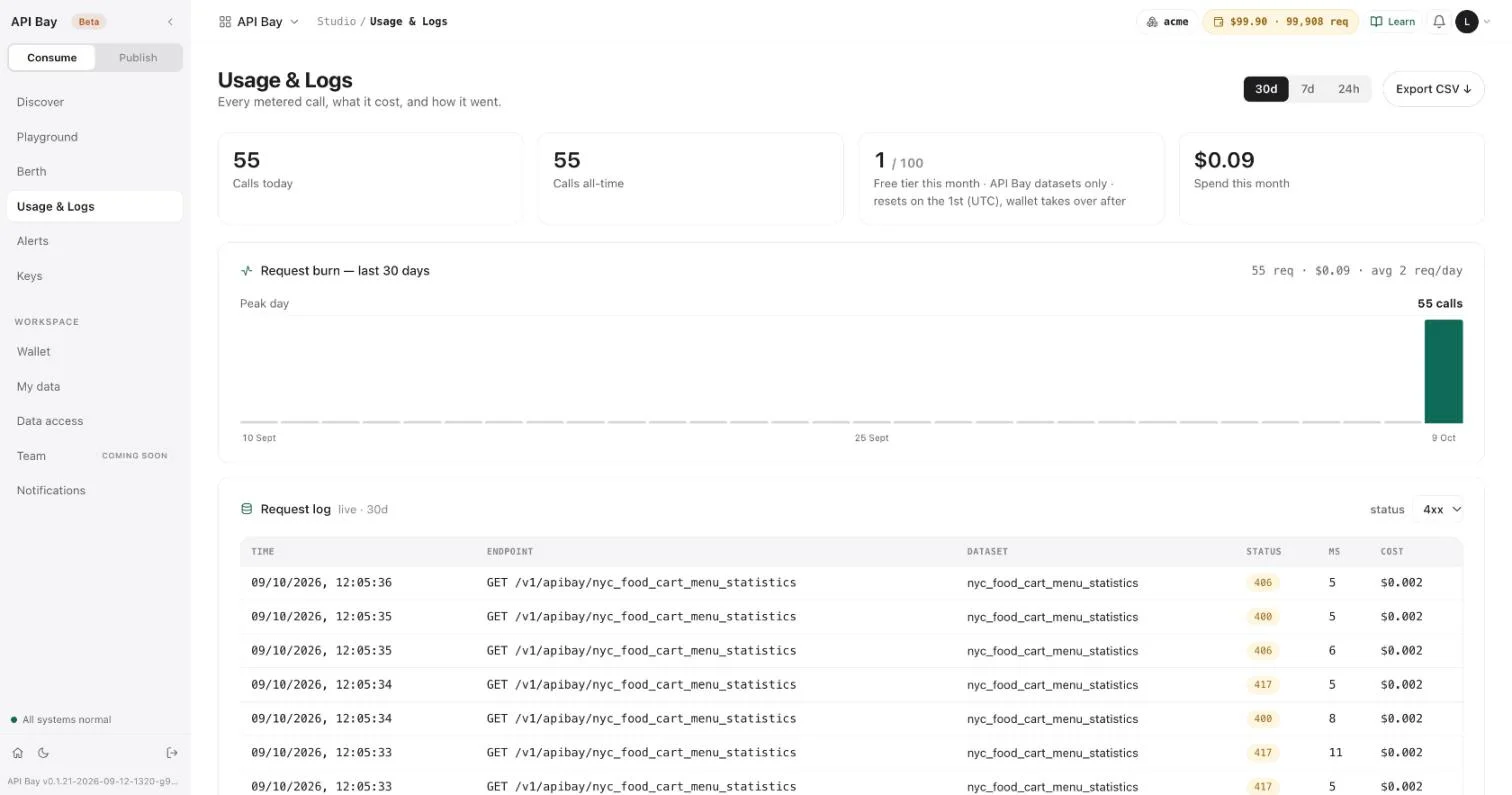
That $0 is not free. A request for a dataset name the product does not know takes one request from the free tier: the x-free-tier-remaining header on that 403 falls by one each time you send it. Here is one, with the headers that show it:
GET /v1/apibay/no_such_dataset?ps=1&pg=0 HTTP/1.1
Host: api.bay.example
LB-Access-Token: <your-api-key>HTTP/2 403
content-type: application/json; charset=utf-8
apisix-cache-status: MISS
x-free-tier-remaining: 94
x-ratelimit-reset: 1791612737
x-cost-per-1k: USD 1.00
x-ratelimit-remaining: 143760
x-wallet-remaining: USD 99.61
x-ratelimit-limit: 144000
x-wallet-remaining-requests: 99611
x-plan-tier: pro{
"code": 403,
"status": "Forbidden",
"message": "insufficient permissions for this operation on this table, got [user]"
}The same 403 answers for a table that exists but has not been published (Chapter 8). Check a dataset's name on Discover before you put it in code.
Only two statuses are worth sending again as they are. A 429 with a Retry-After header clears when the wait is over, and a 503 clears when the publisher publishes the dataset again. Every other refusal repeats until the request, the key or the account changes, and if it was billed, sending it again only repeats the cost.
flowchart LR
    S[Status] -->|2xx| OK[Read the rows]
    S -->|401| K[Fix the key, or the host it belongs to]
    S -->|403 read_only| G[Send GET]
    S -->|403 permissions| N[Check the dataset name]
    S -->|400 ps above 100| P[Ask for at most 100 rows]
    S -->|503 dataset_disabled| D[Try later, or ask the publisher]
    S -->|other 400, 406, 417| Q[Fix the request: it was billed]
    S -->|429| W[Wait for Retry-After]
    S -->|402| M[Wallet or cap: waiting will not help]
What to do with each status.
Exercises
A refusal that reaches the dataset is billed at $1.70 per 1,000 requests; the others take nothing from the wallet. Use a disposable workspace.
- Using only
GET, provoke three different refusals: an unknown column, a missingpg, and a filter value that is a SQL keyword. Record the status andmessageof each. Then open Usage & Logs, filter to 4xx, and note which three rows are yours and what each cost. - Send a
POSTto a dataset with your key. Read the status line and the body, and note the content type. Then check whether the call appears in Usage & Logs. - Request a dataset name that does not exist, twice. Read the status and the
x-free-tier-remainingheader each time, and compare the two values.
4Plans and limits
Every call you make runs under a plan, and the plan decides how fast you may call. What a call costs is decided by the dataset. The two are independent: a plan can refuse a call that would have cost nothing, and a dataset can charge for a call the plan allowed. Keeping them apart explains most of what API Bay refuses.
A limit is how a shared service stays usable when one caller's loop runs away. A program that meets one has done nothing wrong. It has asked faster than the plan allows, and the answer says how long to wait.
Start with the refusal. Send this request 101 times inside a minute, and the 101st is answered as shown below:
GET /v1/apibay/nyc_food_cart_menu_statistics?ps=1&pg=0 HTTP/1.1
Host: api.bay.example
LB-Access-Token: <your-api-key>HTTP/2 429
content-type: text/plain; charset=utf-8
retry-after: 9{ "error": "rate_limit_exceeded", "plan": "pro" }The body is JSON labeled text/plain, as in Chapter 3. The request was not billed, and it does not appear in Usage & Logs. Retry-After is the number of seconds until you may call again.
Read your plan
Open Berth. The heading names your plan and its daily limit: "Pro · 144,000 req/day". The first card counts your requests this month against the credit of your pack, written as requests, "202 / 102,000" in the figure, and lists each dataset you called with its number of calls; a dataset name the product did not know is listed too, as a dataset of its own. The card ends with your limits: 100 a minute, 6,000 an hour, 144,000 a day, and no monthly limit. These are the Pro plan's figures, and the rest of the chapter uses them; Berth shows the limits of yours. On the right, the traffic meter counts this month's requests and the free requests you have used, and "This month, netted" shows your wallet balance, your spend so far and the requests you have left.
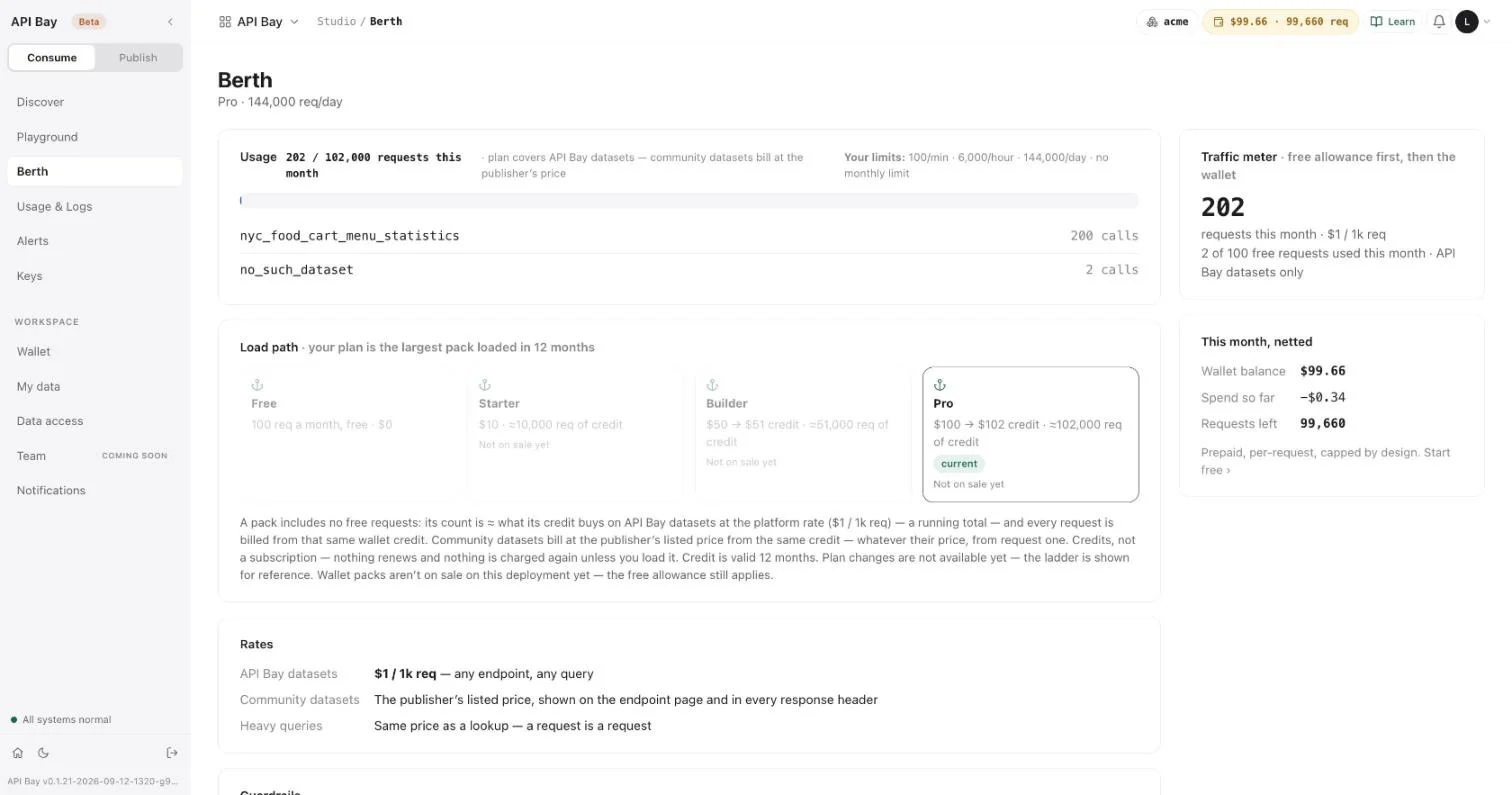
A plan is the largest pack of credit you have loaded in the last 12 months. The ladder under the usage card shows the four:
| Plan | Pack | What it buys |
|---|---|---|
| Free | $0 | 100 requests a month |
| Starter | $10 | about 10,000 requests of credit |
| Builder | $50 | $51 of credit, about 51,000 requests |
| Pro | $100 | $102 of credit, about 102,000 requests |
A pack is credit, not a subscription: nothing renews, and credit is valid for 12 months. The ladder is for reference. Plan changes are not available yet, and neither are packs on sale.
The three limits
Your plan limits how many calls you make in a minute, in an hour and in a day. The headers from Chapter 1 report the daily limit: x-ratelimit-limit is 144000, and x-ratelimit-remaining falls by one on every call.
The three limits agree. A flat-out client sends 100 calls a minute, which is 6,000 in an hour and 144,000 in a day, so the limits describe one rate from three distances. The per-minute limit is the one a loop reaches first. It is a window of about a minute: 100 requests succeed, the 101st is refused, and the window reopens when Retry-After runs out. A request answered from the cache, which Chapter 2 described, counts against the limit like any other.
Retry-After counts down in real time: refused requests sent a second apart read 9, then 8, then 7, until the window reopens and the next request succeeds. A client that meets a 429 should wait the number of seconds in Retry-After and send the request again. A client that never wants to meet one spaces its calls: 0.7 seconds between calls is about 85 a minute, which leaves room under 100.
sequenceDiagram
    participant C as Client
    participant G as Data host
    C->>G: requests 1 to 100 in a minute
    G-->>C: 200, billed
    C->>G: request 101
    G-->>C: 429, retry-after 9
    Note over C: wait 9 s
    C->>G: request 101 again
    G-->>C: 200
A client that reaches the per-minute limit waits for Retry-After and sends again.
The free tier
Every workspace has 100 free requests a month, on API Bay datasets only, with no card. The count resets at 00:00 UTC on the first of the month. A call to an API Bay dataset uses the free tier first and then the wallet, and so does a request for a dataset name the product does not know (Chapter 3). Wallet shows what is left, and so does the x-free-tier-remaining header on every metered response.
Calls to a community dataset, such as NYC Food Cart Menu Statistics, never use it. A community dataset is one another account has published; the rate card prices it at its publisher's listed price, from the first request.
Rates and guardrails
Scroll down on Berth for the rates and guardrails.
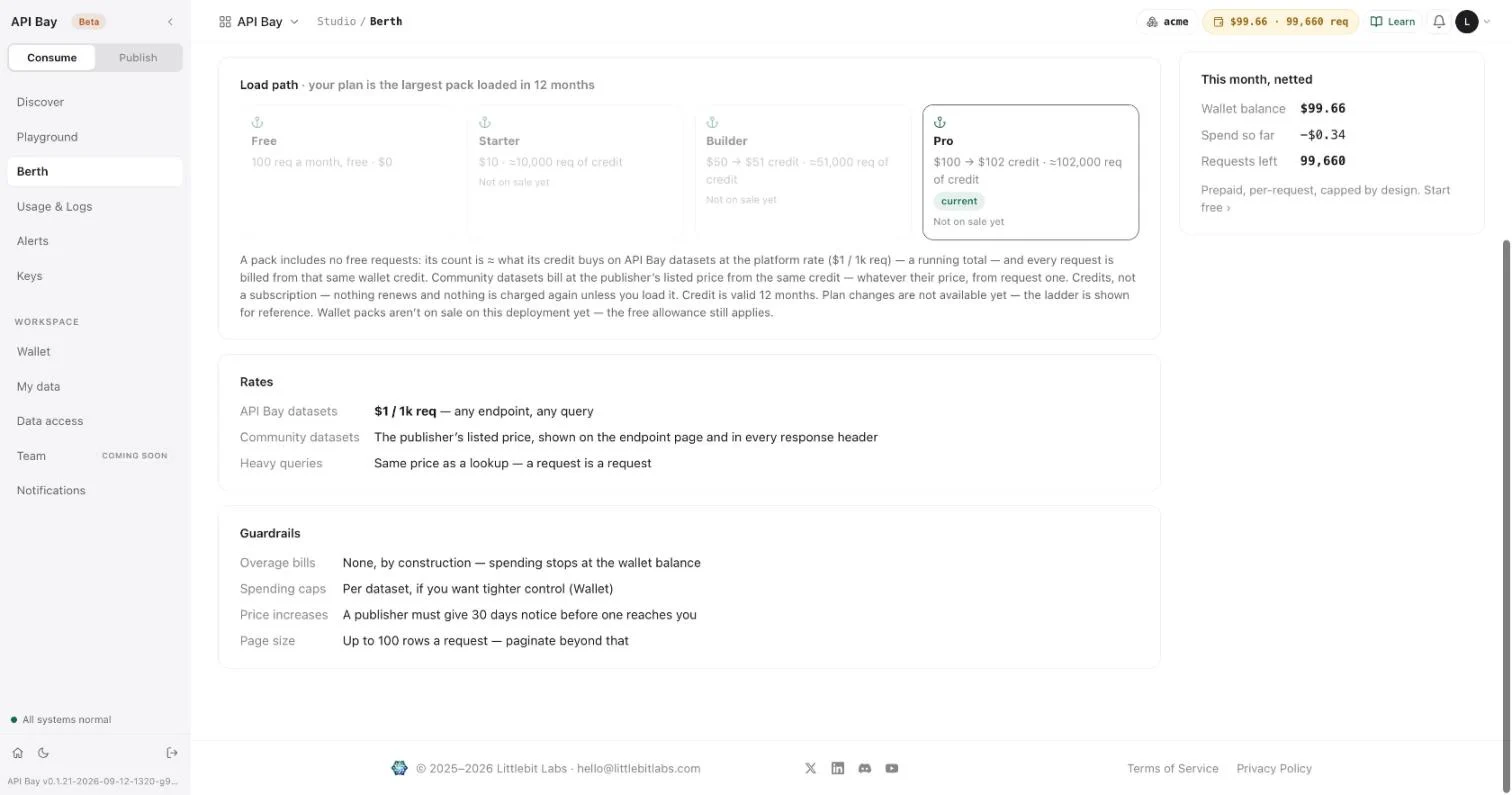
| Rate | Price |
|---|---|
| API Bay datasets | $1 per 1,000 requests, any endpoint, any query |
| Community datasets | The publisher's listed price, shown on the endpoint page and in every response header |
| Heavy queries | The same price as a lookup: a request is a request |
A call for one row and a call for 100 rows cost the same, and so does a filter, a group or a distinct. The guardrails are four rules:
- There are no overage bills. Spending stops at the wallet balance.
- You can set a spending cap on any dataset. Chapter 5 shows how.
- A publisher must give 30 days' notice before a price increase reaches you.
- A page is at most 100 rows. You paginate beyond that.
Exercises
On the Pro plan the loop of the third exercise sends 100 billed calls, about 17 cents at $1.70 per 1,000 requests; the next call is refused and costs nothing. Use a disposable workspace.
- Read your per-minute limit on Berth. Multiply it out to an hour and to a day, and set the results beside the hourly and daily limits on the same page.
- Send the same request three times, and read
x-ratelimit-remainingon each response. Then send a different request three times. Compare how the counter falls in the two runs, and readapisix-cache-statuson every response. - Provoke a
429: write a loop that sends the same request one more time than your per-minute limit, in under a minute, and prints the status of each response. A shell loop ofcurl -s -o /dev/null -w '%{http_code}\n'calls is enough. Read theRetry-Afterheader on the first refusal, wait that many seconds, and send the request again.
5The wallet and spending caps
The wallet is the money your calls spend, and it is prepaid. You load credit, calls draw it down, and when it is gone calls stop. There are no overage bills, no negative balances and no surprise invoices. The worst a mistake can cost is the balance: a loop that runs away ends when the wallet does.
A spending cap narrows the same promise to one dataset. It stops that dataset at a monthly amount while every other dataset keeps working, and the status it answers with is the wallet's: 402.
Start with the refusal. A dataset with a spending cap answers like this once the cap is reached:
GET /v1/apibay/nyc_food_cart_menu_statistics?ps=1&pg=0 HTTP/1.1
Host: api.bay.example
LB-Access-Token: <your-api-key>HTTP/2 402
content-type: text/plain; charset=utf-8{
"detail": "your monthly spend cap for this dataset is reached — raise it on the Wallet screen",
"error": "dataset_cap_reached"
}The body is JSON labeled text/plain, as in Chapter 3, and it carries no metering headers. The request was not billed, and it is not in Usage & Logs. Waiting seconds does not clear a 402 as it clears a 429: change the cap or the balance.
Read the wallet
Open Wallet. The card on the left shows your credit balance in dollars and as requests on company data, which is the balance priced at $1 per 1,000 requests, rounded down. Under it, a bar shows the free tier of Chapter 4: the requests you have left this month. The line beneath says what happens at zero: "calls return 402 and stop. No overages, ever."
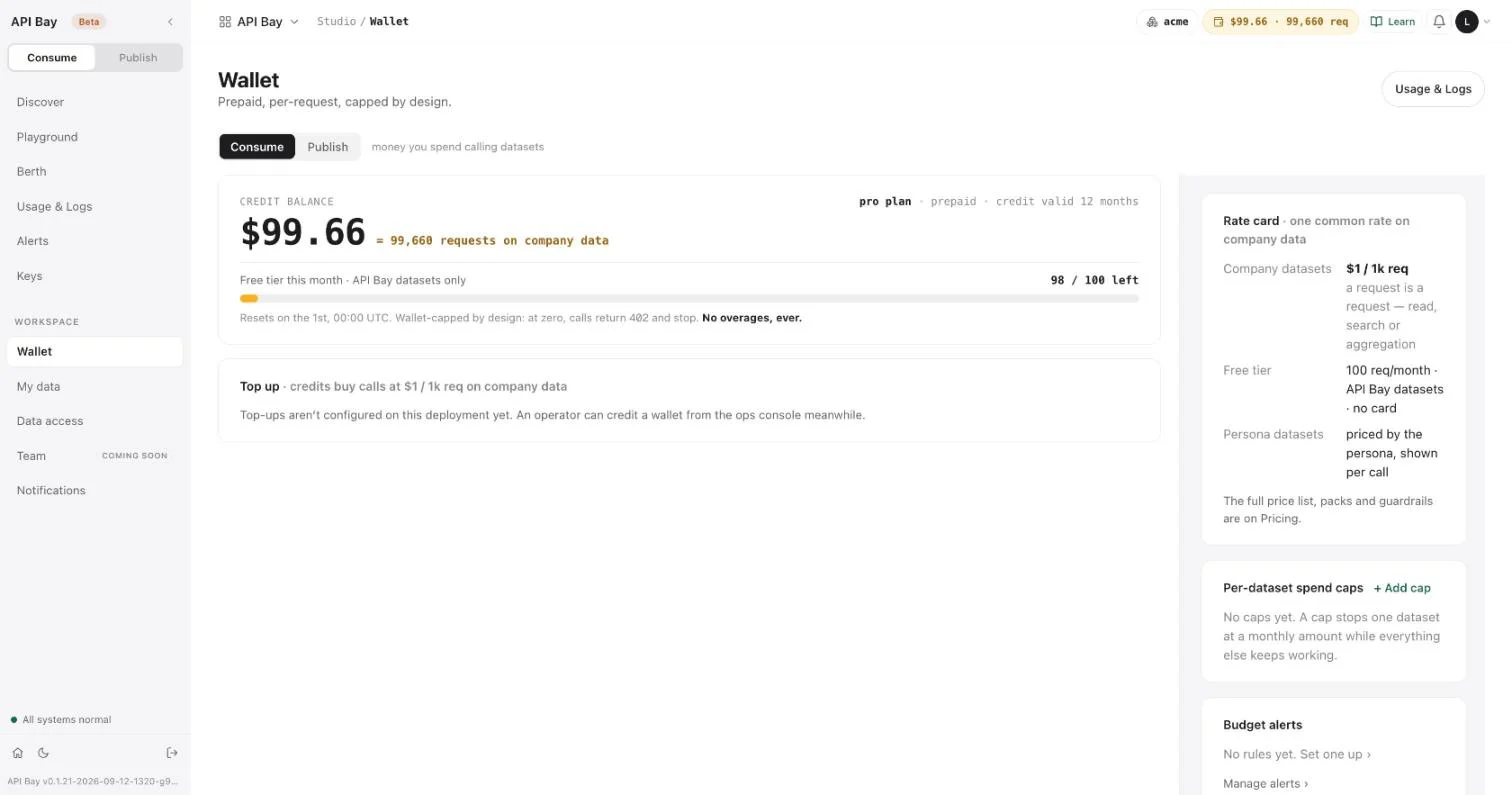
The rate card on the right repeats the rates of Chapter 4 under other names: "Company datasets" for what Berth calls API Bay datasets, and "Persona datasets" for community datasets. Top up is where credit would be added; the product says top-ups are not configured yet.
A call to a community dataset takes its price from your balance. A dataset at $1.70 per 1,000 requests, as in Chapter 1, takes $0.0017 a call, which is 1.7 of the requests on company data. The counter moves by one or two with each call: five consecutive calls to such a dataset read 99,658, 99,656, 99,654, 99,653 and 99,651 requests in x-wallet-remaining-requests.
Cap a dataset
A cap stops one dataset at a monthly amount while everything else keeps working. First read what the dataset has spent this month: Usage & Logs lists it under "By dataset". In this example the figure is $0.34.
- On Wallet, under Per-dataset spend caps, select + Add cap. The product asks two questions, one after the other, in dialogs of your browser.
- Answer "Dataset slug to cap" with
nyc_food_cart_menu_statistics, the last part of the dataset's address on Discover. - Answer the monthly cap, in US dollars, with
0.35: a little above the spend, so that the cap trips within a few calls.
The cap appears in the list, with the dataset's name, what it has spent this month against the cap, and a remove link.
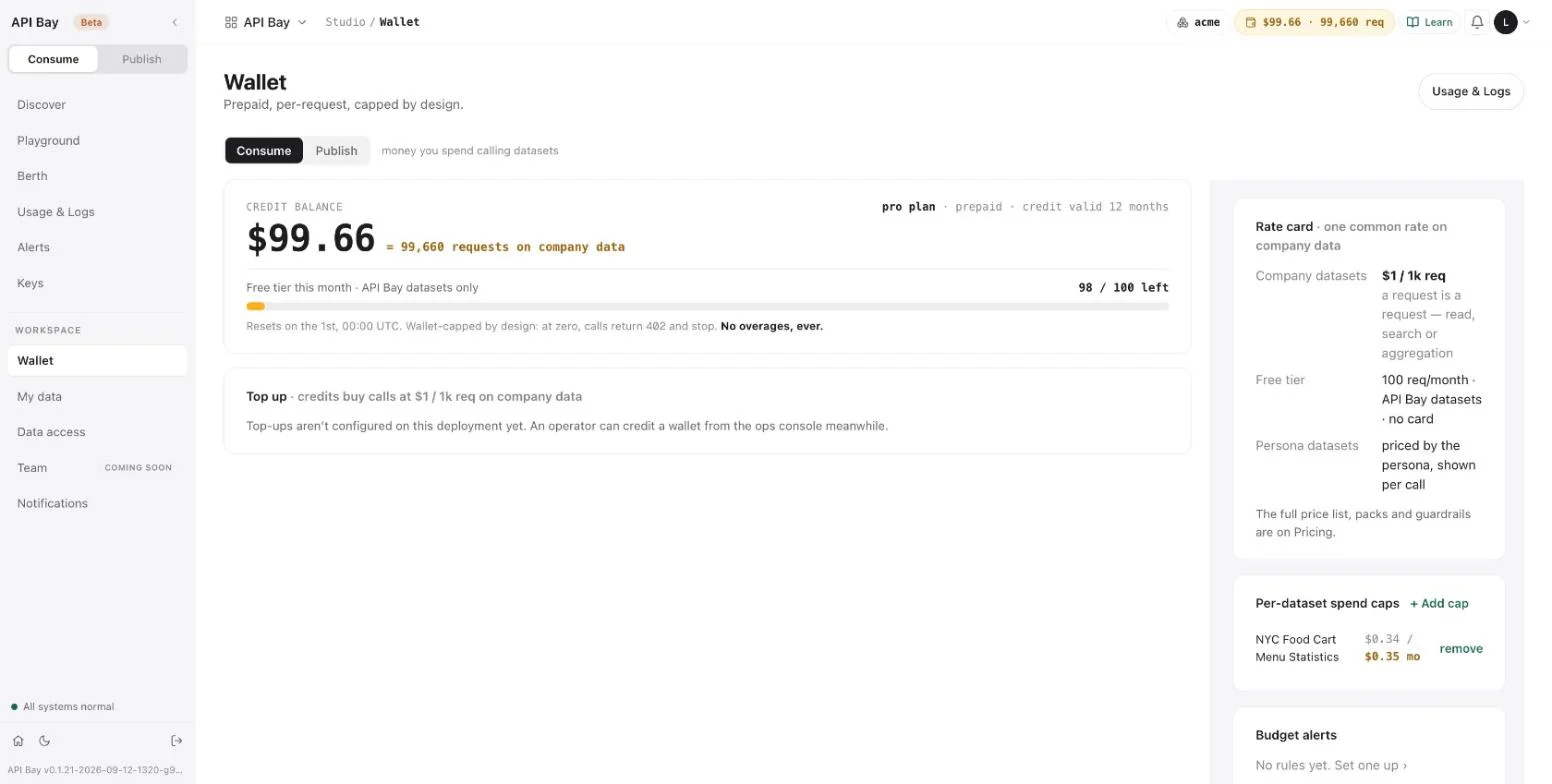
The first figure is the month's spend on that dataset, the one you read on Usage & Logs. At $0.0017 a call, five more calls bring it to $0.3485. A sixth would take it to $0.3502, past the cap, and the sixth is the call that is refused, with the 402 above. With another spend the count differs, but the rule is the same: the call that would take the spend past the cap is the one that is refused.
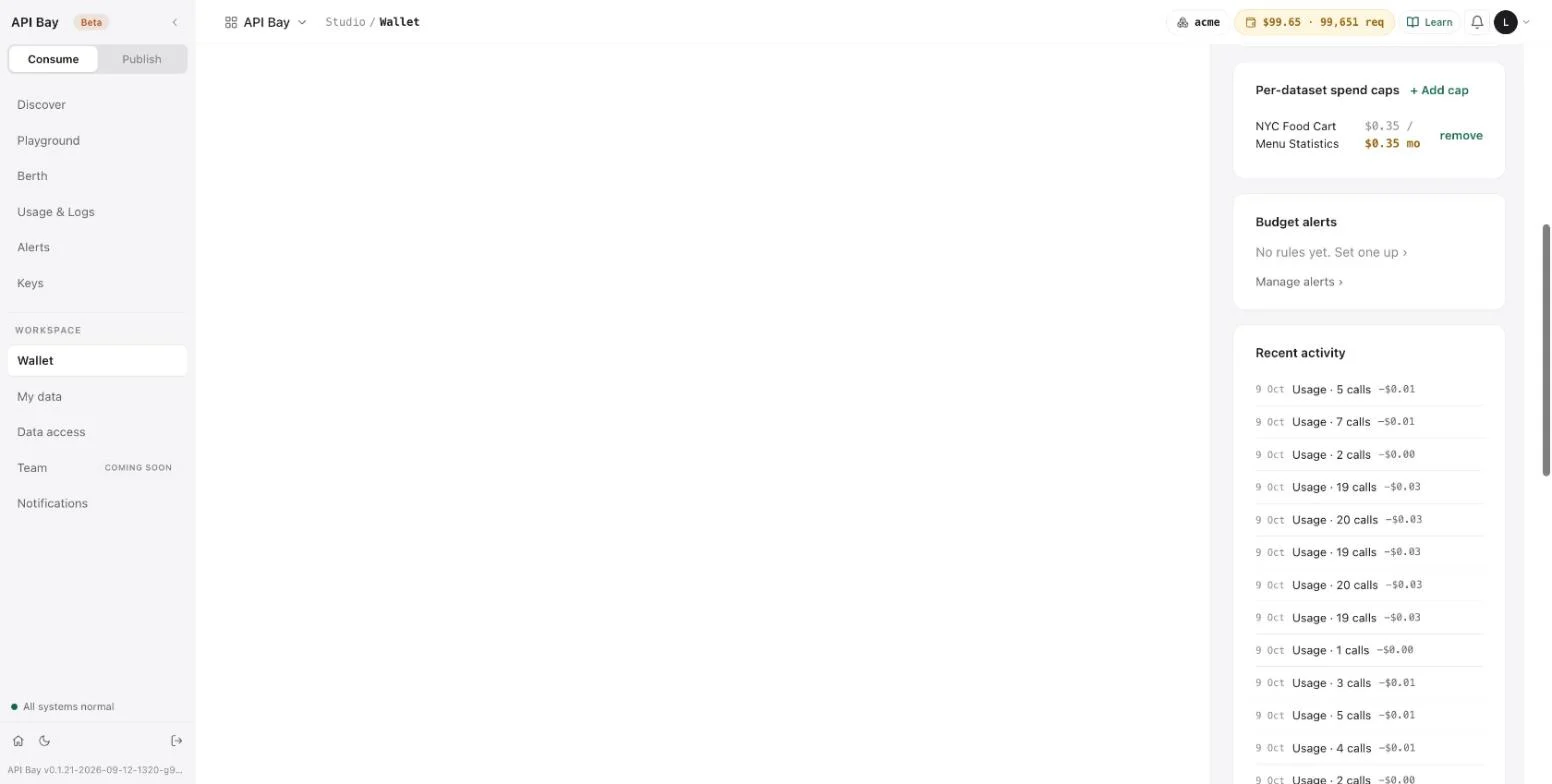
Below the caps, Budget alerts points to the alerts of Chapter 11, and Recent activity lists what moved the balance: credits as positive amounts, and usage as negative ones, each with its date and, for usage, the number of calls.
Select remove and the cap goes at once, with no confirmation. The next call to the dataset succeeds. To raise a cap, remove it and add a new one.
Two reasons for a 402
A 402 has two causes, and the Try it tab on a dataset's page lists both: your wallet has reached zero, or a spending cap has. A cap answers dataset_cap_reached, as above, and names the Wallet screen as the place to fix it.
flowchart LR
    R[402] --> W[Wallet at zero]
    R --> C[Dataset cap reached]
    W --> WF[Add credit]
    C --> CF[Remove the cap, or add a higher one]
The two causes of a 402 and what clears each.
Treat a 402 as a stop, not a retry: sending the request again changes nothing until the cap or the balance does. A cap protects one dataset, and the wallet protects you from all of them. A call answered from the cache is billed like any other, so it counts toward a cap.
Exercises
A call to NYC Food Cart Menu Statistics costs $0.0017. Use a disposable workspace, and cap the dataset only a few hundredths of a dollar above its spend, so that the cap trips quickly.
- Write down your balance in dollars and the requests figure on Wallet. Predict the requests figure after ten calls to NYC Food Cart Menu Statistics. Send the ten calls and compare.
- Look up this month's spend on a dataset under "By dataset" in Usage & Logs. Cap the dataset at a figure a few hundredths of a dollar above it, and call it until a request is refused. Count the calls that succeeded, and check the count against the headroom divided by the dataset's price. Then remove the cap and confirm that a call succeeds.
- With a cap reached, send one more request and read its headers. List the headers that every successful response carries and this one lacks. Then check whether the refused call appears in Usage & Logs.
6The Playground and the sandbox
A test key reads from a sandbox host, free of charge, within limits. The Playground lets you build a request, run it and keep it, in the browser, against the sandbox or against the live data host.
Every live call spends money, even a fifth of a cent, and a program under development makes many calls it did not mean to make. The sandbox is where those calls cost nothing. A request that works there has the shape of a request that will work on the data host, and moving between the two is a change of host and key.
The sandbox host is written sandbox.bay.example in the examples, as the data host is written api.bay.example. Start with a call to it:
GET /v1/apibay/nyc_food_cart_menu_statistics?ps=3&pg=0&fc=menu_item_id,restaurant,item_name,calories HTTP/1.1
Host: sandbox.bay.example
LB-Access-Token: <your-test-key>HTTP/2 200
content-type: application/json
x-ratelimit-reset: 1791618753
x-cost-per-1k: 0 (test)
x-ratelimit-remaining: 99
x-ratelimit-limit: 144000
x-plan-tier: pro[
{ "calories": 25, "item_name": "Broccoli", "menu_item_id": 14850, "restaurant": "Denny's" },
{ "calories": 130, "item_name": "Mushroom Chicken, Kids", "menu_item_id": 62672, "restaurant": "Panda Express" },
{ "calories": 310, "item_name": "French Croissant", "menu_item_id": 3420, "restaurant": "Panera Bread" }
]The request has the shape of Chapter 1's, with a different host and a different key. The price header reads 0 (test), and there are no wallet headers: the call took nothing from your wallet.
Create a test key
- Open Keys and select the Test tab. A line under the tabs states the rules: test keys hit the sandbox host, calls are free, capped at 100 a day, and never touch your wallet or free tier.
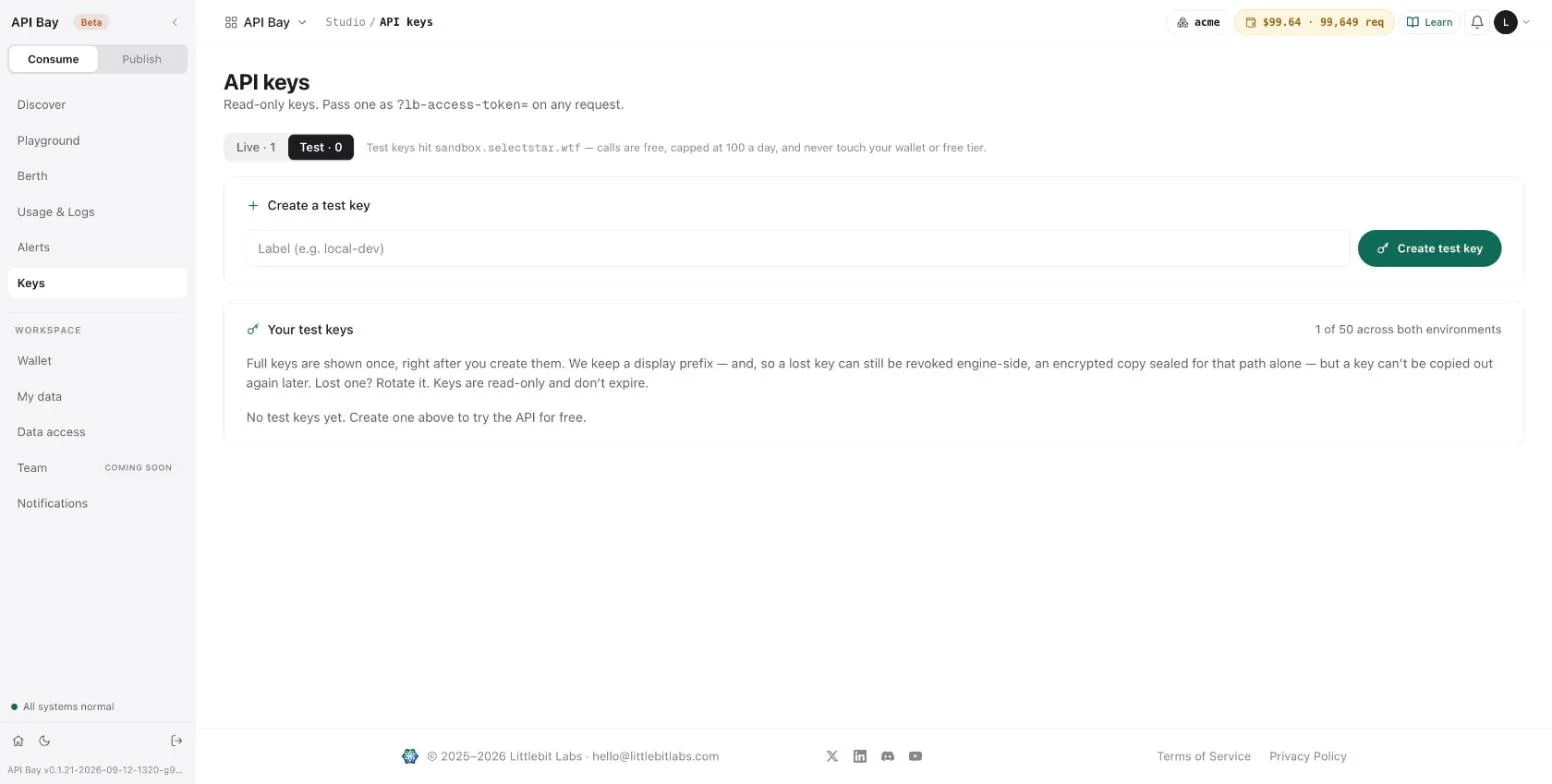
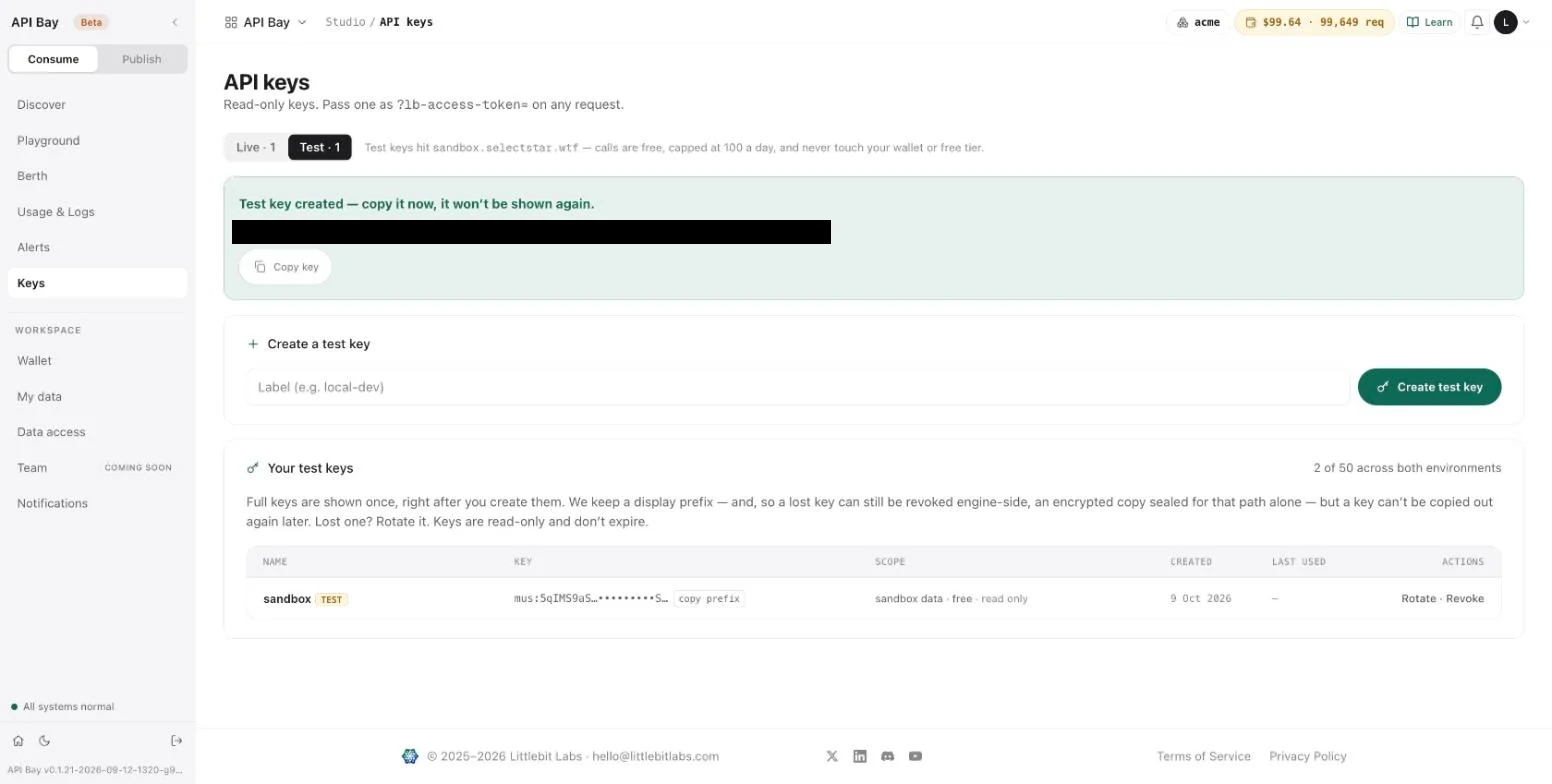
- Type a label and select Create test key. The key appears once, as a live key does in Chapter 1, and the list shows it with a TEST tag and the scope "sandbox data · free · read only". Live and test keys share a limit of 50 across both environments.
What the sandbox allows
A test key works only on the sandbox host, and a live key works only on the data host. Use one on the wrong host and the request is refused with 401 before it reads anything. Here is a live key sent to the sandbox host:
GET /v1/apibay/nyc_food_cart_menu_statistics?ps=3&pg=0 HTTP/1.1
Host: sandbox.bay.example
LB-Access-Token: <your-api-key>HTTP/2 401
content-type: text/plain; charset=utf-8{
"detail": "this is a live key — call it on api.<domain>",
"error": "key_env_mismatch"
}A test key on the data host gets the same refusal with the detail this is a test key — call it on sandbox.<domain>. The <domain> is part of the message as the product sends it. Read it as the host you meant to call.
On the sandbox host a test key reads the same dataset, and filters and orders work as they do on the data host. The sandbox narrows what you may ask for:
flowchart LR
    TK[Test key] --> SH[Sandbox host: free, 10 rows, page 0, 100 a day]
    LK[Live key] --> DH[Data host: billed, full access]
    TK -.->|on the data host| E[401 key_env_mismatch]
    LK -.->|on the sandbox host| E
Each key works on one host; the sandbox is limited to the first ten rows.
| Status | What you sent | error | detail |
|---|---|---|---|
400 | ps above 10 | sandbox_page_too_large | test keys read at most 10 rows a request |
400 | pg other than 0 | sandbox_first_page_only | test keys read the first page only (pg=0) — use a live key on api.<domain> for full access |
429 | the 101st call of the day | sandbox_daily_limit | test keys get 100 free calls a day; resets 00:00 UTC |
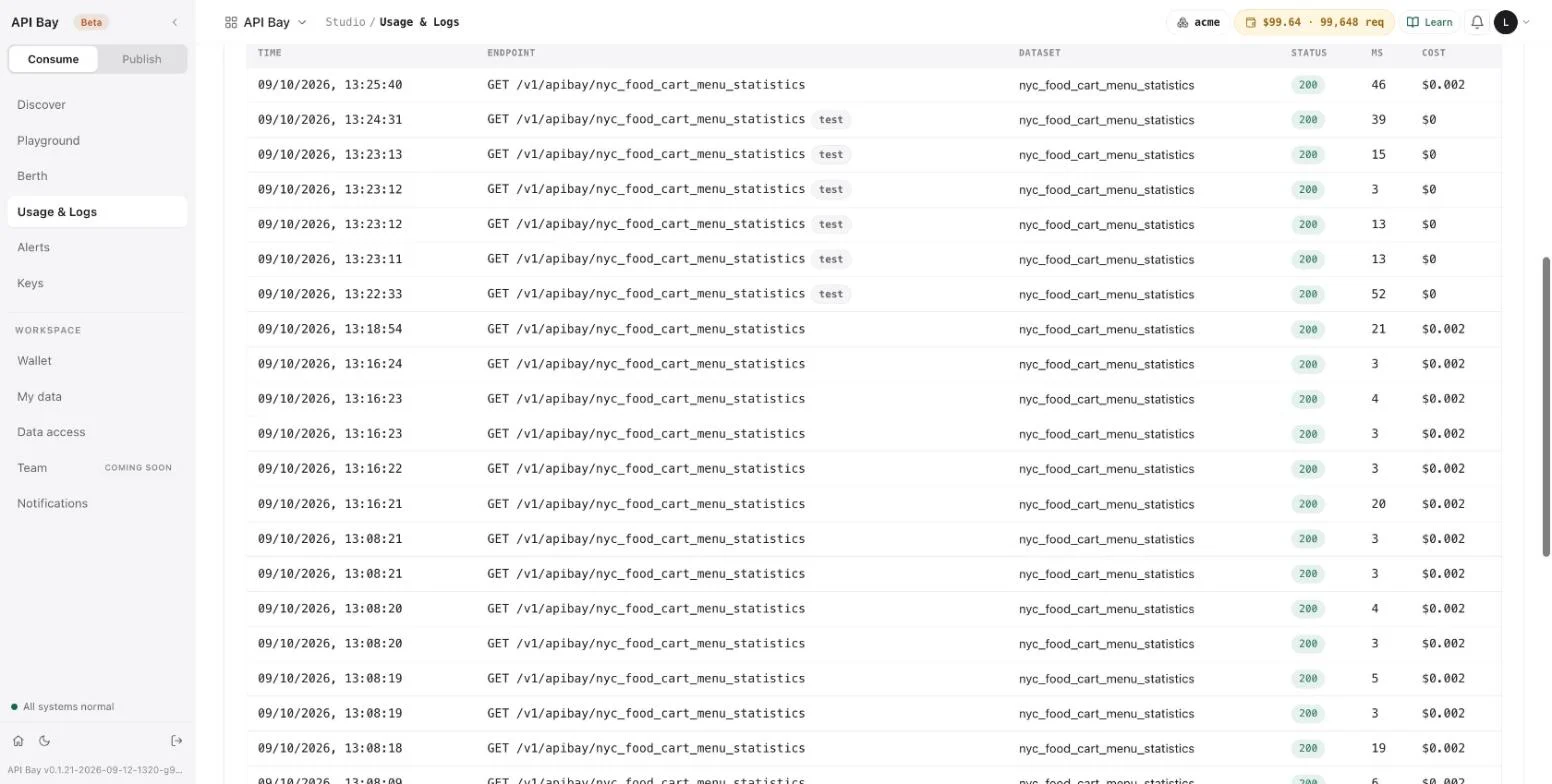
All three bodies are JSON labeled text/plain, like the gateway refusals of Chapter 3. A refused call does not count against the day's 100. x-ratelimit-remaining counts the 100 down; x-ratelimit-limit keeps reading the 144,000 of your plan, so read x-ratelimit-remaining for the sandbox. x-ratelimit-reset names a time 24 hours after your first call, not the 00:00 UTC of the detail. A call that the sandbox serves is written to Usage & Logs, tagged test and costing $0.
Sandbox or live
Use the sandbox while you write the program and the data host when it is done. The sandbox answers from the same dataset, and filters and orders work as they do on the data host, so it proves the shape of a request. It does not prove volume: it returns ten rows at most, only the first page, and a hundred calls a day. A program moves between the two by changing two values, the host and the key (Chapter 12 does it with two settings).
Try it, in Chapter 2, sits on a dataset's page and builds one request against that dataset with the key you paste. The Playground is a workspace of its own: it picks any dataset, runs in test or live mode, and keeps your runs in History and your saved requests in Saved.
The Playground
Open Playground. The left rail lists the History of your runs and your Saved requests. The main area holds a dataset picker, a Test and Live switch, the method and address of the request, a Run button, three tabs, and the response. Until you give it a key it says "no live key set — see Auth".
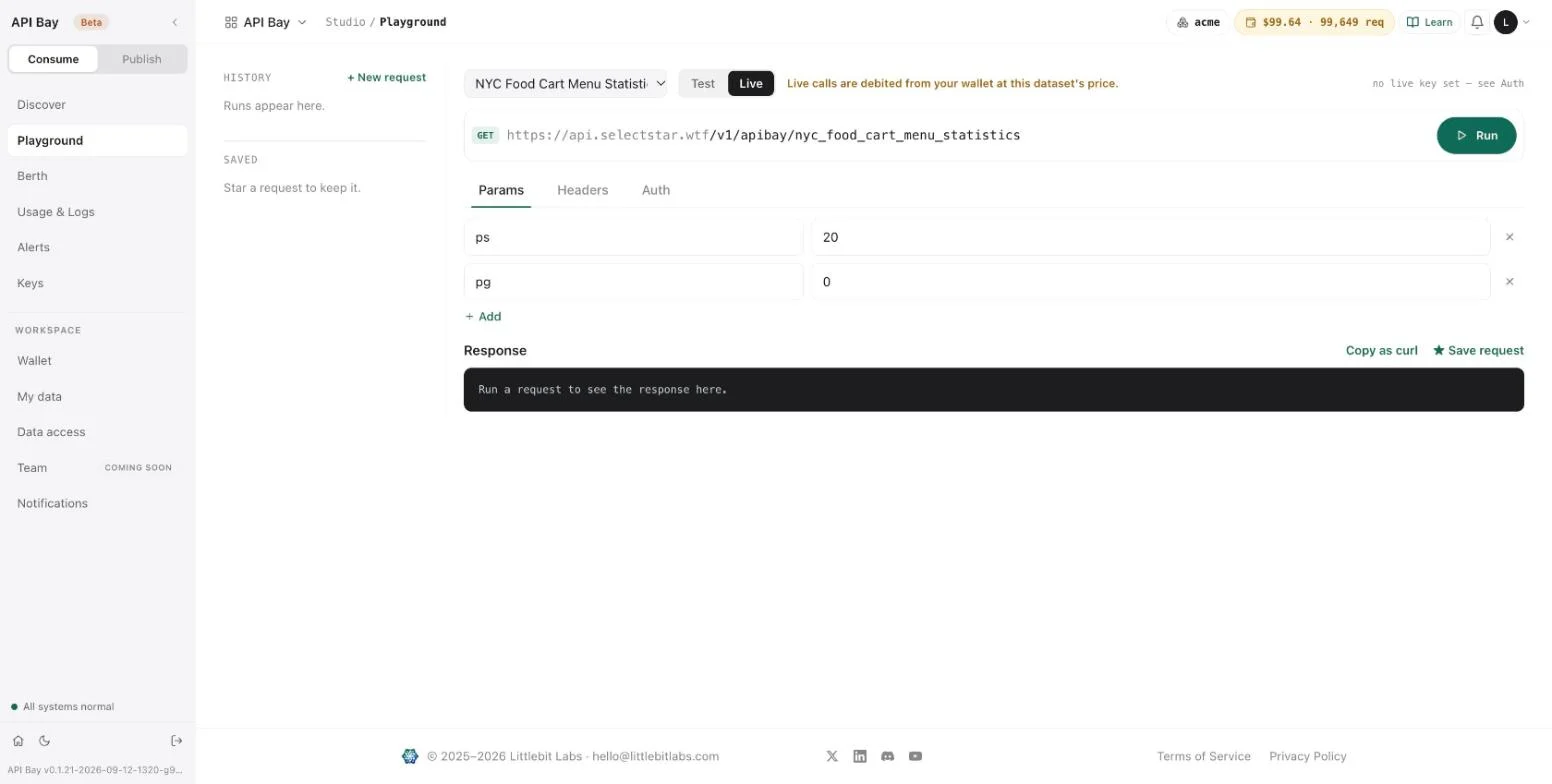
- Select Test. The address changes to the sandbox host, and the line beside the switch reads "sandbox data · free".
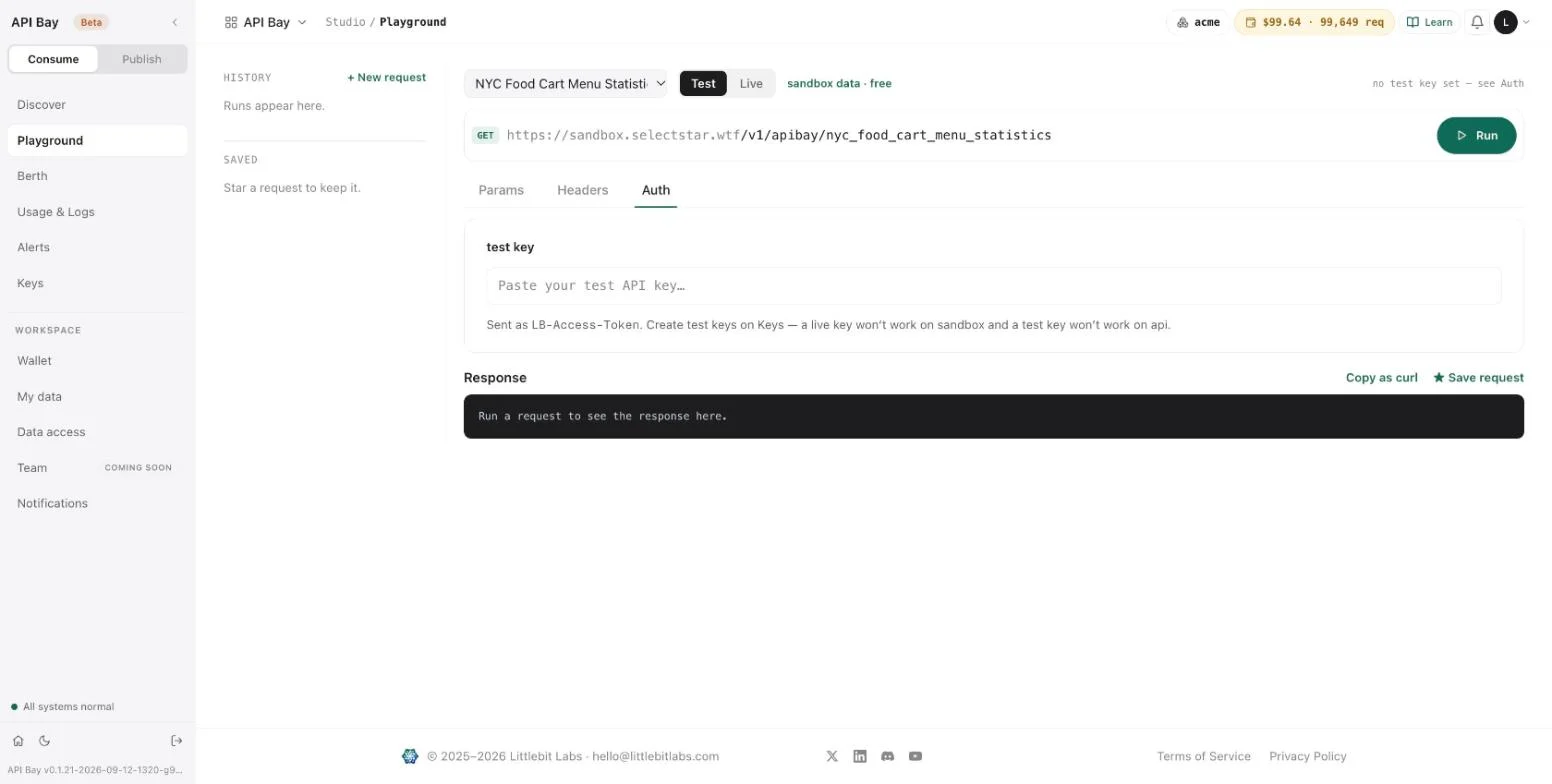
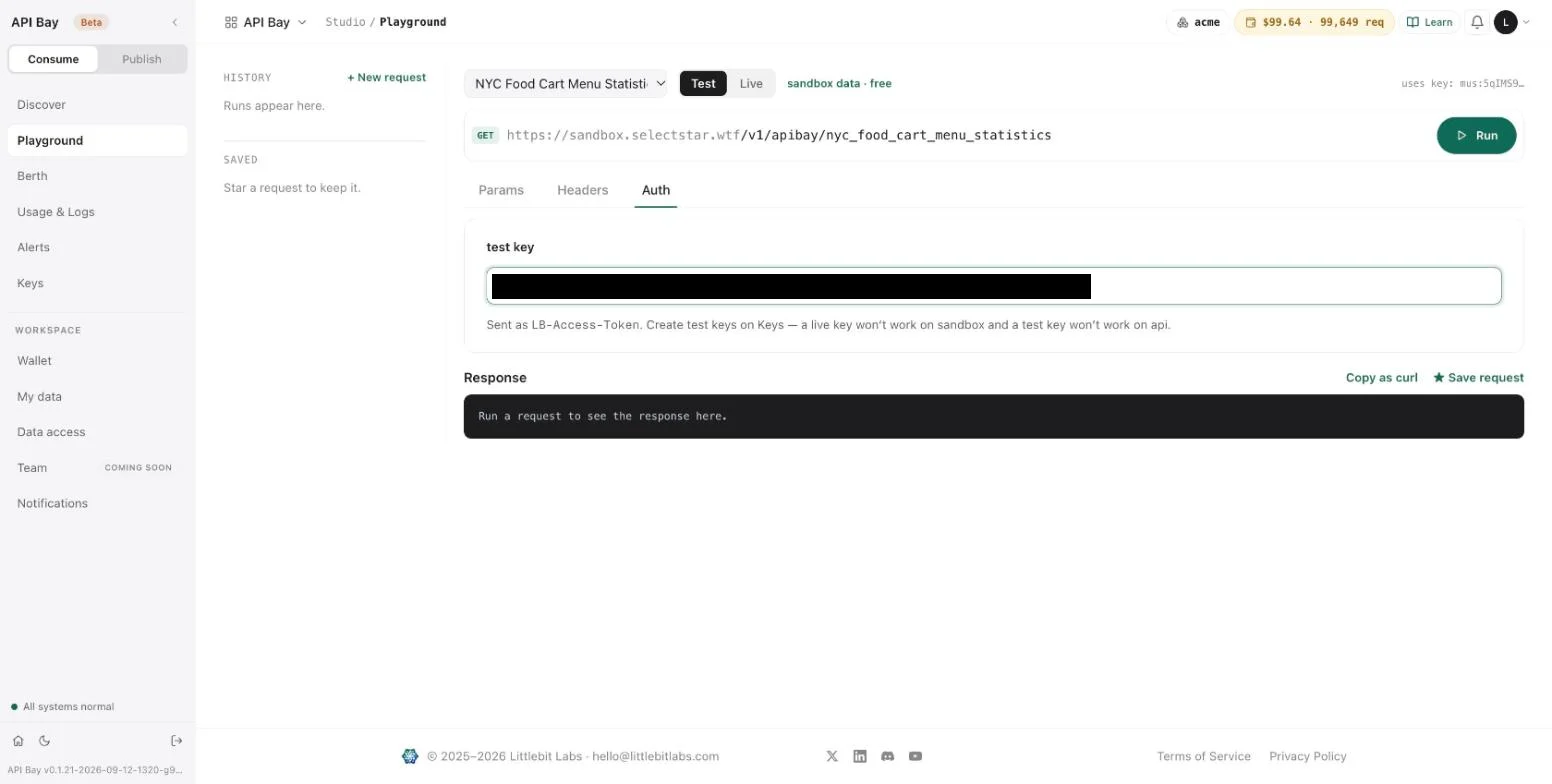
- Open Auth and paste your test key. The note under the field repeats the rule of the two hosts. The page uses the key to sign the requests you run.
- Select Run. The Playground starts with
ps=20, which the sandbox refuses. The response shows the refusal as formatted JSON, and under it the status, the time the call took, and the request id.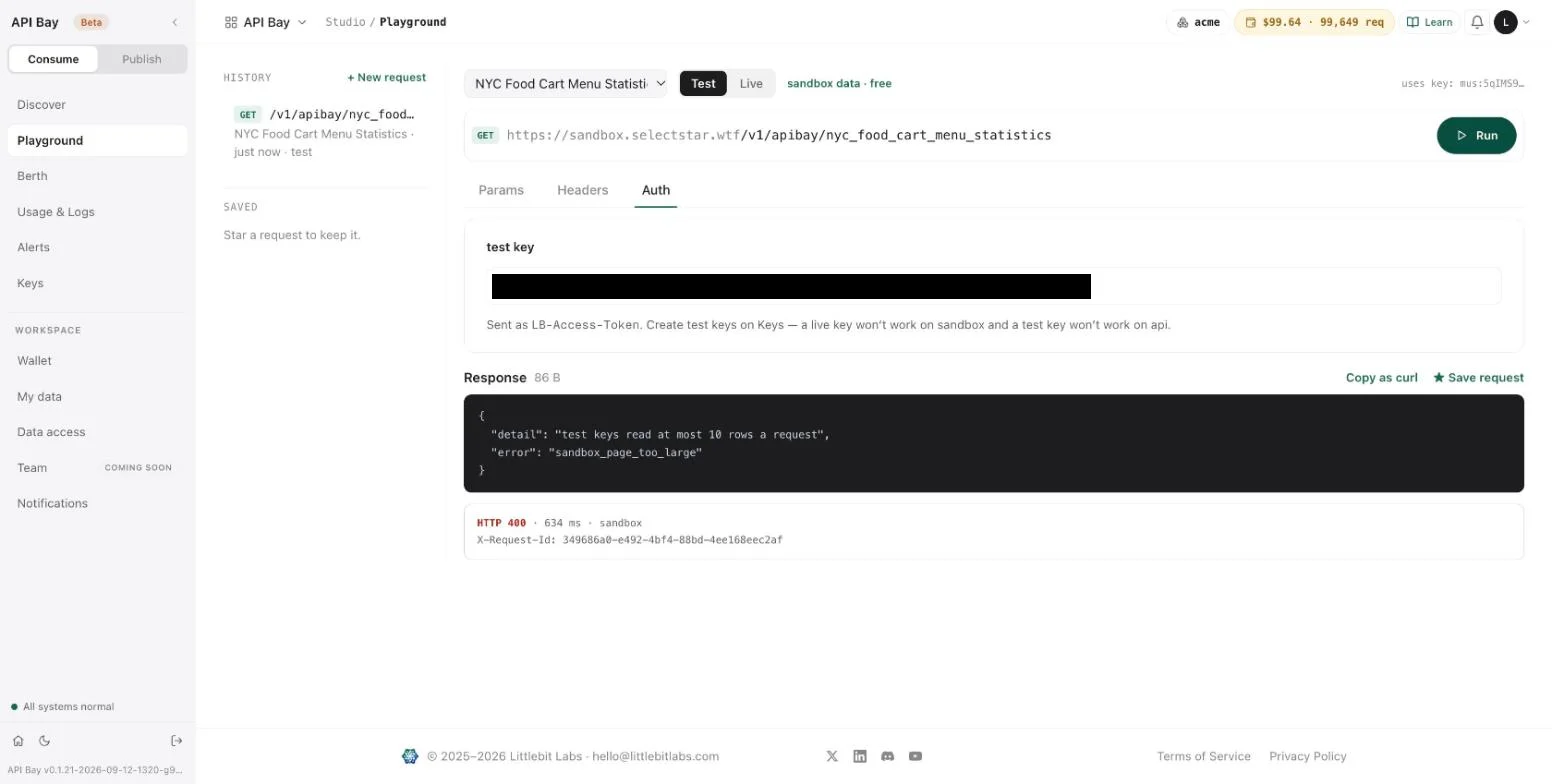
- Open Params. Each row is one query parameter, with a × to remove it and + Add for another. Change
psto 5.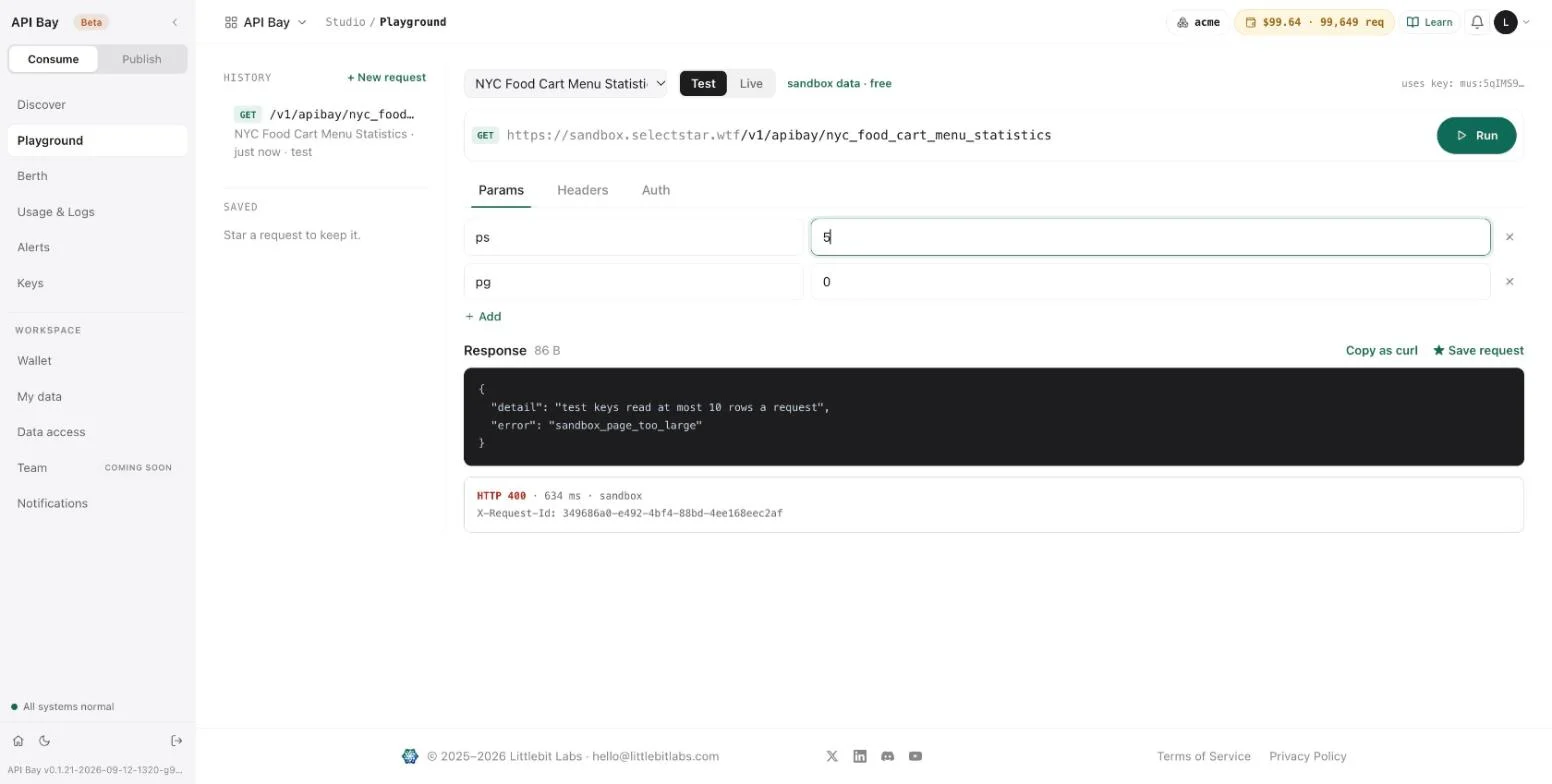
- Select Run again. The response header now reads "5 rows" and the size of the body, and the rows follow, formatted. Under the rows the Playground prints the status, the time, and three response headers:
X-Cost-Per-1K,X-RateLimit-RemainingandX-Request-Id.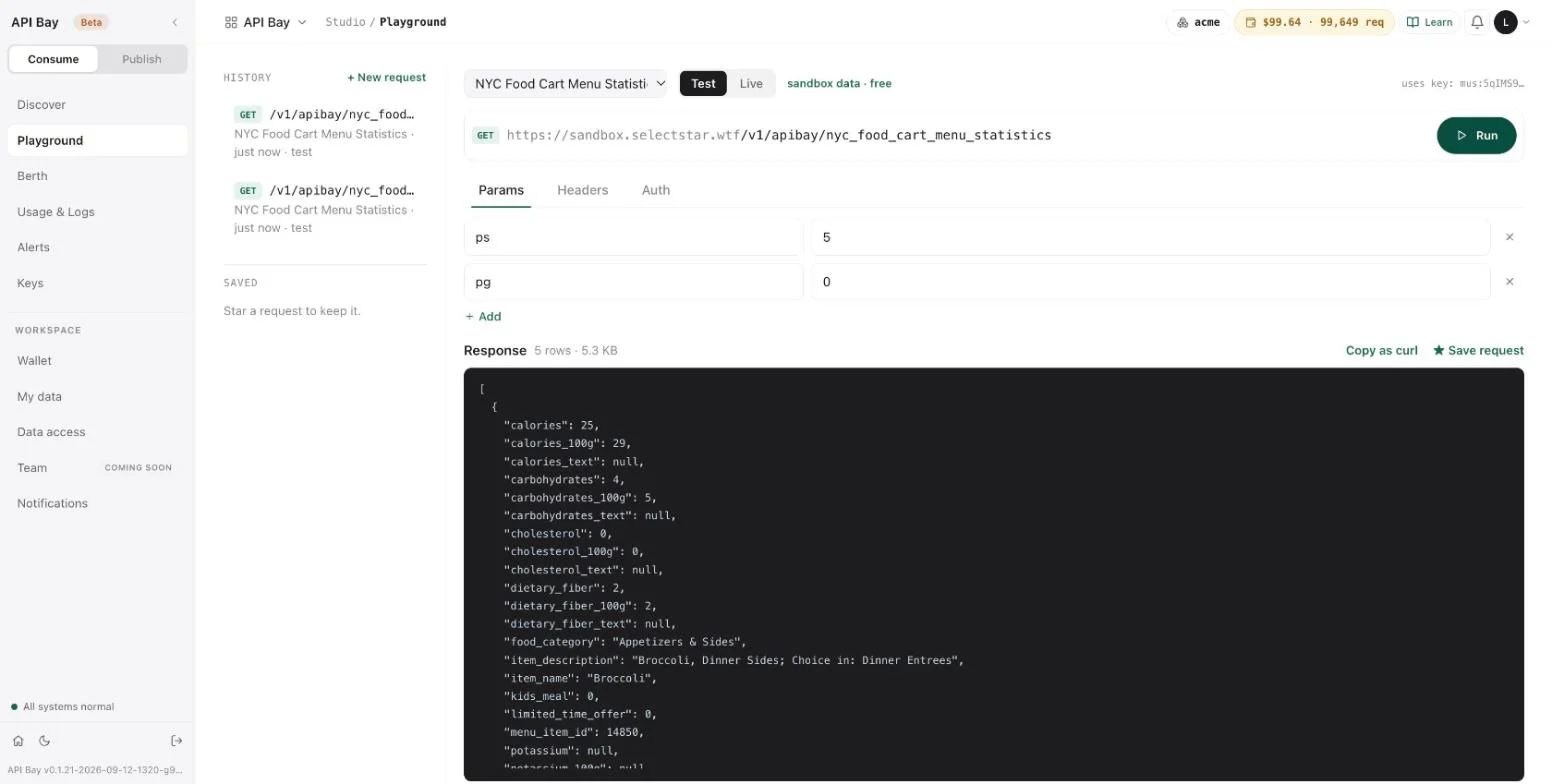
- Open Headers. It is for headers you add yourself; API Bay needs none, because the key travels from the Auth tab.
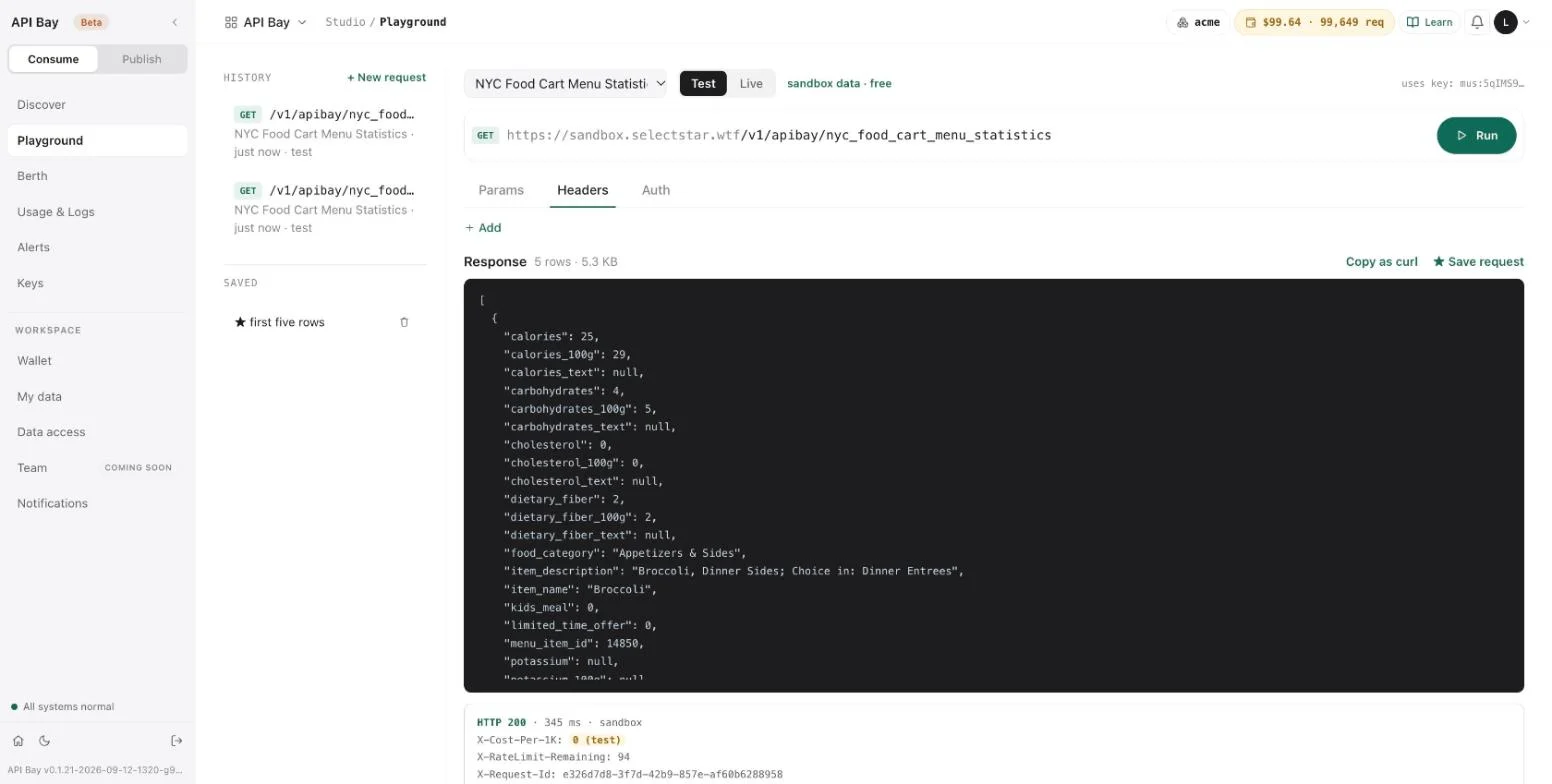
- Select ★ Save request. Your browser asks for a name. The request then appears under Saved, with its star and a trash icon, and every run you make is listed under History with the dataset and a
testmark for sandbox runs.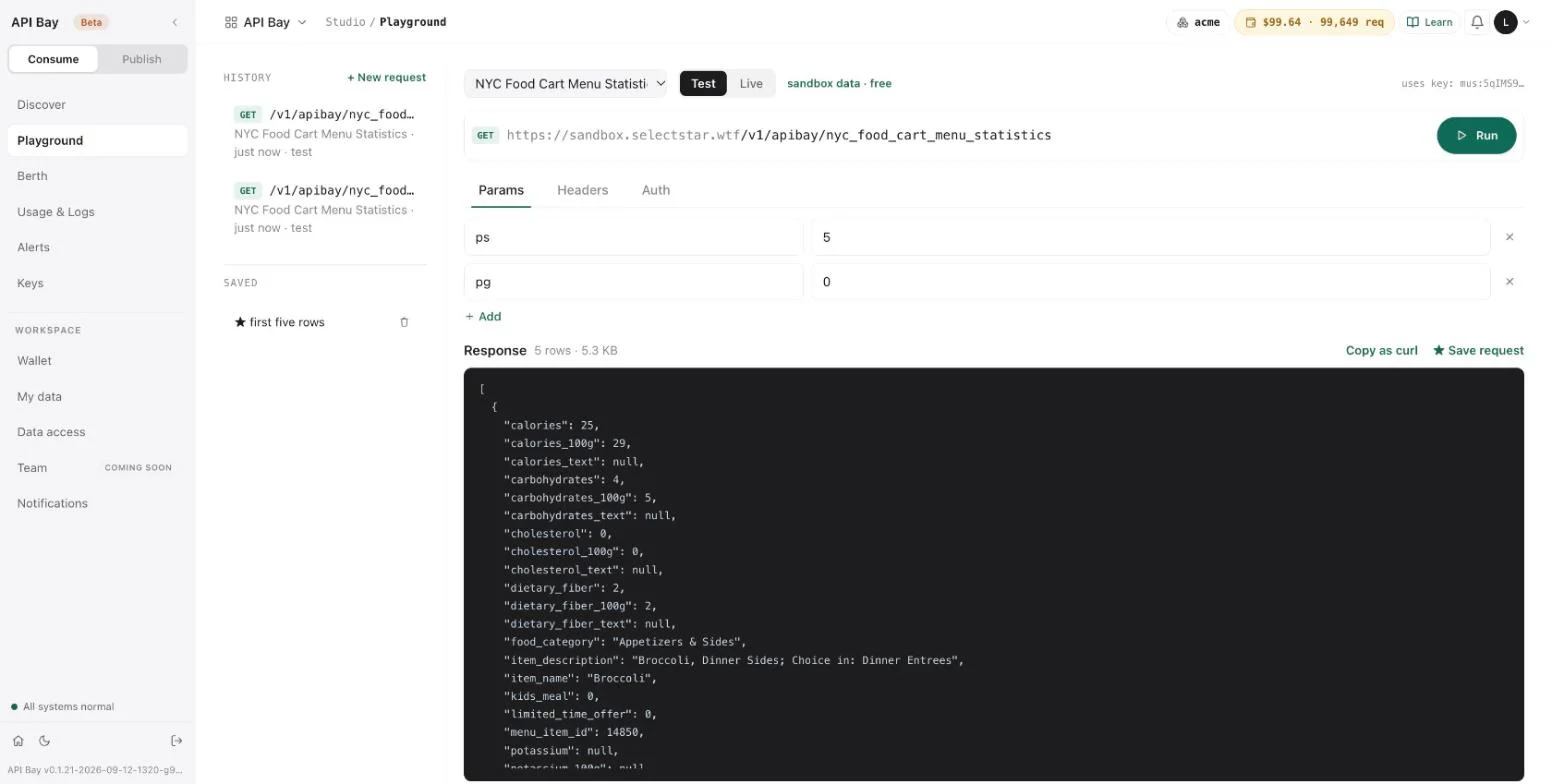
Select Copy as curl. It copies the request as a command, with the key in the address:
bashcurl "https://sandbox.bay.example/v1/apibay/nyc_food_cart_menu_statistics?ps=5&pg=0&lb-access-token=<your-test-key>"A key in a command line is readable by other users of the machine, as Chapter 1 warned. Keep it in a file and send it as the
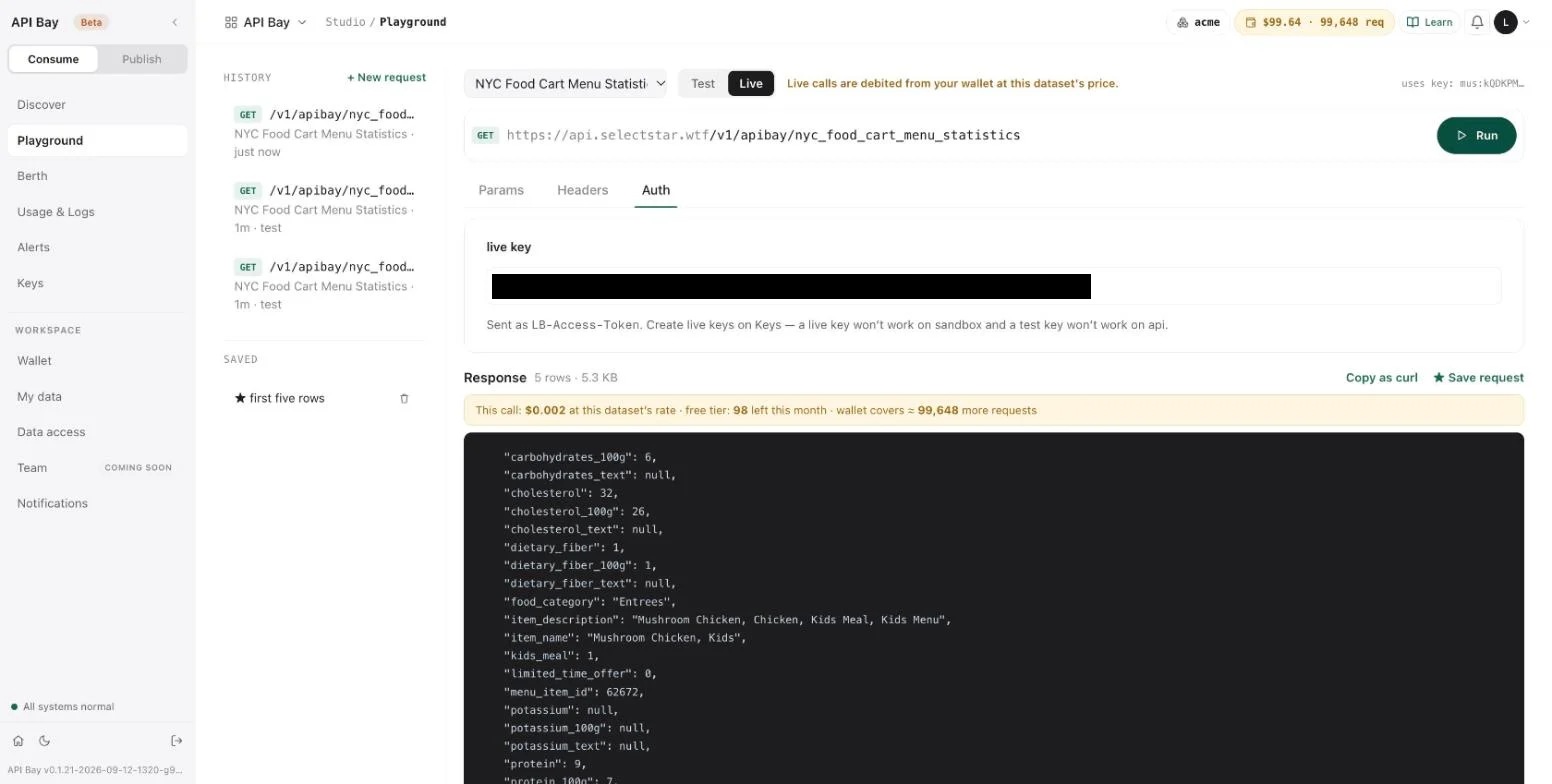
LB-Access-Tokenheader for anything beyond a quick test.- Select Live, paste a live key into Auth, and run the request again. A live run is billed. Above the response, a banner states the price of that call, what is left of the free tier, and how many more requests the wallet covers.
Generated code
The dataset page can write the request for you in code. Open a dataset, select Try it, then Advanced, build the request, and read Preview. A row of buttons picks the language: shell, node, typescript, python, langchain, php, ruby, java, csharp, go, rust and mcp. The python version of the default request is:
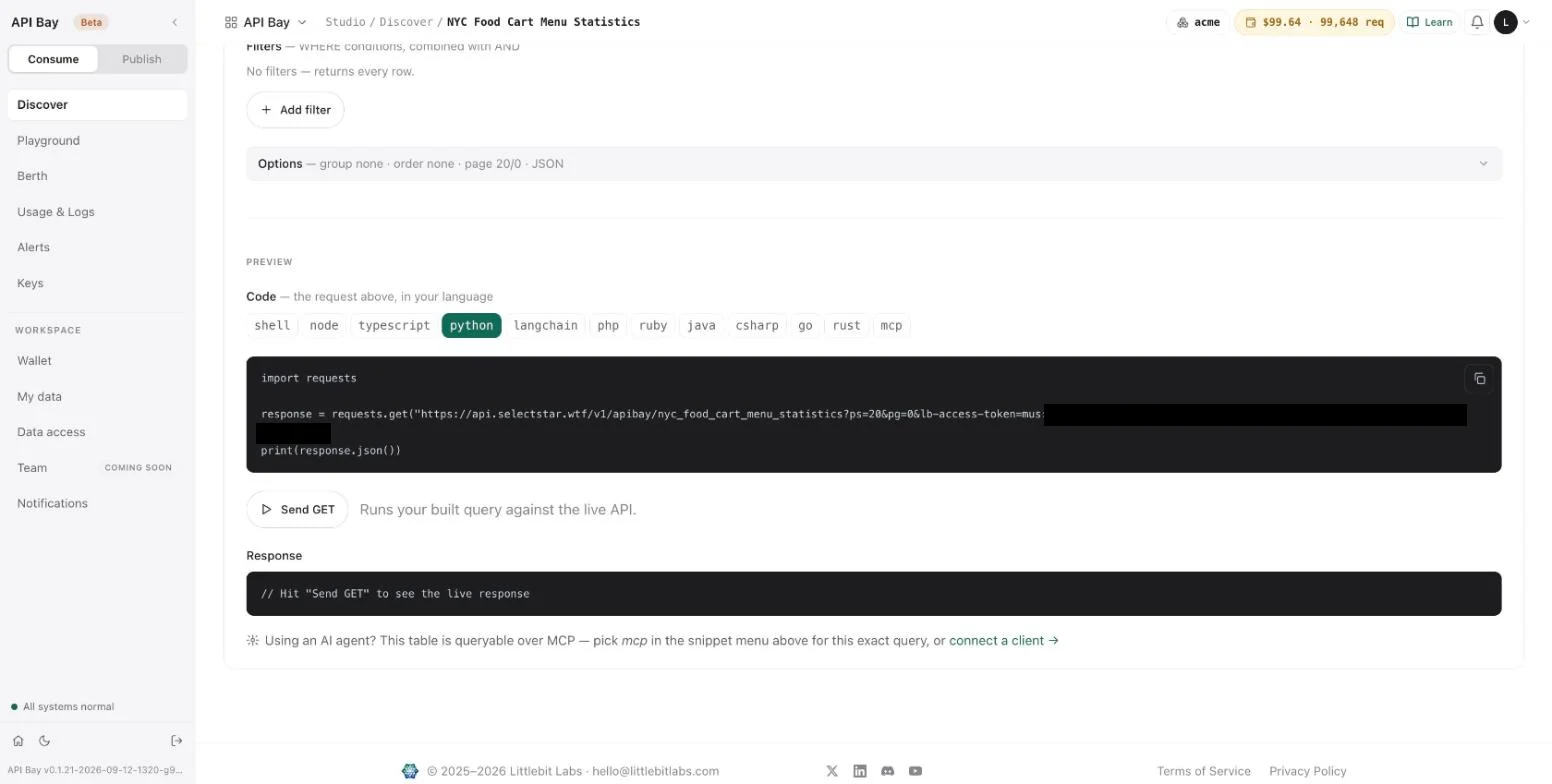
import requests

response = requests.get("https://api.bay.example/v1/apibay/nyc_food_cart_menu_statistics?ps=20&pg=0&lb-access-token=<your-api-key>")
print(response.json())
The snippets for the HTTP languages write the key into the address too. Send GET under the preview runs the request against the data host, and bills it. The mcp button writes the same request as two calls for an agent; Chapter 12 shows it.
Exercises
Live calls are billed to your wallet; sandbox calls are free but there are 100 a day. Use a disposable workspace.
- Create a test key. Send the sandbox request with
ps=3, then withps=11, then withpg=1. Record the status anderrorof each. Then sendps=3once more and compare itsx-ratelimit-remainingwith that of the first call. - Send a live key to the sandbox host and a test key to the data host. Compare the two
detailmessages, and note the host each tells you to call. - In the Playground, run a request in Test mode, then the same request in Live mode with
ps=2. Compare the two response footers. Then find both runs in Usage & Logs and record how the log tells them apart.
7Your own data
API Bay is also where your own tables live. Publishing starts with a table: you upload a file, API Bay turns it into a table in your workspace, and the rows can be read the moment the table exists, over a private address. You can check your data before anyone else can see it. Nothing you upload is public. A table becomes visible to other accounts only when you expose and publish it, which Chapter 9 describes, and reading your own tables is not metered.
The examples use three tables of Acme's HR data.
Setup for publishers. To follow only this track, you need a workspace of your own and the three CSV files of Appendix A. Upload them as described below and read them back; no chapter of the consumer track is needed first. Chapters 8 to 10 then publish one of the tables.
Start with the result. Here are the first three rows of Acme's department table, read over its private address:
GET /minimal/api/rest/auto/v1/<org>/<project>/ch/acme/acme.acme_department?ps=3&pg=0&oy=id.as HTTP/1.1
Host: acme.bay.example
LB-Access-Token: <your-workspace-key>HTTP/2 200
content-type: application/json[
{ "cost_centre": "CC-1000", "created_at": "2021-01-04T00:00:00Z", "head_email": "head.engineering@acme.example", "id": 1, "name": "Engineering" },
{ "cost_centre": "CC-1007", "created_at": "2021-01-04T00:00:00Z", "head_email": "head.platform@acme.example", "id": 2, "name": "Platform" },
{ "cost_centre": "CC-1014", "created_at": "2021-01-04T00:00:00Z", "head_email": "head.data@acme.example", "id": 3, "name": "Data" }
]The host acme.bay.example stands for your workspace's own host, and <org> and <project> for two identifiers that every table address carries. The copy button on a table's card gives you the whole address; acme.acme_department in it is the table's full name. The key is a workspace key, which you create below.
Upload a file
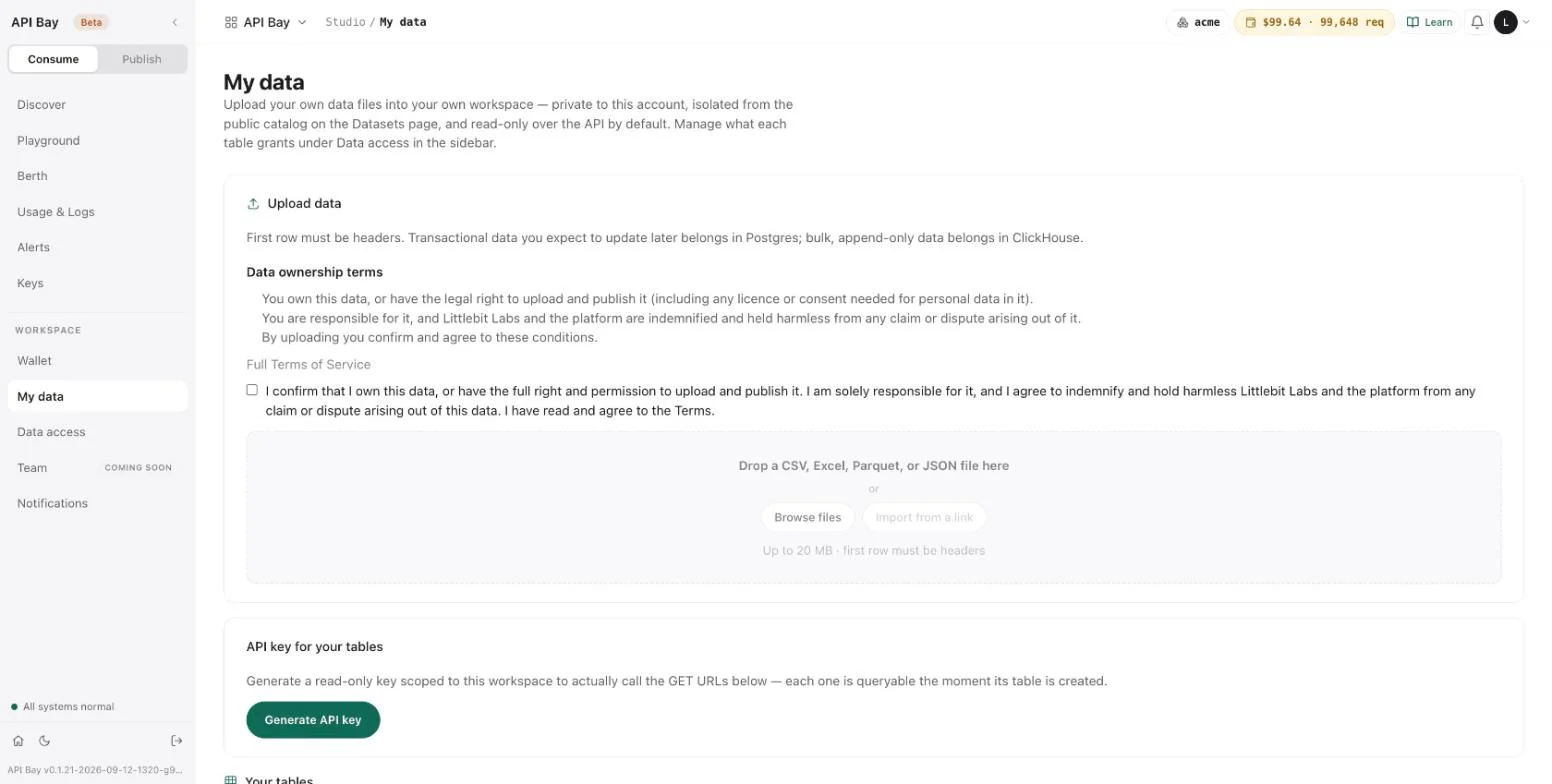
Open My data. The Upload data card is first, API key for your tables is second, and Your tables closes the page.
The examples use three CSV files, acme-department.csv, acme-employee.csv and acme-attendance.csv, which Appendix A lists.
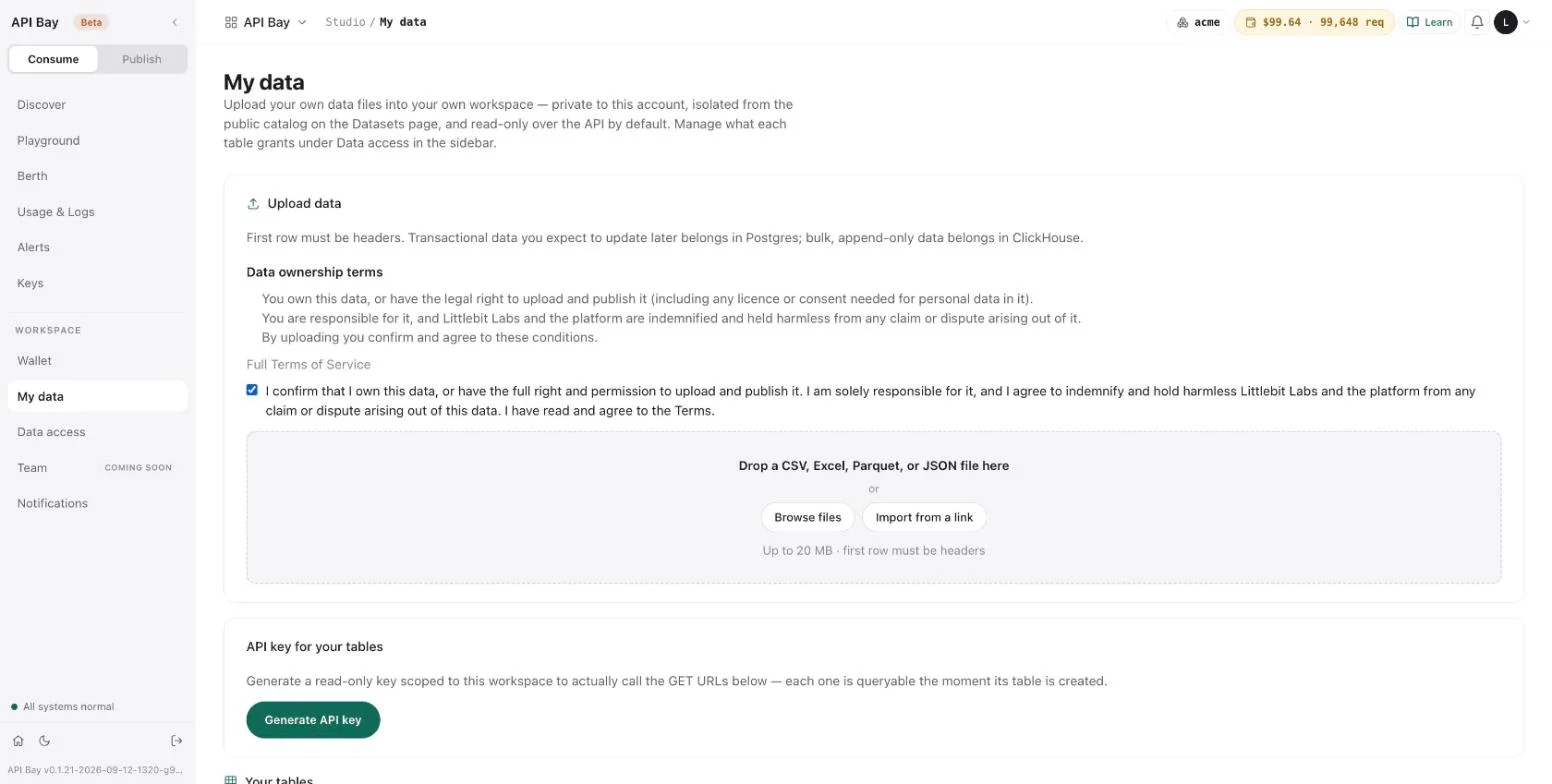
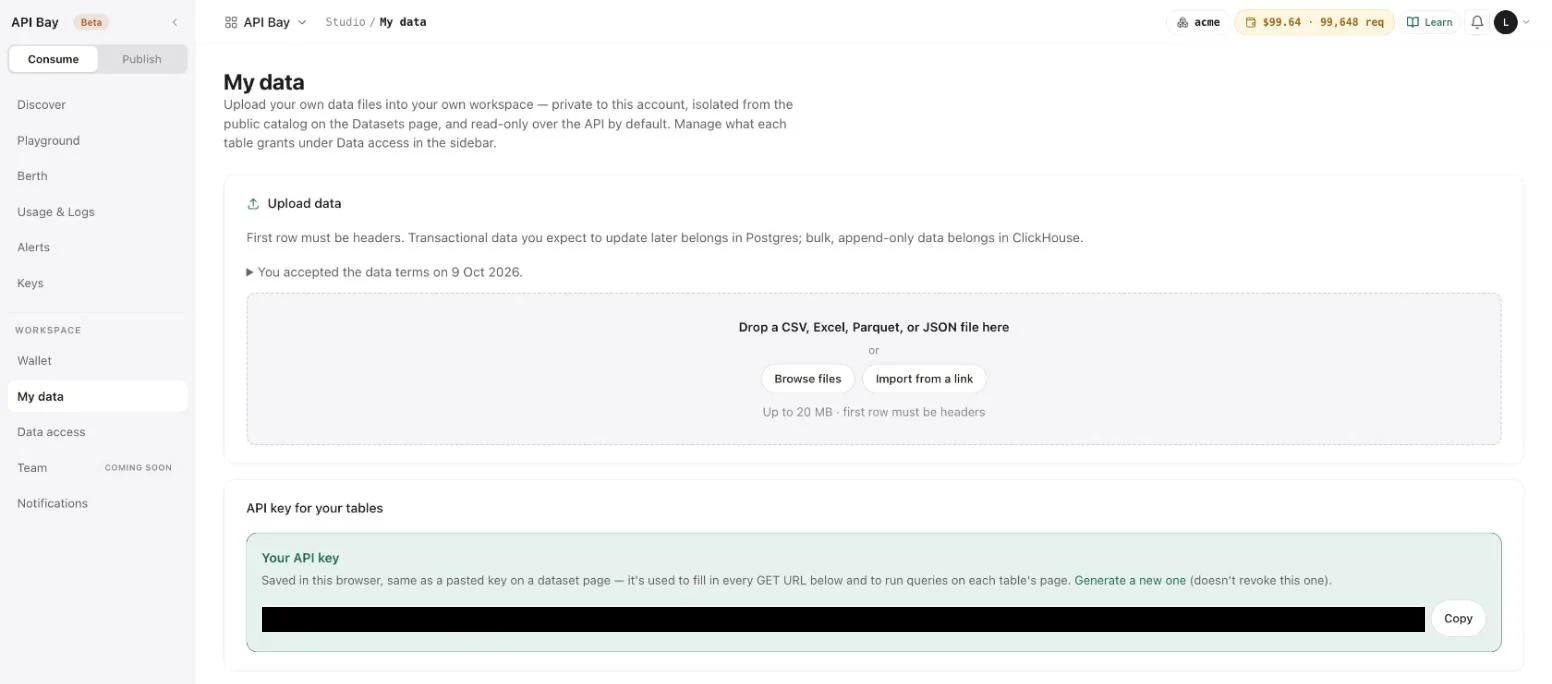
- Tick the confirmation on the Upload data card; the upload is disabled until you do. It says that you own the data, or have the right to upload and publish it, that you are responsible for it, and that you agree to indemnify Littlebit Labs and the platform against any claim about it. Browse files and Import from a link wake up. The workspace asks once: afterward the card shows only a line that says when you accepted the terms.
- Select Browse files and choose
acme-department.csv. The drop zone takes a CSV, Excel, Parquet or JSON file of up to 20 MB, and the first row must be headers. A preview opens instead of the drop zone.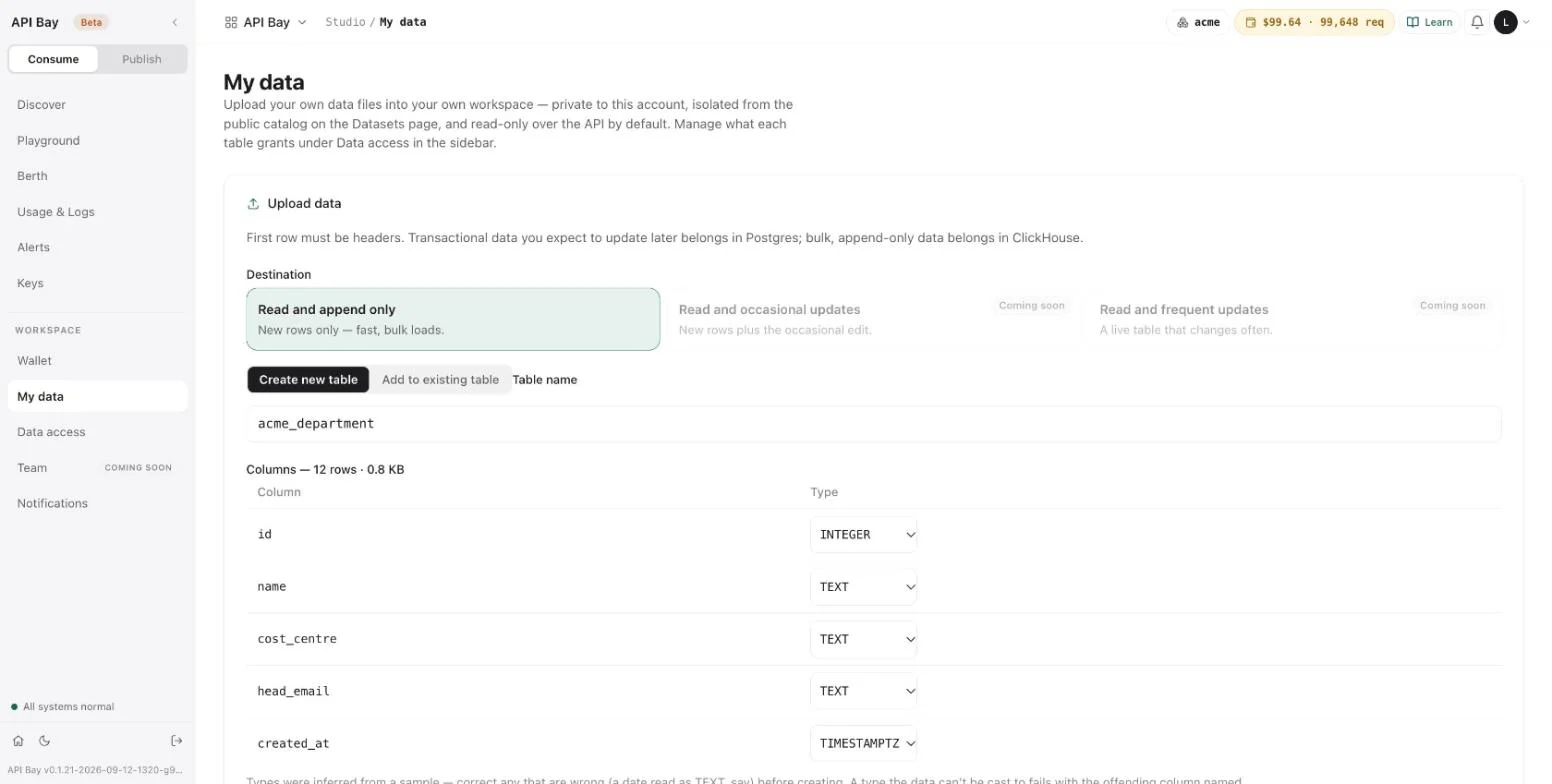
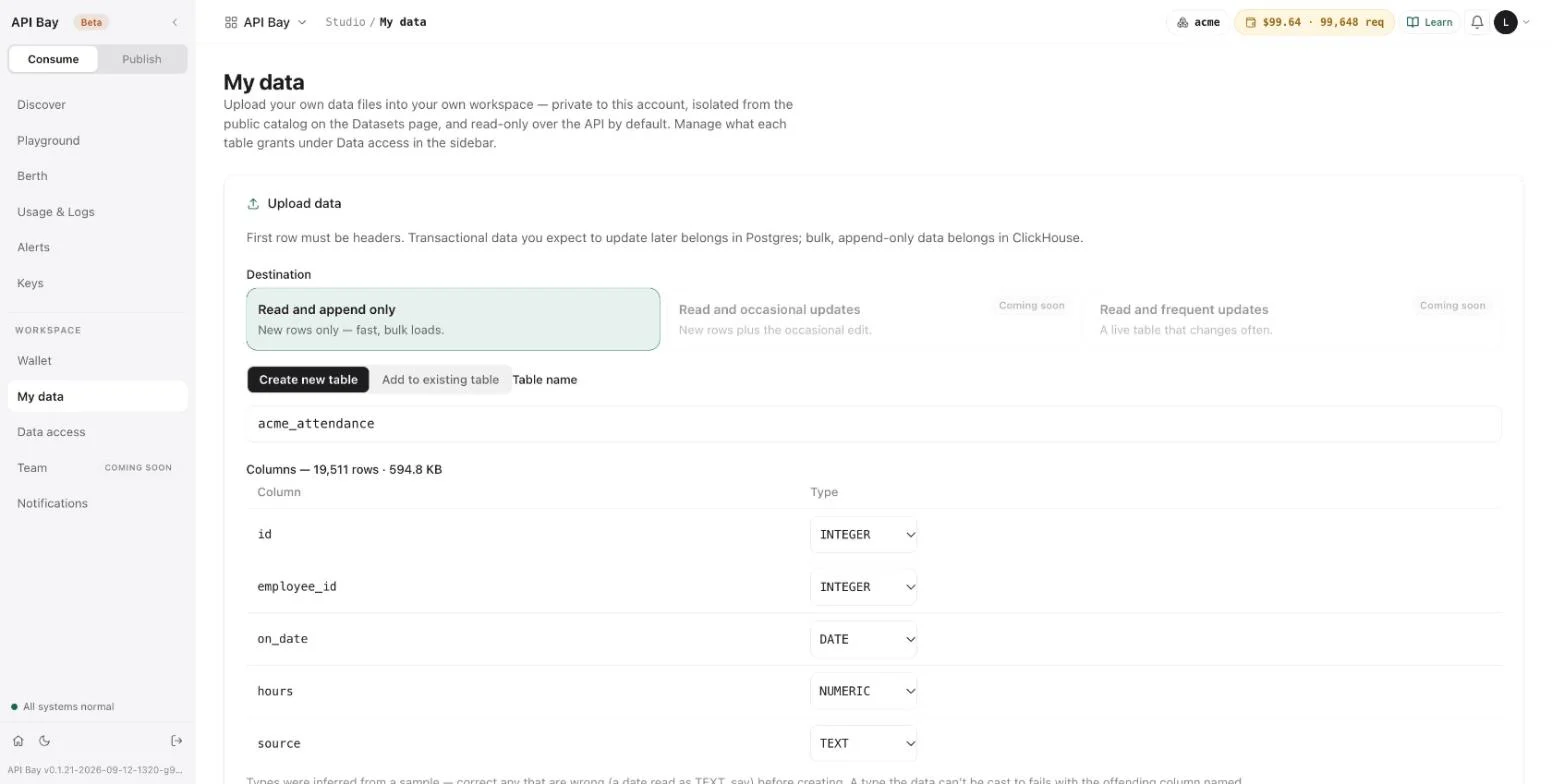
The preview has four parts. Destination says where the table lives; only "Read and append only", for "New rows only — fast, bulk loads", can be chosen today, and the two update destinations are marked "Coming soon". The page's introduction names Postgres for data you expect to update; that destination is not available yet.
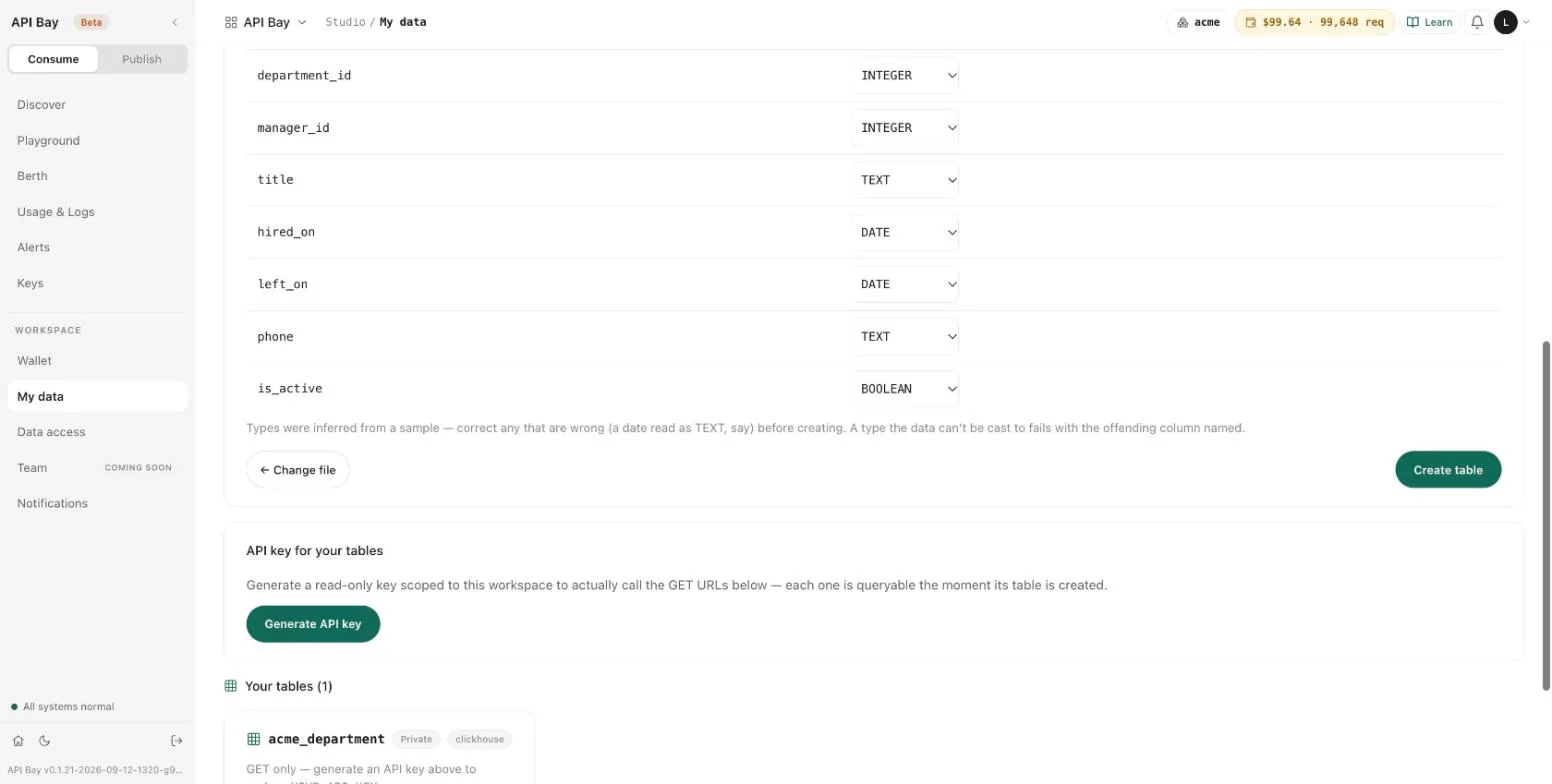
Create new table and Add to existing table choose where the rows go. Table name is filled in from the file name: acme-department.csv becomes acme_department. The rows below list each column with a type and the size of the file: here, 12 rows. Scroll down for the note on types and the two buttons, ← Change file and Create table.
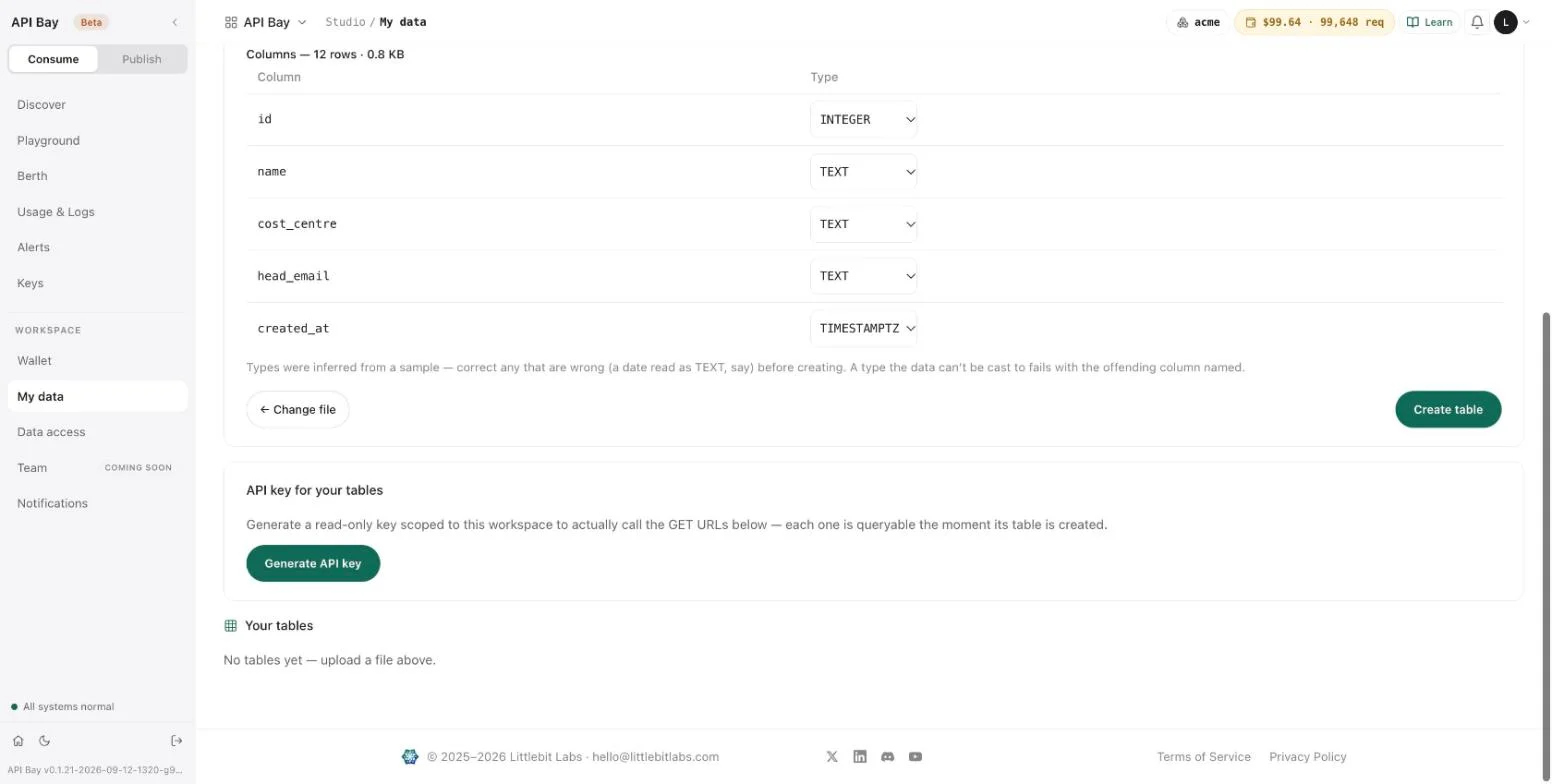
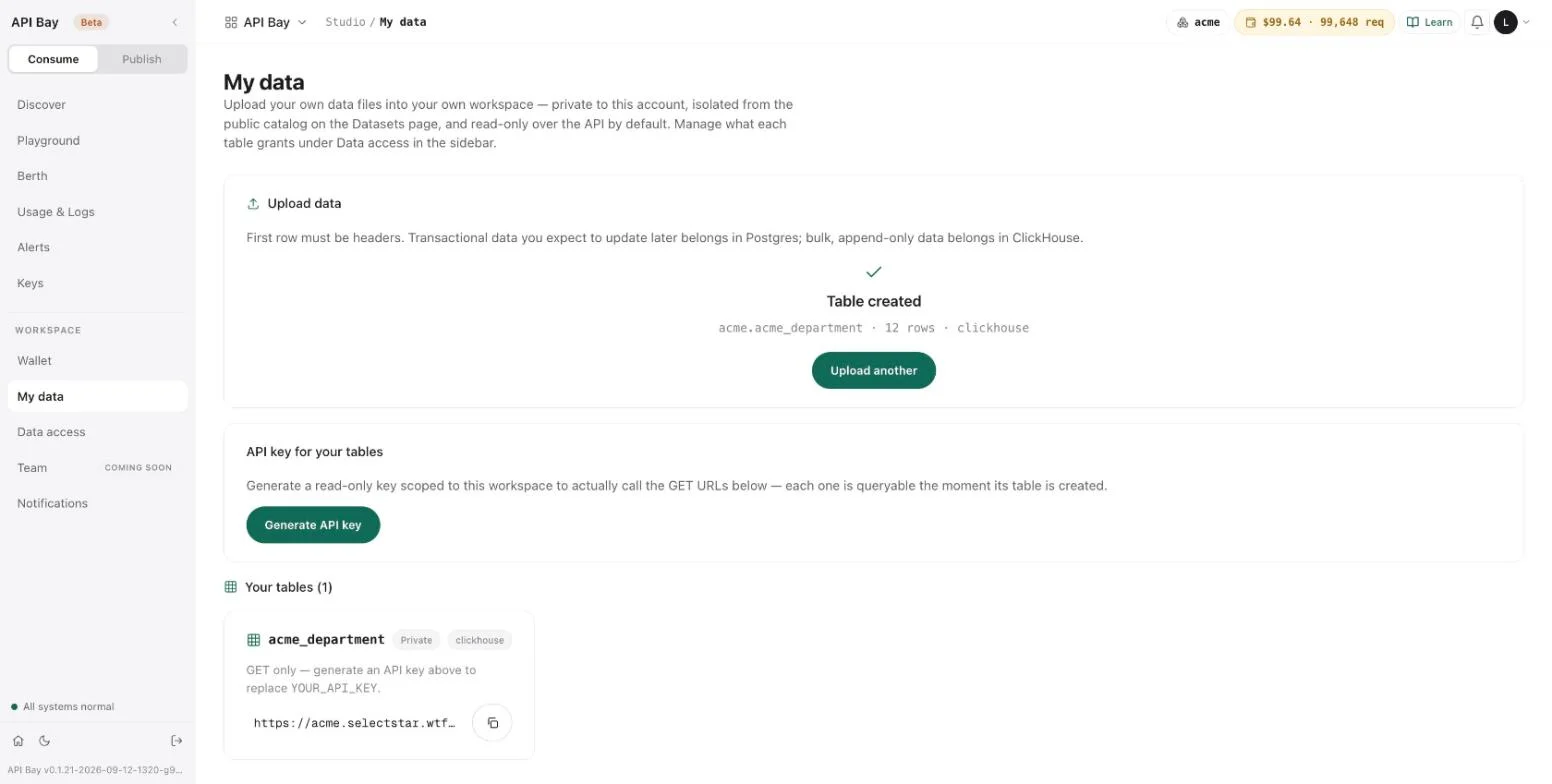
- Select Create table. The card becomes "Table created", with the table's full name, its row count and its store, and a card for the table appears under Your tables. Each card shows the table's name, a Private tag, a tag for its store, and its address with a button to copy it.
- Select Upload another and repeat steps 2 and 3 for the other two files.
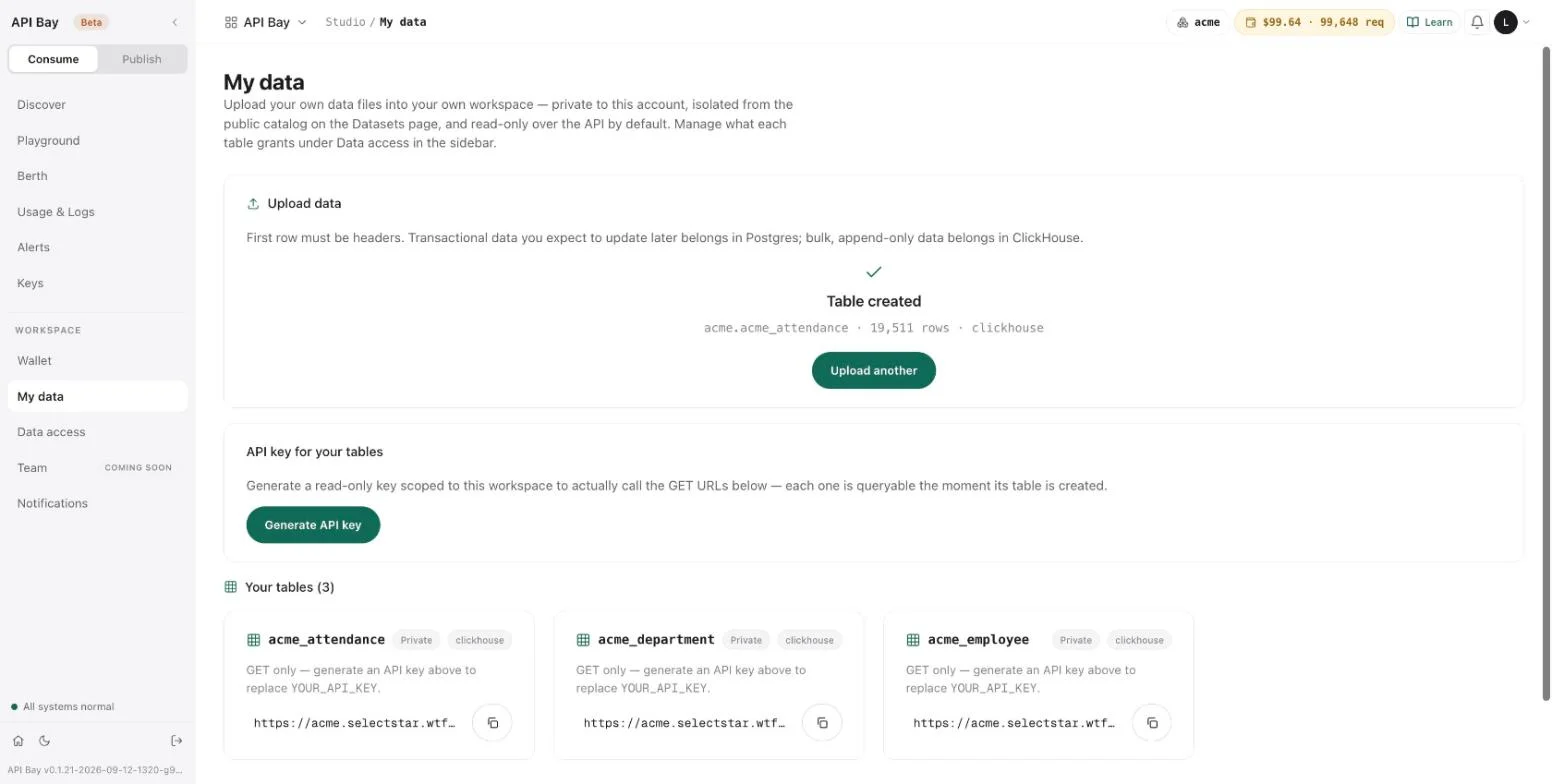
When all three are done, the page lists three tables: acme_attendance, acme_department and acme_employee, with 19,511, 12 and 120 rows.
How types are chosen
The product reads a sample of each file and proposes a type for every column. A type is one of TEXT, INTEGER, BIGINT, NUMERIC, BOOLEAN, DATE or TIMESTAMPTZ. For Acme's files it proposes:
| Table | Column | Type |
|---|---|---|
acme_department | id | INTEGER |
name, cost_centre, head_email | TEXT | |
created_at | TIMESTAMPTZ | |
acme_employee | id, department_id, manager_id | INTEGER |
full_name, email, title, phone | TEXT | |
hired_on, left_on | DATE | |
is_active | BOOLEAN | |
acme_attendance | id, employee_id | INTEGER |
on_date | DATE | |
hours | NUMERIC | |
source | TEXT |
The type matters because a filter compares by type: a number compares as a number, a date as a date and text as text. Empty cells do not disturb the choice. manager_id is empty for one employee and left_on for most, and both keep their types. You can change any type before you create the table. The preview marks the change, for example "edited · inferred TEXT", so you can see what you overrode.
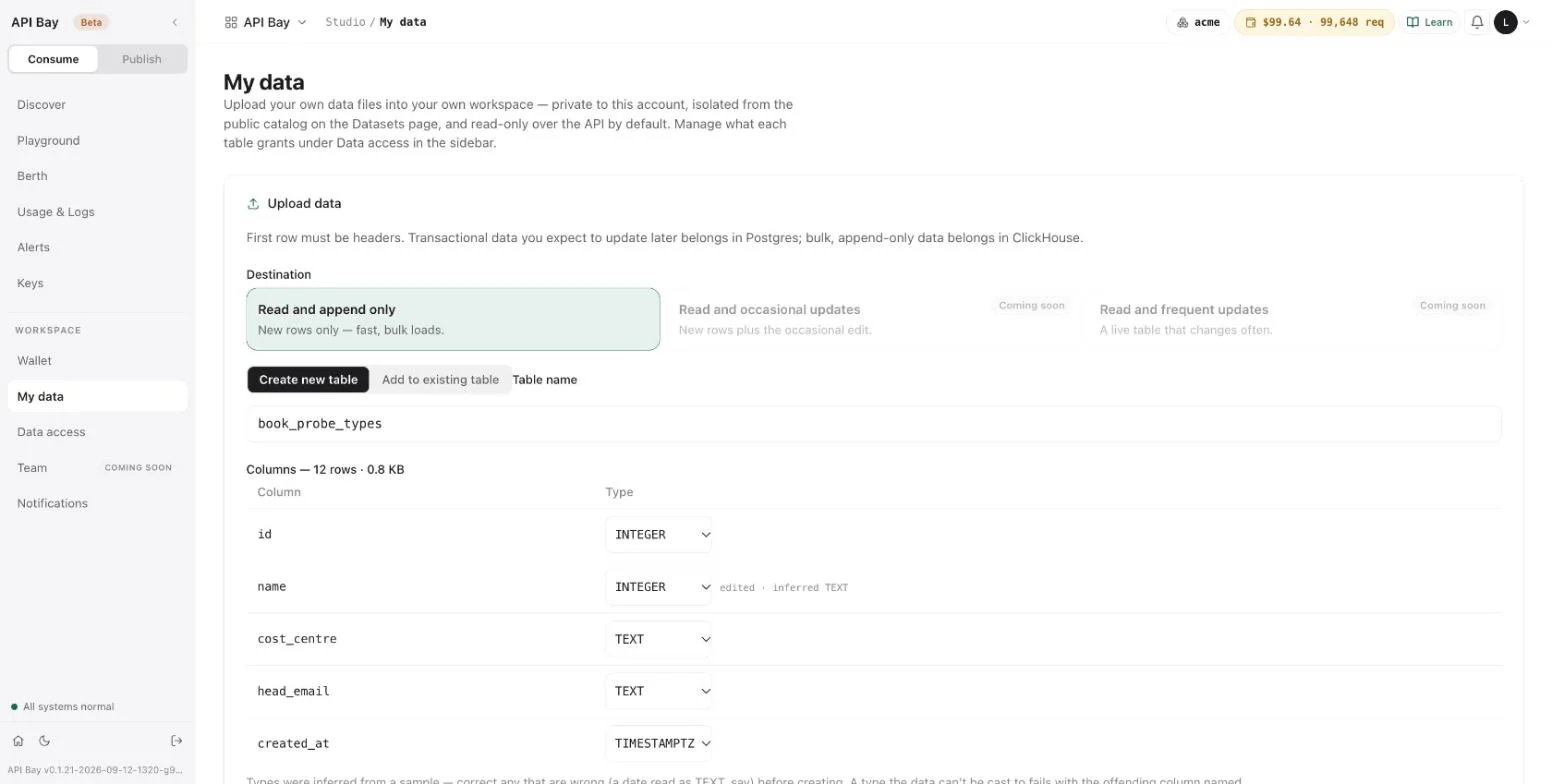
A type that the data cannot be cast to does not stop the upload. To see it, upload acme-department.csv once more under the table name book_probe_types, change name to INTEGER, and select Create table. The table is created, 12 rows and all, and every name in it is null. Read it with the workspace key of the next section:
GET /minimal/api/rest/auto/v1/<org>/<project>/ch/acme/acme.book_probe_types?ps=2&pg=0&oy=id.as HTTP/1.1
Host: acme.bay.example
LB-Access-Token: <your-workspace-key>HTTP/2 200
content-type: application/json[
{ "cost_centre": "CC-1000", "created_at": "2021-01-04T00:00:00Z", "head_email": "head.engineering@acme.example", "id": 1, "name": null },
{ "cost_centre": "CC-1007", "created_at": "2021-01-04T00:00:00Z", "head_email": "head.platform@acme.example", "id": 2, "name": null }
]A value that does not fit its type becomes null, without a message, and removing the table is permanent, as the last section shows. After any upload where you changed a type, read a few rows before you trust the table.
Read it back
The address of every table is ready, but it needs a key. Under API key for your tables, select Generate API key. The card shows the key, with a Copy button.
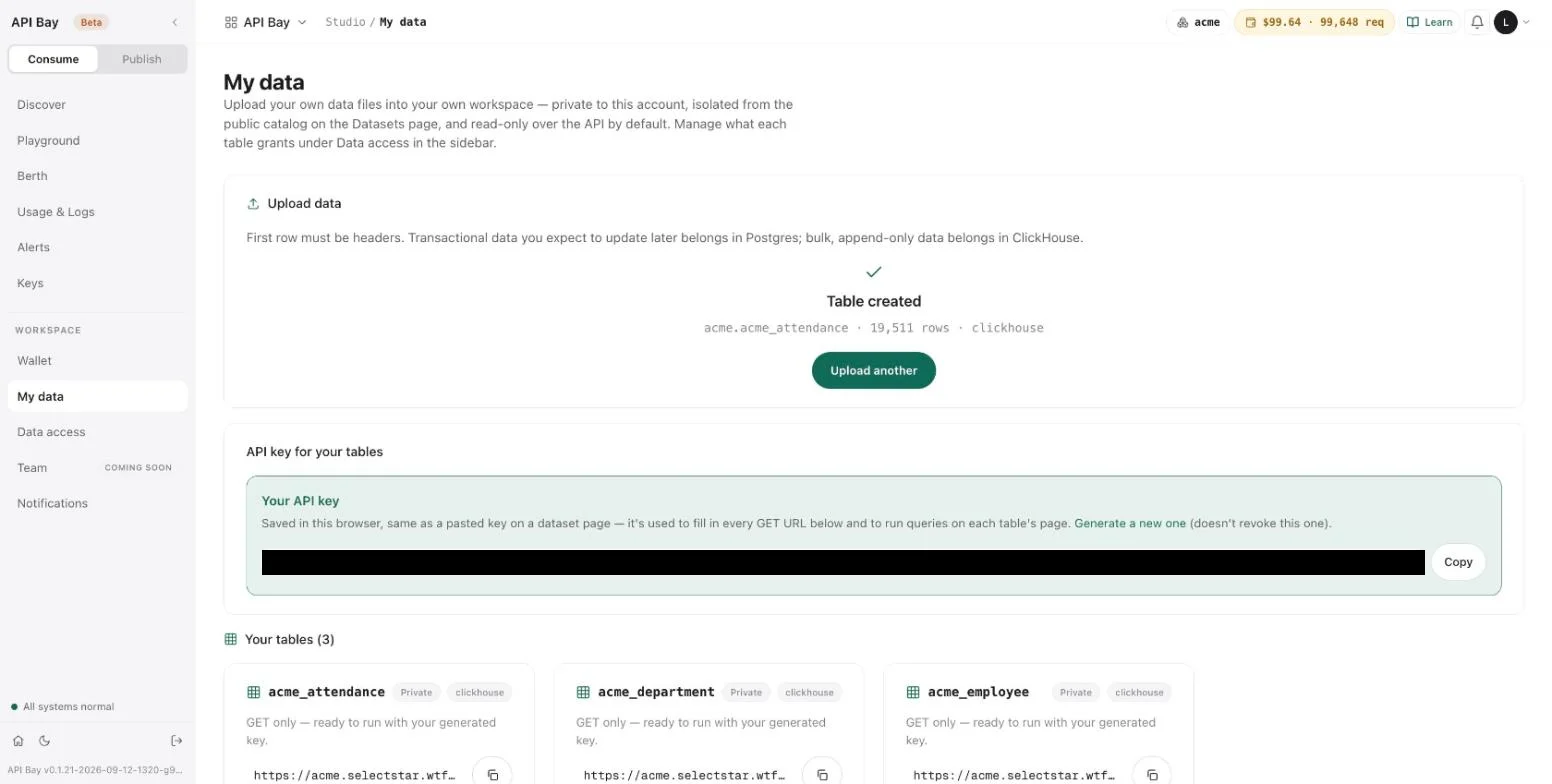
The card says the key is saved in the browser, that it fills in every table's address on the page, and that generating another one does not revoke this one. The key is read-only and belongs to this workspace. It is not on Keys, and it is not a key of the kind Chapter 1 created: the two are not interchangeable.
flowchart LR
    LK[Live key] --> DH[Data host] --> CD[Catalog datasets: billed]
    WK[Workspace key] --> WA[Workspace address] --> YT[Your tables: free]
Each kind of key opens one address.
The live key of Chapter 1 is refused at your workspace's address:
GET /minimal/api/rest/auto/v1/<org>/<project>/ch/acme/acme.acme_department?ps=1&pg=0 HTTP/1.1
Host: acme.bay.example
LB-Access-Token: <your-api-key>HTTP/2 401
content-type: text/plain; charset=utf-8{
"detail": "this credential is not recognised for this workspace — check you are calling the right workspace, and note that a credential minted directly against the engine is not usable here",
"error": "credential_not_recognised"
}The workspace key is refused at the data host with 401 and an empty body.
Reading your own tables works as Chapter 2 taught: the same parameters, the same operators. The types come back as follows. A DATE comes back as a timestamp at midnight UTC, NUMERIC as a number, BOOLEAN as true or false, and an empty cell as null. Here are three employees, one with no manager, one with an accent and one with an apostrophe:
GET /minimal/api/rest/auto/v1/<org>/<project>/ch/acme/acme.acme_employee?ps=3&pg=0&id=in.1,2,7&oy=id.as&fc=id,full_name,manager_id,hired_on,is_active HTTP/1.1
Host: acme.bay.example
LB-Access-Token: <your-workspace-key>HTTP/2 200
content-type: application/json[
{ "full_name": "Rafael Delacroix", "hired_on": "2021-01-04T00:00:00Z", "id": 1, "is_active": true, "manager_id": null },
{ "full_name": "Rafael Müller", "hired_on": "2021-05-20T00:00:00Z", "id": 2, "is_active": true, "manager_id": 1 },
{ "full_name": "Margaret O'Brien", "hired_on": "2024-12-15T00:00:00Z", "id": 7, "is_active": true, "manager_id": 3 }
]A boolean is filtered with true or false:
GET /minimal/api/rest/auto/v1/<org>/<project>/ch/acme/acme.acme_employee?ps=3&pg=0&is_active=eq.false&oy=id.as&fc=id,full_name,left_on HTTP/1.1
Host: acme.bay.example
LB-Access-Token: <your-workspace-key>HTTP/2 200
content-type: application/json[
{ "full_name": "Kwame Haddad", "id": 4, "left_on": "2023-04-26T00:00:00Z" },
{ "full_name": "Wei Nakamura", "id": 8, "left_on": "2026-03-18T00:00:00Z" },
{ "full_name": "Yuki Lindqvist", "id": 20, "left_on": "2024-08-05T00:00:00Z" }
]These reads are not metered. The responses carry none of the headers of Chapter 1, Usage & Logs does not list them, and your wallet does not move.
Where this address differs
The private address is not the data host, and it answers differently in three ways.
A write is refused with 401. The key is read-only, and the refusal says so:
POST /minimal/api/rest/auto/v1/<org>/<project>/ch/acme/acme.acme_department HTTP/1.1
Host: acme.bay.example
LB-Access-Token: <your-workspace-key>
Content-Type: application/json

[]HTTP/2 401
content-type: application/json; charset=utf-8{
"code": 401,
"data": "this token's key_type does not permit this HTTP method",
"message": "access token is not valid for this request"
}No key redirects. A request without a key is answered 302, with the platform's home page as its location, not with an error:
GET /minimal/api/rest/auto/v1/<org>/<project>/ch/acme/acme.acme_department?ps=1&pg=0 HTTP/1.1
Host: acme.bay.exampleHTTP/2 302
content-type: text/plain
location: https://bay.examplePage size does not stop at 100, but paging does. The address returns as many rows as ps asks for. Page pg starts at row pg × ps while ps is 100 or less, and at row pg × 100 above that. With ps of 100 or less the pages tile: on acme_attendance, page 195 of 100 holds the last 11 rows, ids 19501 to 19511, and page 196 is empty. With a larger ps the pages overlap: ps=1000&pg=1 starts at id 101, not 1001. Keep ps at 100 or below.
Remove a table
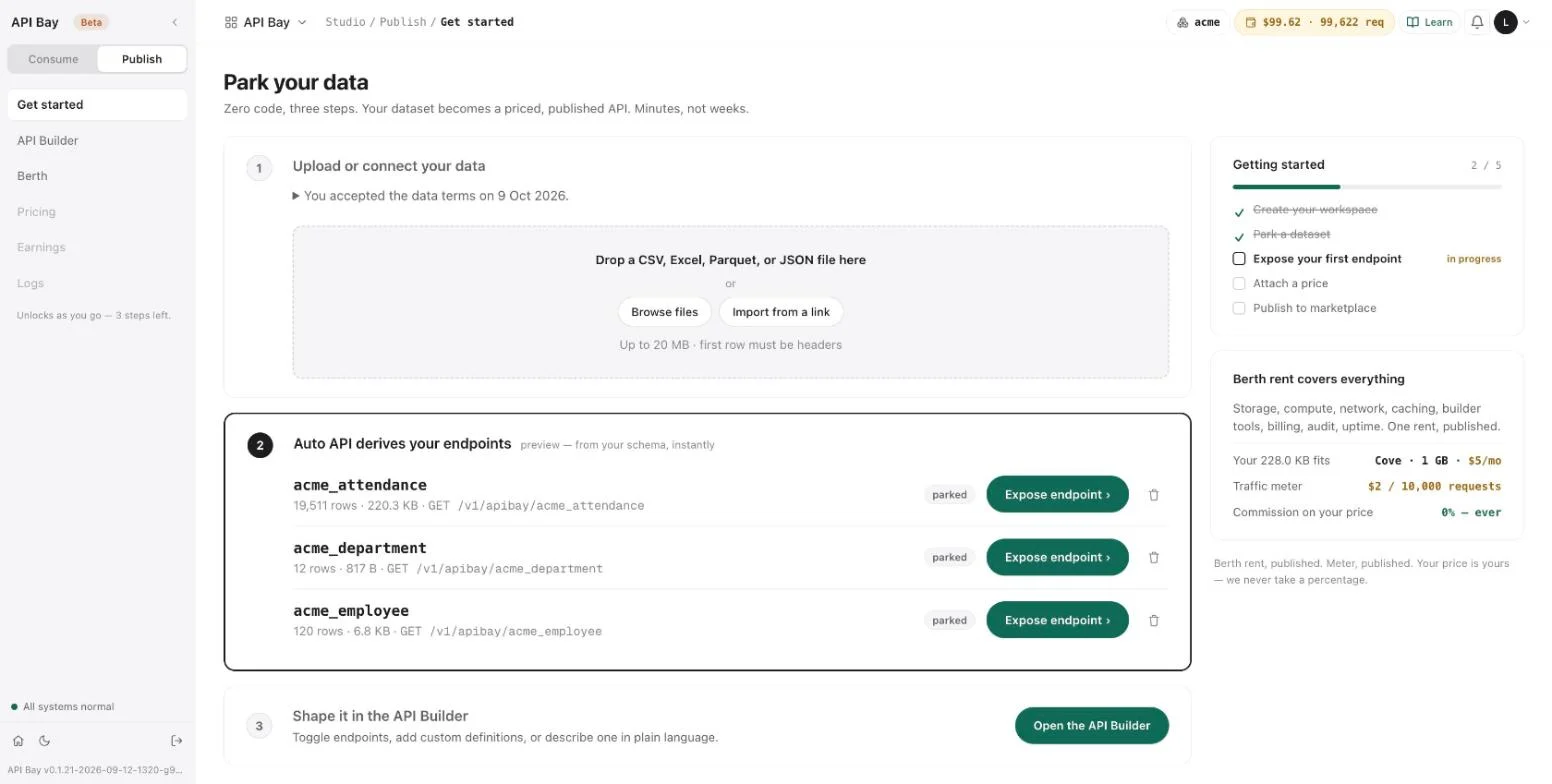
A table is removed from the Publish side, not from My data. Open Publish, then Get started. Step 2, "Auto API derives your endpoints", lists your tables, each tagged parked, with its row count and size, its endpoint path and a trash icon. Select the trash icon beside book_probe_types. A dialog names the table and its row count and states that the deletion is permanent and that anything reading the table will stop working.
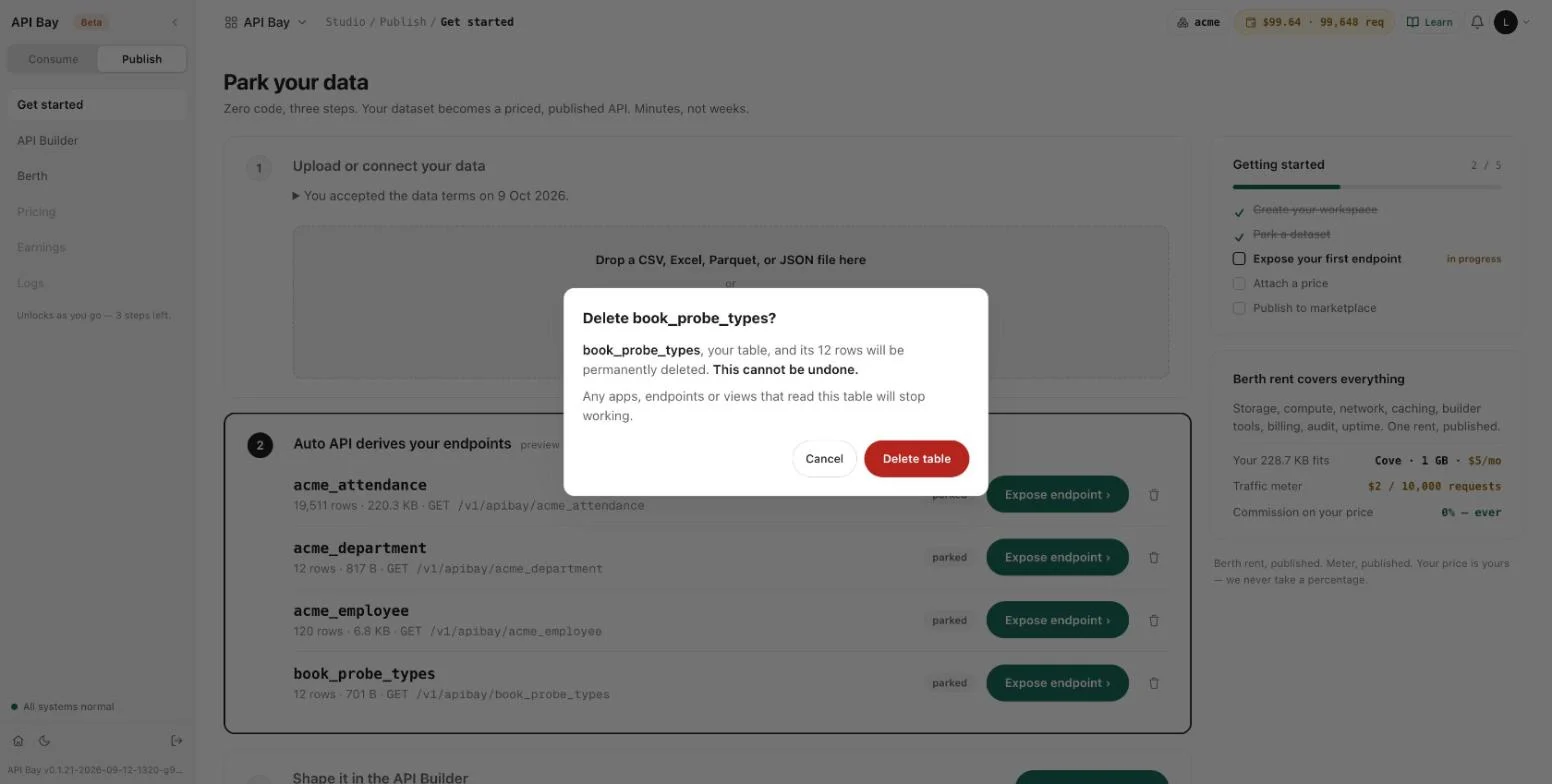
Select Delete table. The table leaves the list, and its address answers 417 from then on.
Exercises
Use a disposable workspace and a throwaway CSV of a few rows, the cheapest upload there is. Reads of your own tables cost nothing, and removing a table is permanent.
- Upload a throwaway CSV. Read the types the preview proposes. Then upload it again under another name with one column changed to a type its data cannot be cast to, and read a few rows of the new table. Record what became of that column's values, and compare it with the note under the columns in the preview.
- With the workspace key, read the first five rows of one of your tables, ordered by
id, with two columns of your choice. Then filter on a null withis.NULL. - Request pages 0 and 1 of
acme_attendance, ordered byid, withps=100, and compare the last id of page 0 with the first id of page 1. Repeat withps=200and compare again.
8Data access
A table you upload can be read at once, over your private address, with your workspace key. Nobody else holds that key. The public address of Chapter 1, the data host, is a second door, and it opens for a table only after you expose and publish it. A table that you have uploaded and not exposed is parked, and the data host refuses it. Here is one table at both doors. First the data host:
GET /v1/apibay/acme_employee?ps=1&pg=0 HTTP/1.1
Host: api.bay.example
LB-Access-Token: <your-api-key>HTTP/2 403
content-type: application/json; charset=utf-8
apisix-cache-status: MISS
x-free-tier-remaining: 96
x-ratelimit-reset: 1791612737
x-cost-per-1k: USD 1.00
x-ratelimit-remaining: 143768
x-wallet-remaining: USD 99.62
x-ratelimit-limit: 144000
x-wallet-remaining-requests: 99621
x-plan-tier: pro{
"code": 403,
"status": "Forbidden",
"message": "insufficient permissions for this operation on this table, got [user]"
}Then the private address, for the same table:
GET /minimal/api/rest/auto/v1/<org>/<project>/ch/acme/acme.acme_employee?ps=1&pg=0&oy=id.as&fc=id,full_name,department_id HTTP/1.1
Host: acme.bay.example
LB-Access-Token: <your-workspace-key>HTTP/2 200
content-type: application/json[
{ "department_id": 11, "full_name": "Rafael Delacroix", "id": 1 }
]The data host refuses a table you own, and the private address answers for it. The refusal is the one Chapter 3 shows for a dataset name the product does not know, and like that one it takes a request from the free tier: x-free-tier-remaining fell from 97 to 96. Data access is the screen that records what each of your tables grants. It has three tabs, and what they change is a separate question.
Read the screen
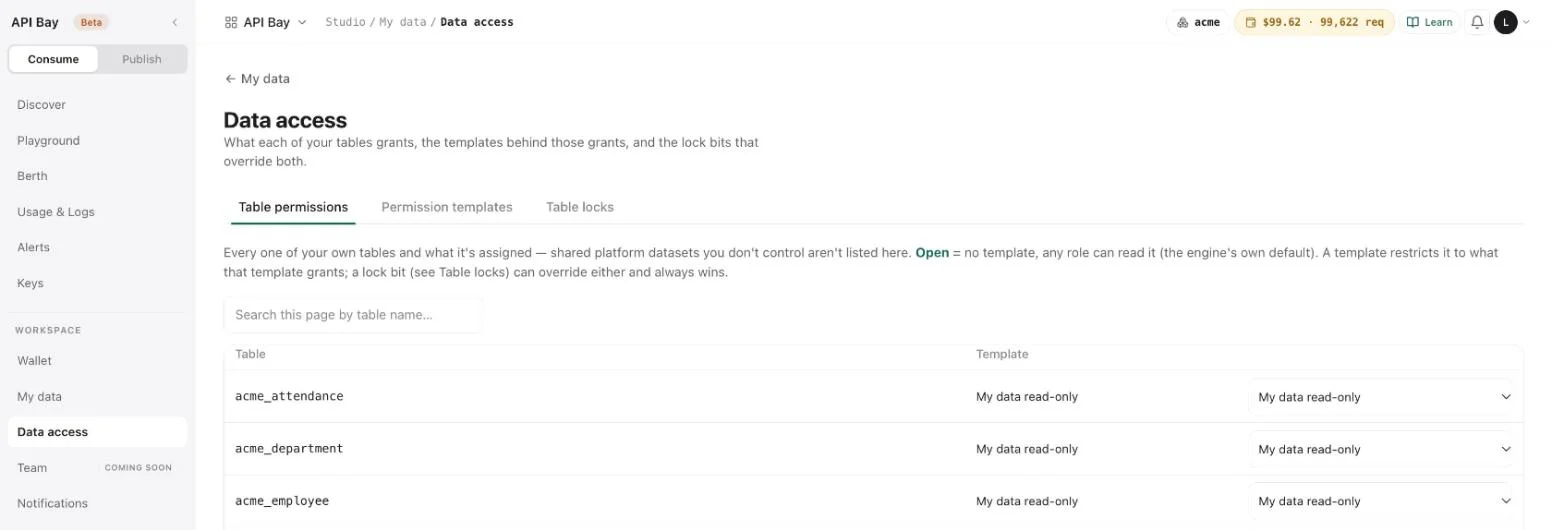
- Select Data access in the Workspace section of the sidebar. The first tab, Table permissions, lists every table of yours and the template it is assigned. A table marked open has no template, so any role can read it. A template restricts a table to what the template grants. A third control, the lock bit, overrides both, and the page says it always wins.
- Select Permission templates. A template is a reusable grant: you create it here and assign it to a table on the first tab. One template exists, My data read-only. It grants the workspace's own roles
GETon an uploaded table and nothing else, and the page says it is managed by the upload path: to change a grant, add a second template with New template instead of editing this one.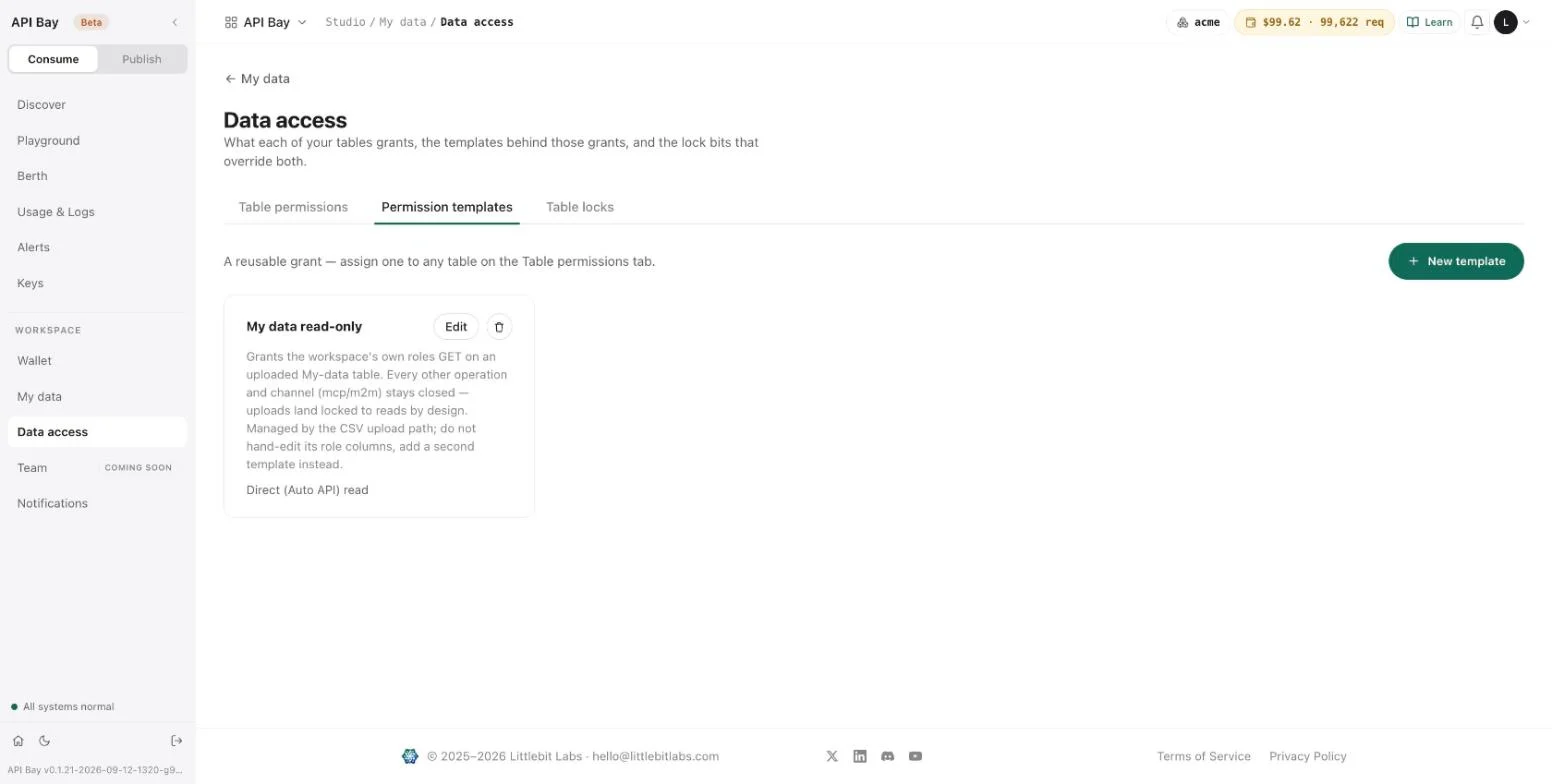
- Select Table locks. A lock bit overrides everything else: a locked operation is refused even for a role that a template grants it to. A new table starts locked except for direct reads. Each row says how many of its twelve bits are locked, and a table that has just been uploaded reads
11/12 locked.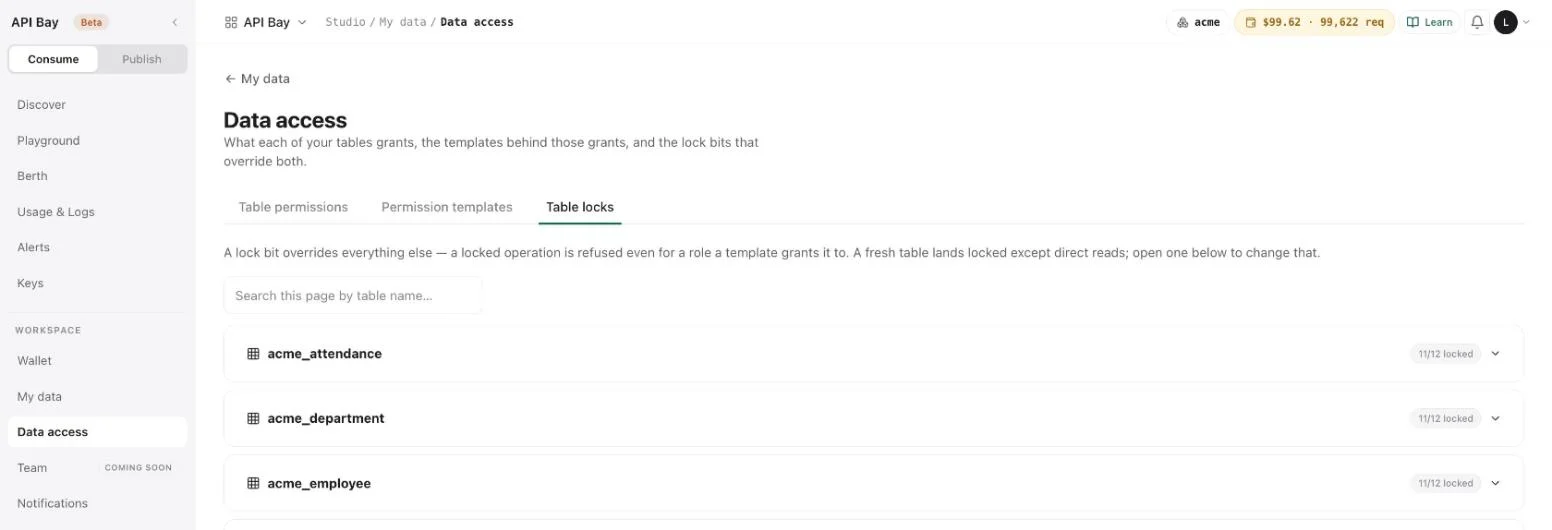
- Select a table to expand it. Two presets, Read-only and Fully locked, set every bit at once. Under them, three chips name the channels: Direct, MCP and M2M. Selecting a chip toggles that channel and applies at once. Create, Update and Delete are locked on every channel and are not shown, because API Bay serves only
GET.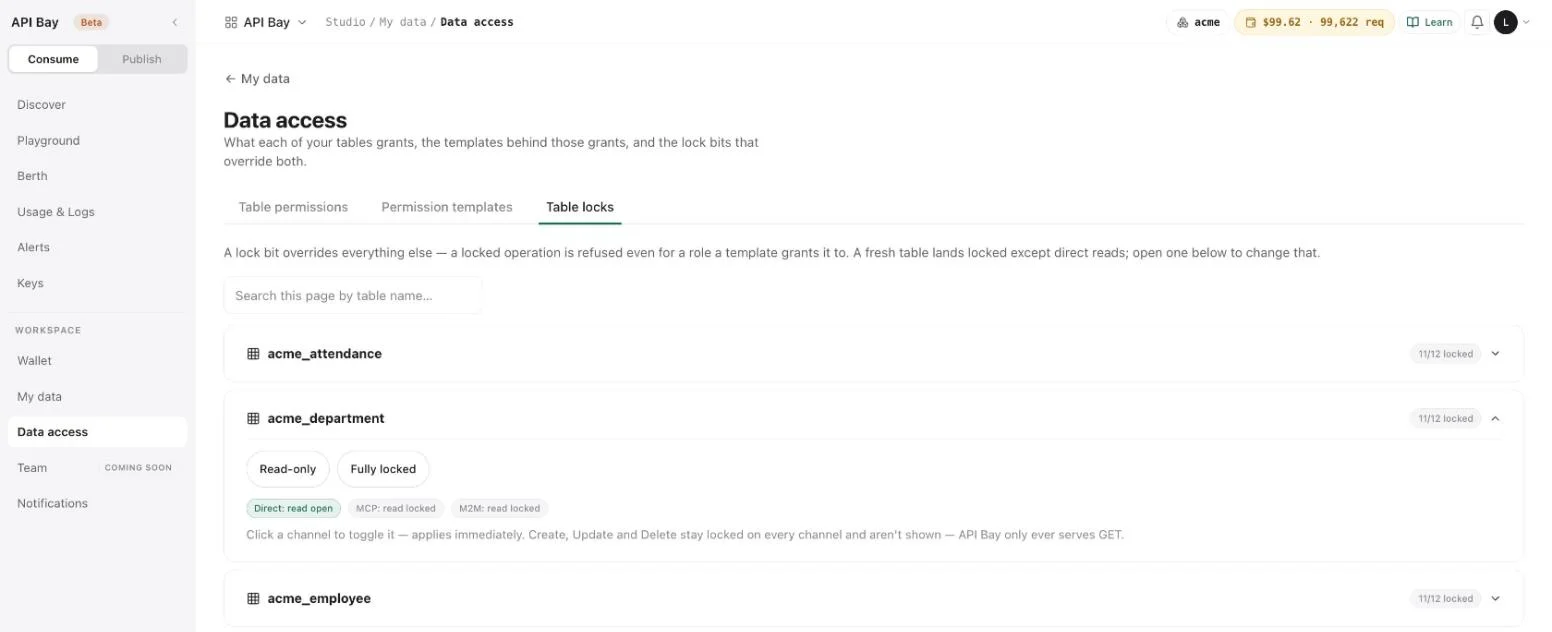
The chips for the MCP and M2M channels read "read locked". The MCP page of Chapter 12 says that channel is coming soon.
What a lock changes
Lock a table and read it. The steps use acme_department and the workspace key of Chapter 7.
- In Table locks, expand
acme_departmentand select Fully locked. The badge reads "fully locked", and all three chips read "read locked".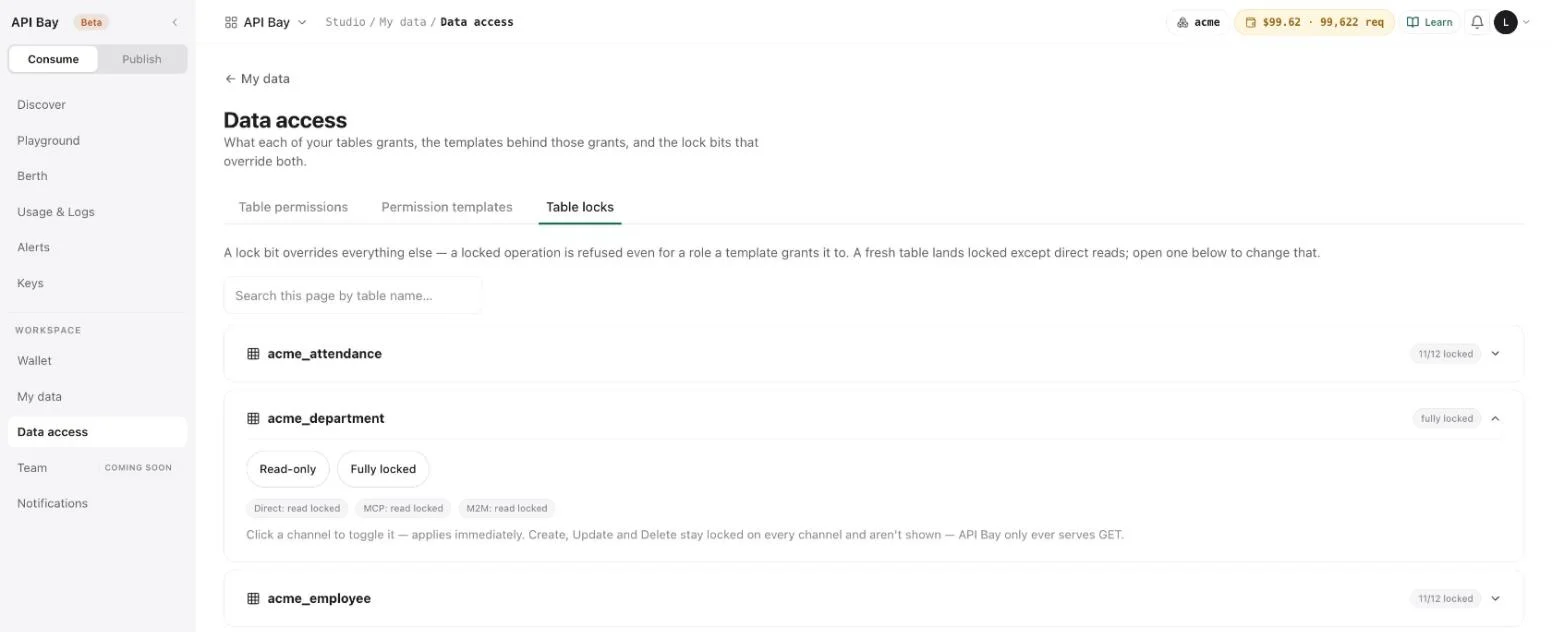
- Read the table over the private address:
http
GET /minimal/api/rest/auto/v1/<org>/<project>/ch/acme/acme.acme_department?ps=2&pg=0&oy=id.as&fc=id,name HTTP/1.1 Host: acme.bay.example LB-Access-Token: <your-workspace-key>httpHTTP/2 200 content-type: application/jsonjson[ { "id": 1, "name": "Engineering" }, { "id": 2, "name": "Platform" } ] - Select Read-only. The chip Direct: read open returns, and the badge reads
11/12 lockedagain.
The bits changed on the screen, and the answer did not change. The same holds for the template: on Table permissions, choosing — none (open) — turns the table's template cell into a green "open — any role" badge, and choosing My data read-only puts it back, and neither changes a read.
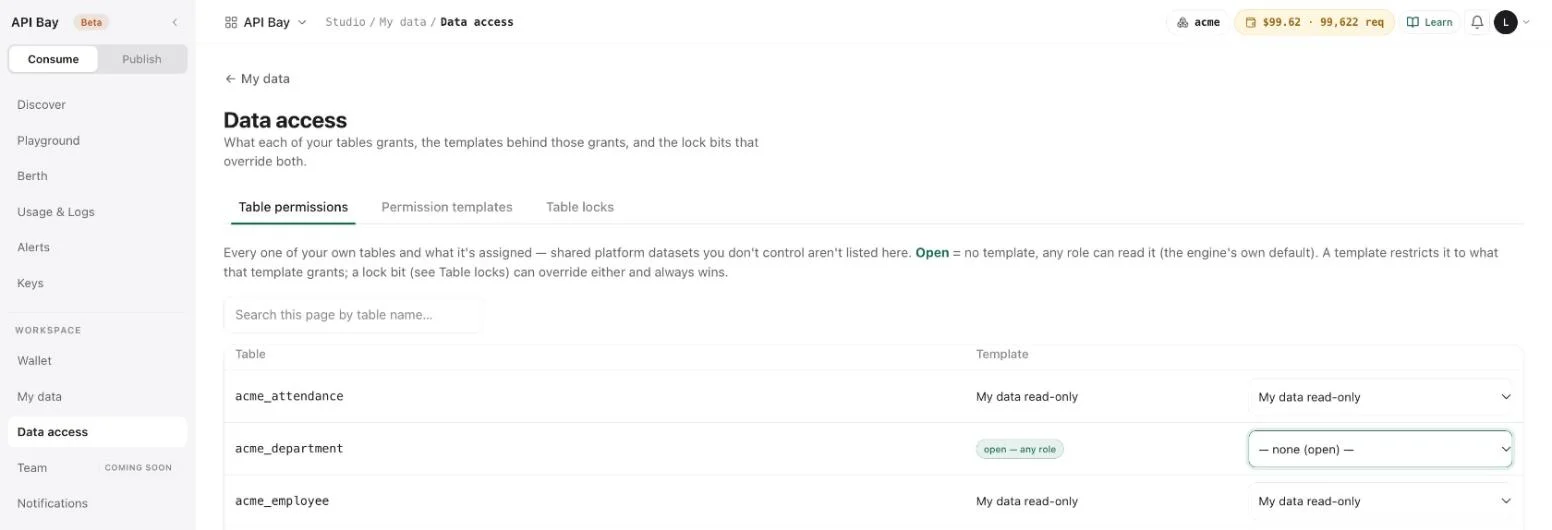
Chapter 9 publishes a table and repeats both changes on the data host, with the same result. Do not rely on a lock or a template to stop a key from reading a table over either address. To take a table off the data host, de-list it (Chapter 9). To take it off the private address, delete it, as Chapter 7 shows.
The states of a table
For the data host, a table is in one of three states, and each has one answer. The private address answers for the table in all three.
| State | The tag on Publish | Data host | Private address |
|---|---|---|---|
| Parked | parked | 403, as above, taking a free-tier request | 200 |
| Live | the Live line of the publish page | 200, at the dataset's price | 200 |
| De-listed | priced · ready to publish | 503, with dataset_disabled | 200 |
stateDiagram-v2
    [*] --> Parked: upload
    Parked --> Live: expose, price, publish
    Live --> Delisted: de-list
    Delisted --> Live: publish again
A table moves between three states; the data host answers differently in each.
The last row comes from Chapter 9, where the 503 is shown in full. A de-listed table keeps its price and its listing details, which is why publishing it again takes one step.
Exercises
Reads of your own tables cost nothing, and the one refusal below takes a request from the free tier and no money. Use a disposable workspace and a throwaway table of a few rows, the cheapest upload there is.
- Open Data access and write down, for each of your tables, its template and its lock badge. Expand one table and note which chip reads open.
- Upload a throwaway CSV of three rows. Set its lock to Fully locked, read it over the private address with your workspace key, and record the status. Set Read-only, read it again, and compare the two answers.
- Request one of your parked tables on the data host with your live key. Record the status, the
messageandx-free-tier-remaining. Send the request again and record how the header changed.
9Publish and price
Your table answers over the private address of Chapter 7. To let other accounts call it, you expose it, describe it, price it and publish it. The result is a card in Discover and an endpoint on the data host that bills the caller at your price. Here is the end of that path: a consumer's call to the published acme_department, priced at the lowest price API Bay allows.
GET /v1/apibay/acme_department?ps=3&pg=0&oy=id.as HTTP/1.1
Host: api.bay.example
LB-Access-Token: <your-api-key>HTTP/2 200
content-type: application/json
apisix-cache-status: MISS
x-free-tier-remaining: 97
x-ratelimit-reset: 1791612737
x-cost-per-1k: USD 0.20
x-ratelimit-remaining: 143773
x-wallet-remaining: USD 99.62
x-ratelimit-limit: 144000
x-wallet-remaining-requests: 99622
x-plan-tier: pro[
{ "cost_centre": "CC-1000", "created_at": "2021-01-04T00:00:00Z", "head_email": "head.engineering@acme.example", "id": 1, "name": "Engineering" },
{ "cost_centre": "CC-1007", "created_at": "2021-01-04T00:00:00Z", "head_email": "head.platform@acme.example", "id": 2, "name": "Platform" },
{ "cost_centre": "CC-1014", "created_at": "2021-01-04T00:00:00Z", "head_email": "head.data@acme.example", "id": 3, "name": "Data" }
]x-cost-per-1k carries the price you set: $0.20 per 1,000 requests, which is $0.0002 a call. x-free-tier-remaining stays at 97, as it does for any community dataset (Chapter 4). The call is metered and logged like the calls of Chapter 1, and it appears on your side too, in Logs (Chapter 10).
flowchart LR
    P[Parked] -->|expose| E[Exposed]
    E -->|listing| D[Described]
    D -->|price| R[Priced]
    R -->|publish| L[Live]
    L -->|de-list| R
A table becomes a product in four steps; de-listing returns it to Priced.
Expose an endpoint
- Open Publish, then Get started. Step 2, "Auto API derives your endpoints", lists your parked tables, each with an Expose endpoint › button.
- Select Expose endpoint › beside
acme_department. The page "Expose your first endpoint" shows the endpoint the product derived from the column types:GET /v1/apibay/acme_department, which takesfc, filters,psandpg. Its toggle is on, and the page says that endpoints stay private until you publish.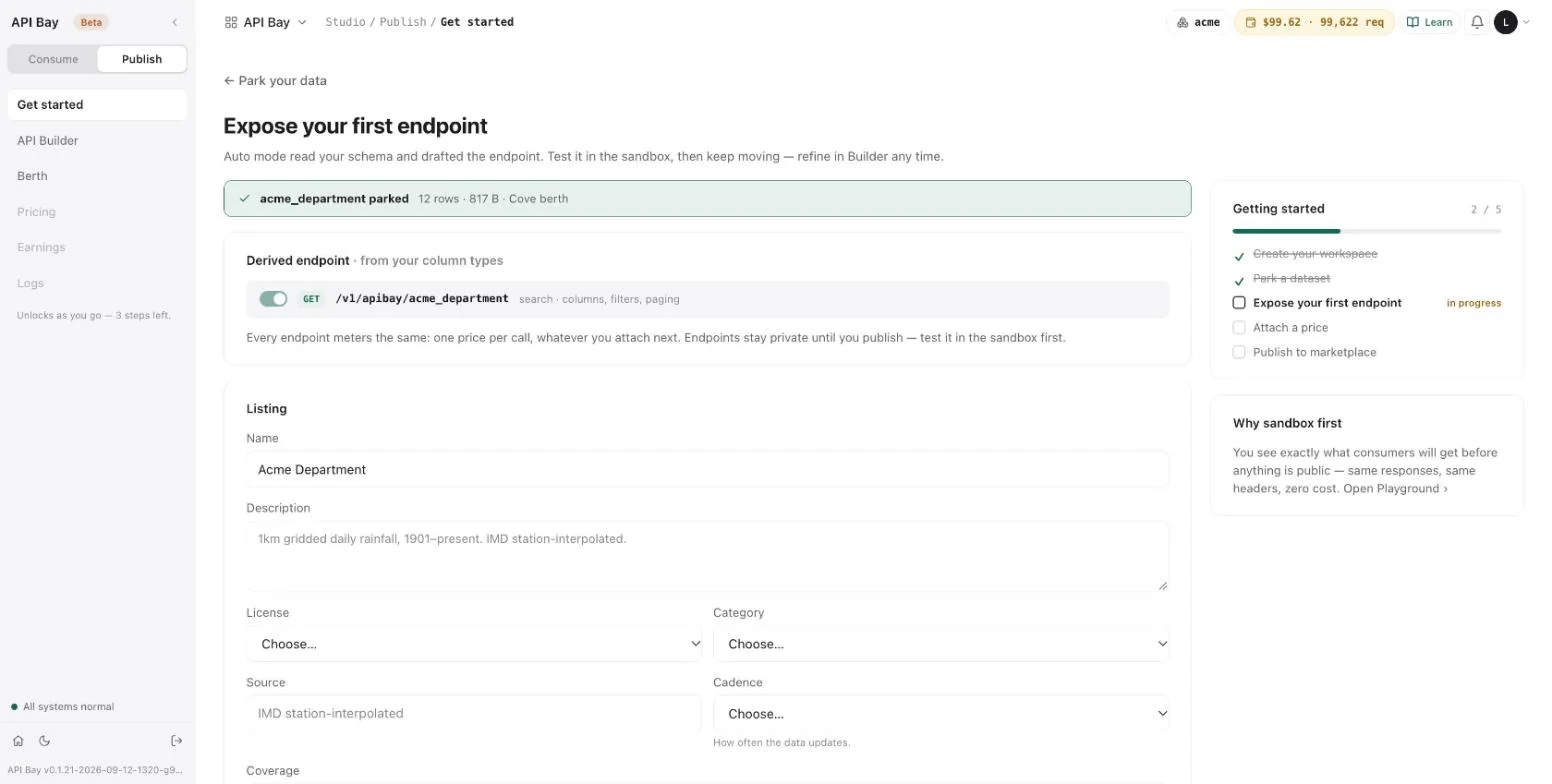
The path of the endpoint is the table name. A table named acme_department is /v1/apibay/acme_department on the data host and /d/acme_department in the app.
Describe the listing
- Fill in the Listing form. Name starts as the table name in words, Acme Department. Description is free text. License is one of OGL, CC0, CC-BY, CC-BY-SA, GDL-India, ODbL or Proprietary, and for Proprietary the page adds that consumers get only the rights the publisher grants. Category is one of Agriculture, Finance, Health, Climate, Environment, Transport, Geo, Legal, Government or Other. Source and Coverage are free text, and the page shows Coverage as it is written. Cadence is one of Real-time, Hourly, Daily, Weekly, Monthly, Quarterly, Yearly, One-time / static or Irregular. Select Continue — Attach a price.
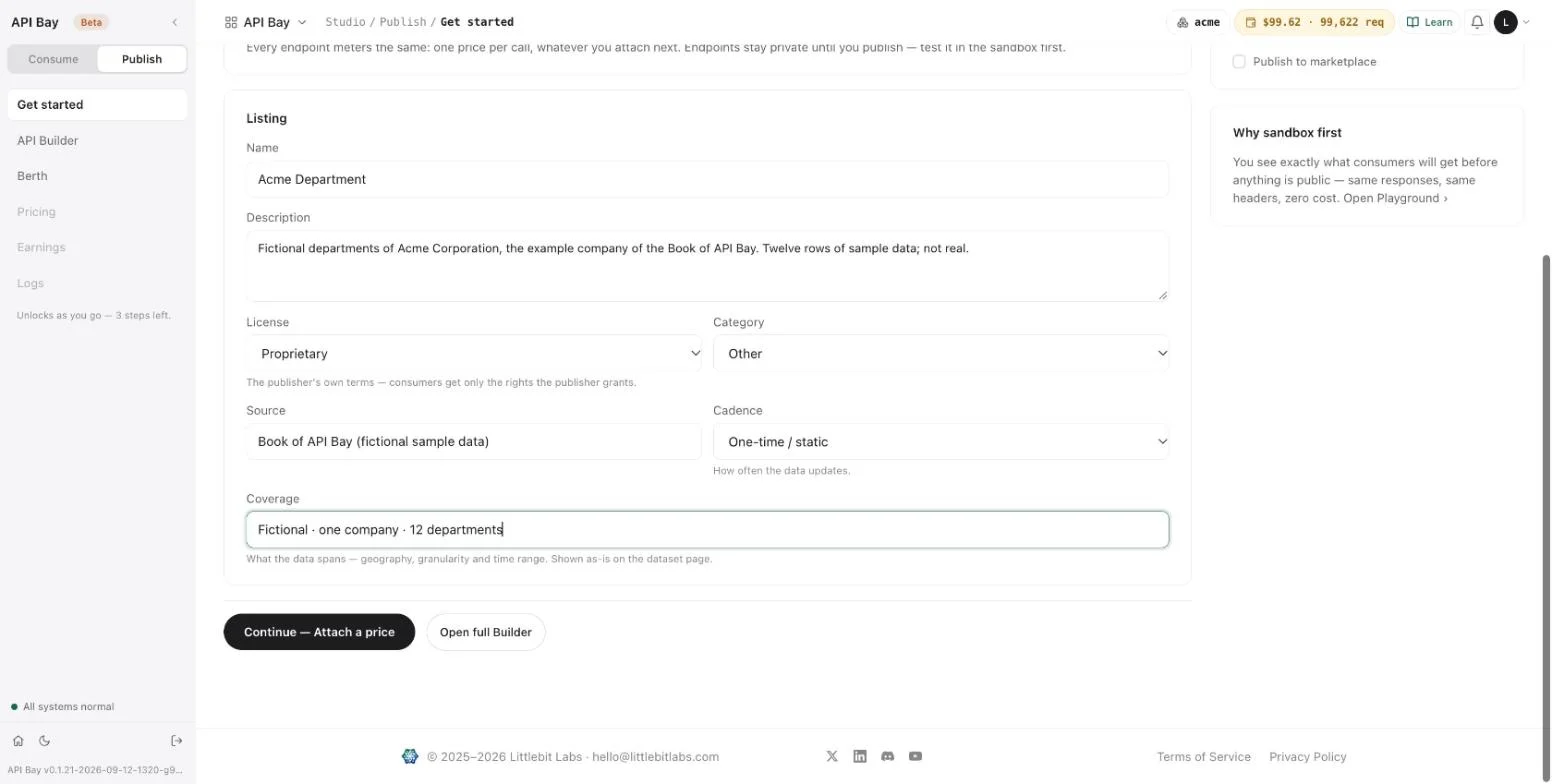
The text of this form appears on the dataset page, so write it for a stranger. The Acme listing says in its description that the data is fictional.
Attach a price
- The page "Attach a price" asks for one number: what you charge per 1,000 requests, for every endpoint of the dataset. The slider runs from the floor, $0.20, to $50. The floor is the platform's own meter, and the page labels it so. Below the slider, three lines show the price you charge, the platform meter, which is separate and netted, and the share you keep, which is 100% of your price.
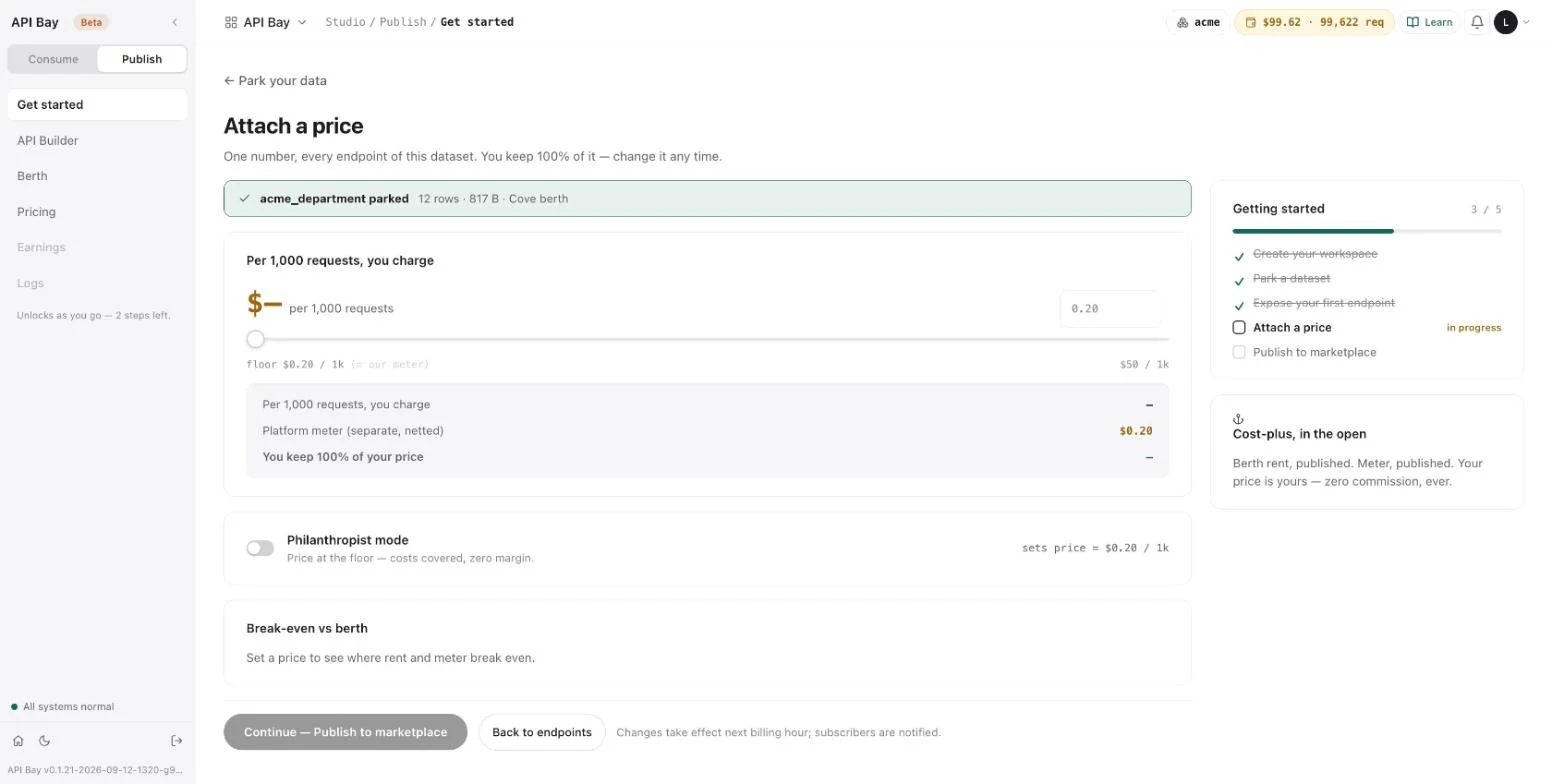
- Turn on Philanthropist mode. It sets the price to the floor, $0.20 per 1,000 requests, so that consumers pay only your meter. The input reads
0.2, and next to it the page shows "= $0.000 a call": the screens of API Bay round a call to three decimals, and a call at this price costs $0.0002. The panel "Break-even vs berth" now reads "At the floor the meter is covered; rent is the only cost." Select Continue — Publish to marketplace.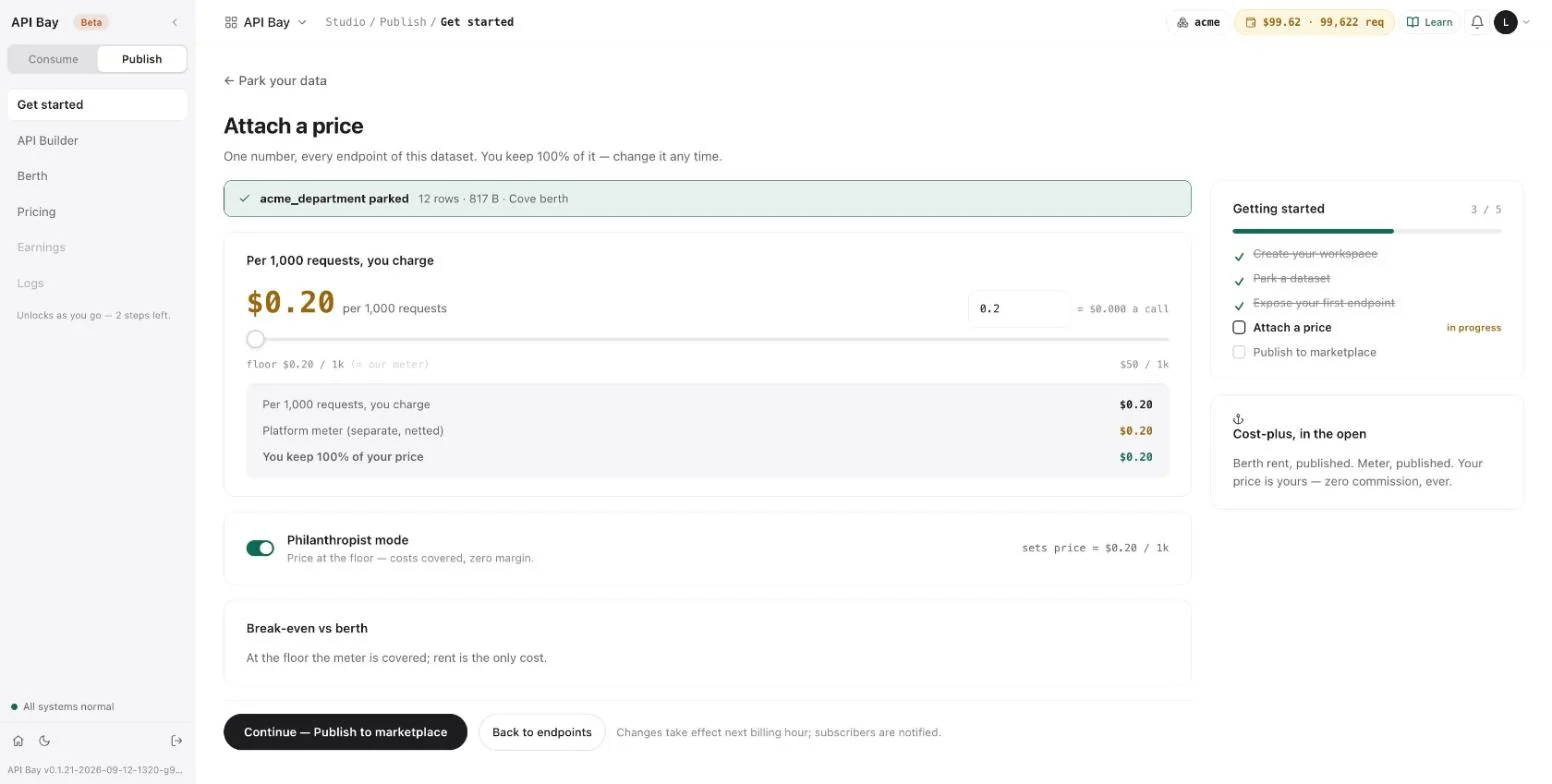
Publish
The page "Publish to marketplace" runs five pre-flight checks: the dataset is parked, the endpoint is exposed, a license is set, a price is attached, and the payout rail, for which the page says that earnings accrue on this deployment and a payout rail is not required to publish. Choose who sees the listing: Public, "Listed in Discover and search. Anyone can subscribe and pay your price", or Unlisted, "Live API, hidden from Discover. Share by link — same meter, same price." A card on the right shows the listing as Discover will show it. Select Publish to marketplace.
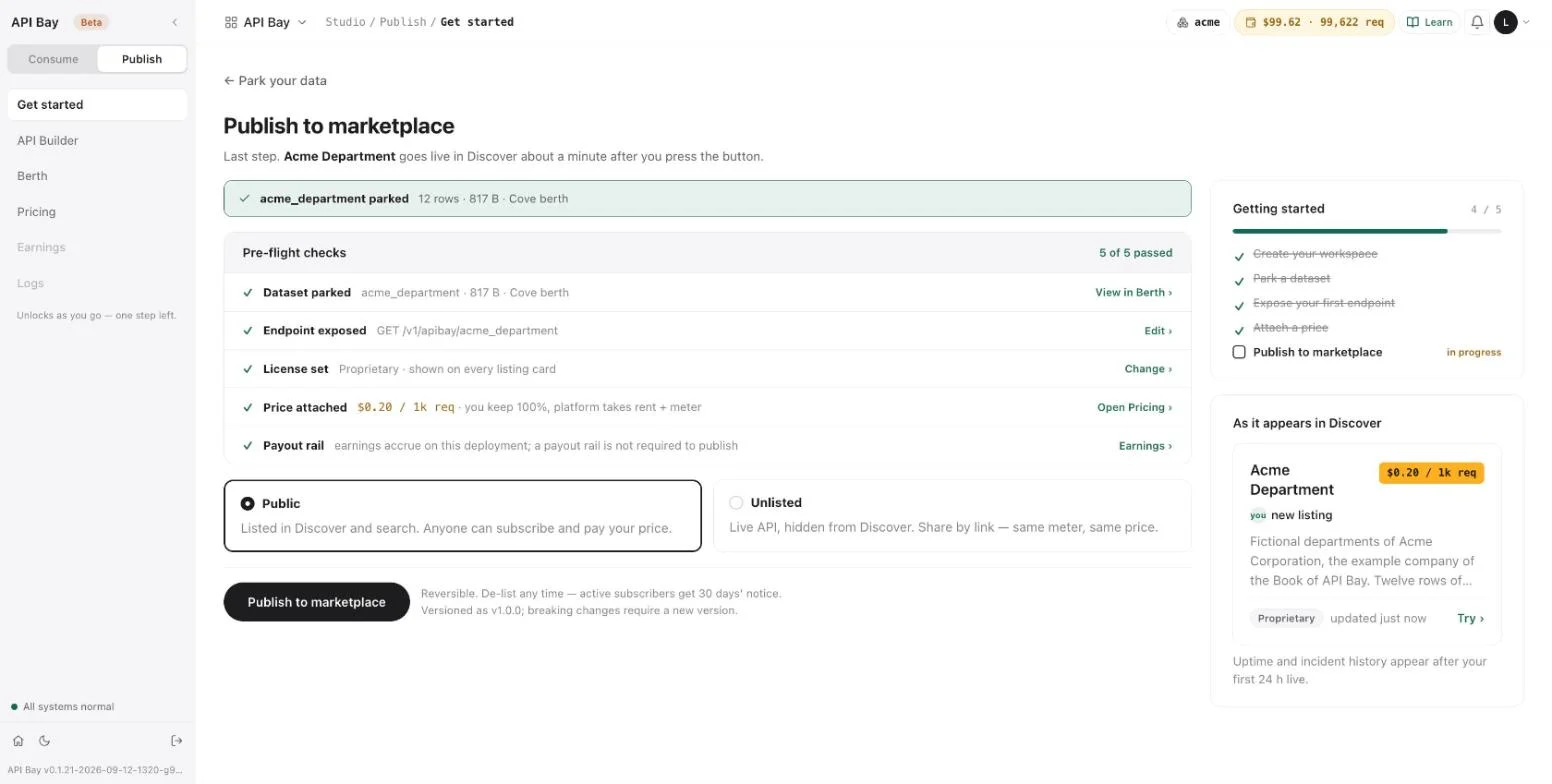
The page says that the listing goes live in Discover about a minute after you press the button, that publishing is reversible, and that the first version is v1.0.0. When the line "Live. Listed as /d/acme_department" appears, the listing is live.
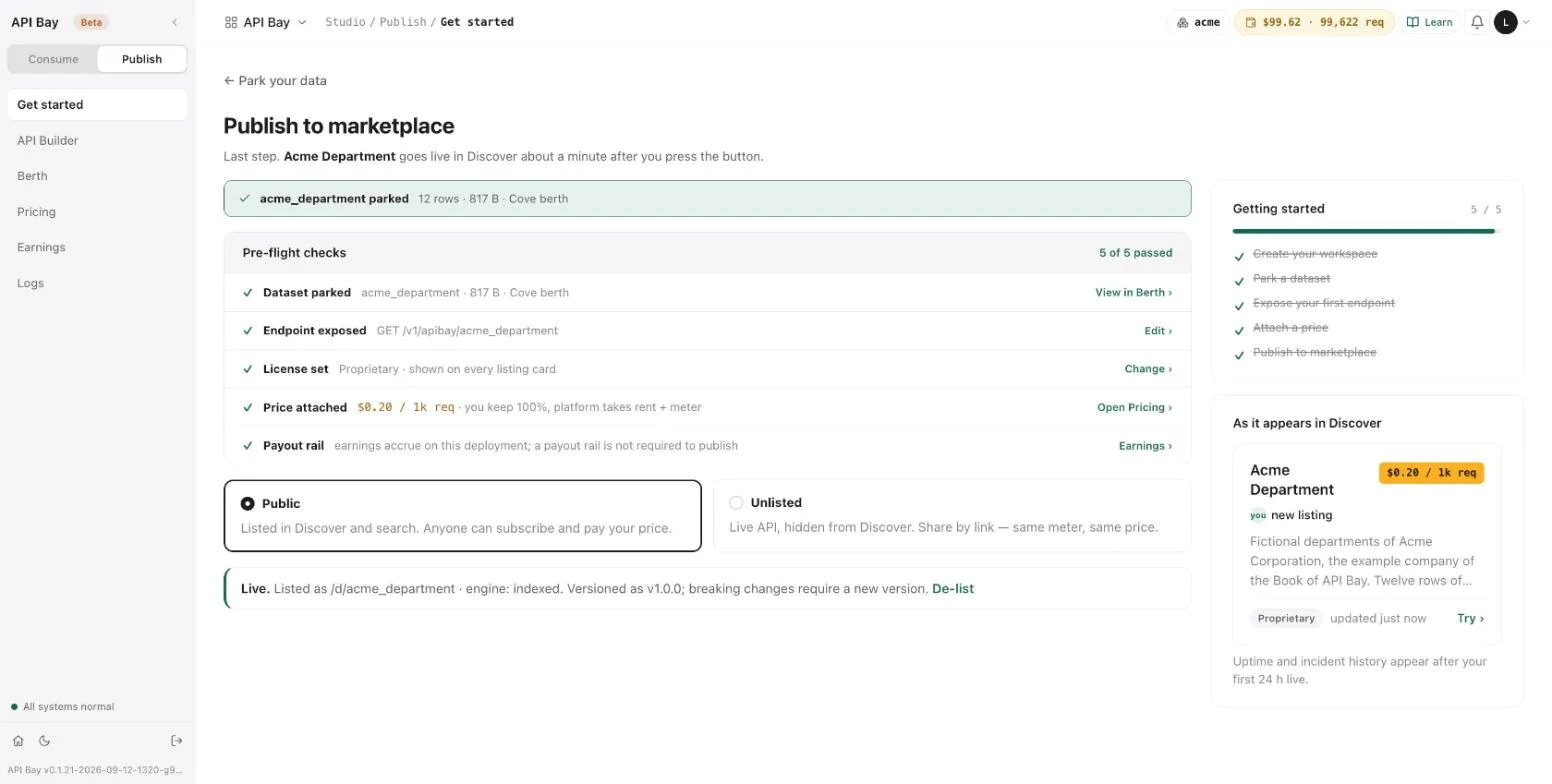
See it as a consumer
Open Discover. The new card shows the name, the price badge, the publisher, the first lines of the description, the license, and when the listing was updated. Select the card.
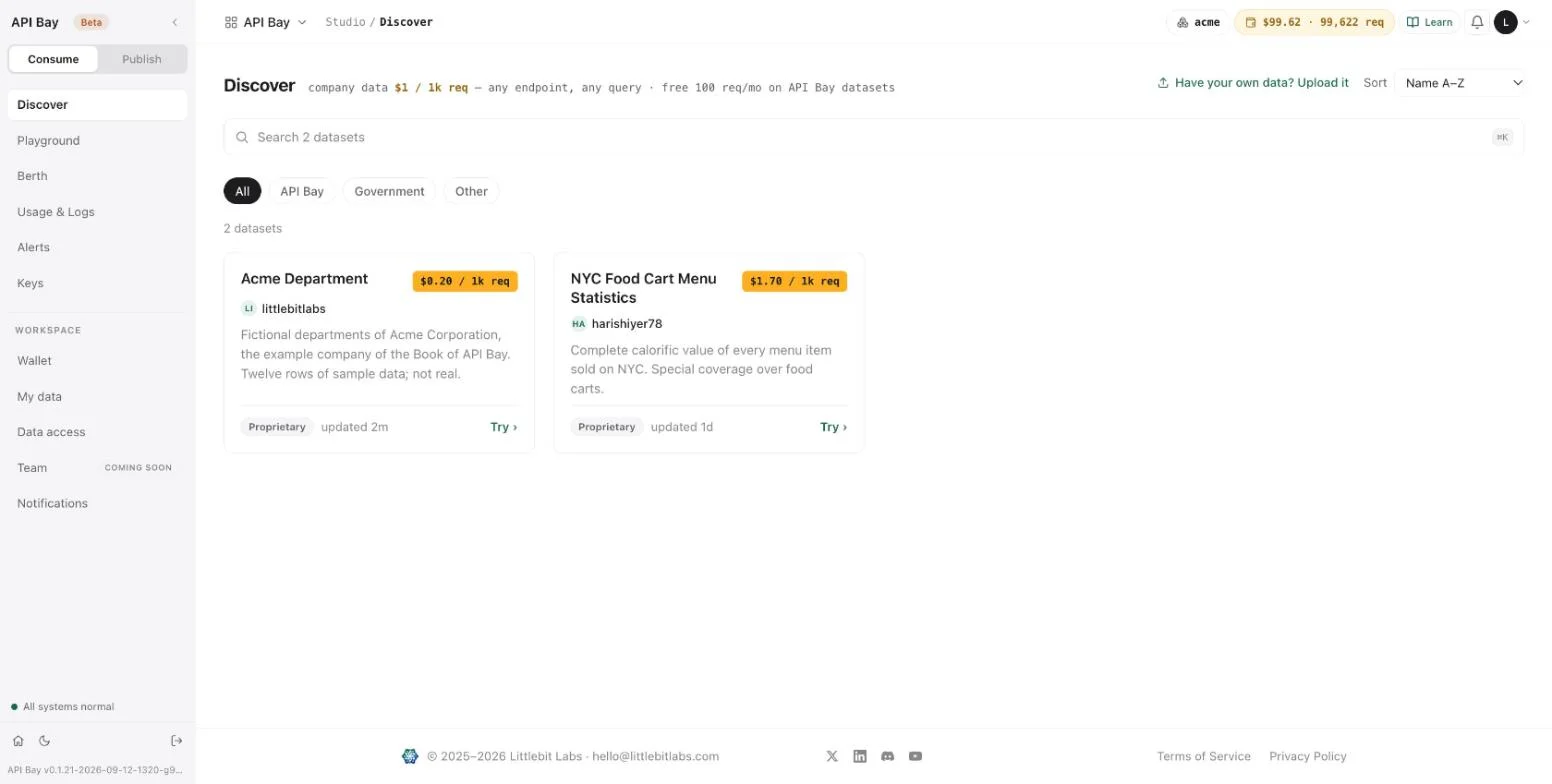
The dataset page has the five tabs of Chapter 1. Manifest & endpoints carries your listing text, the size of the table, its version, and a trust panel: the uptime of the last 90 days, the incidents, the license audit, which reads "not yet verified", and the SLO, which reads "not stated". The endpoint row shows
$0.000 / calland a curl command.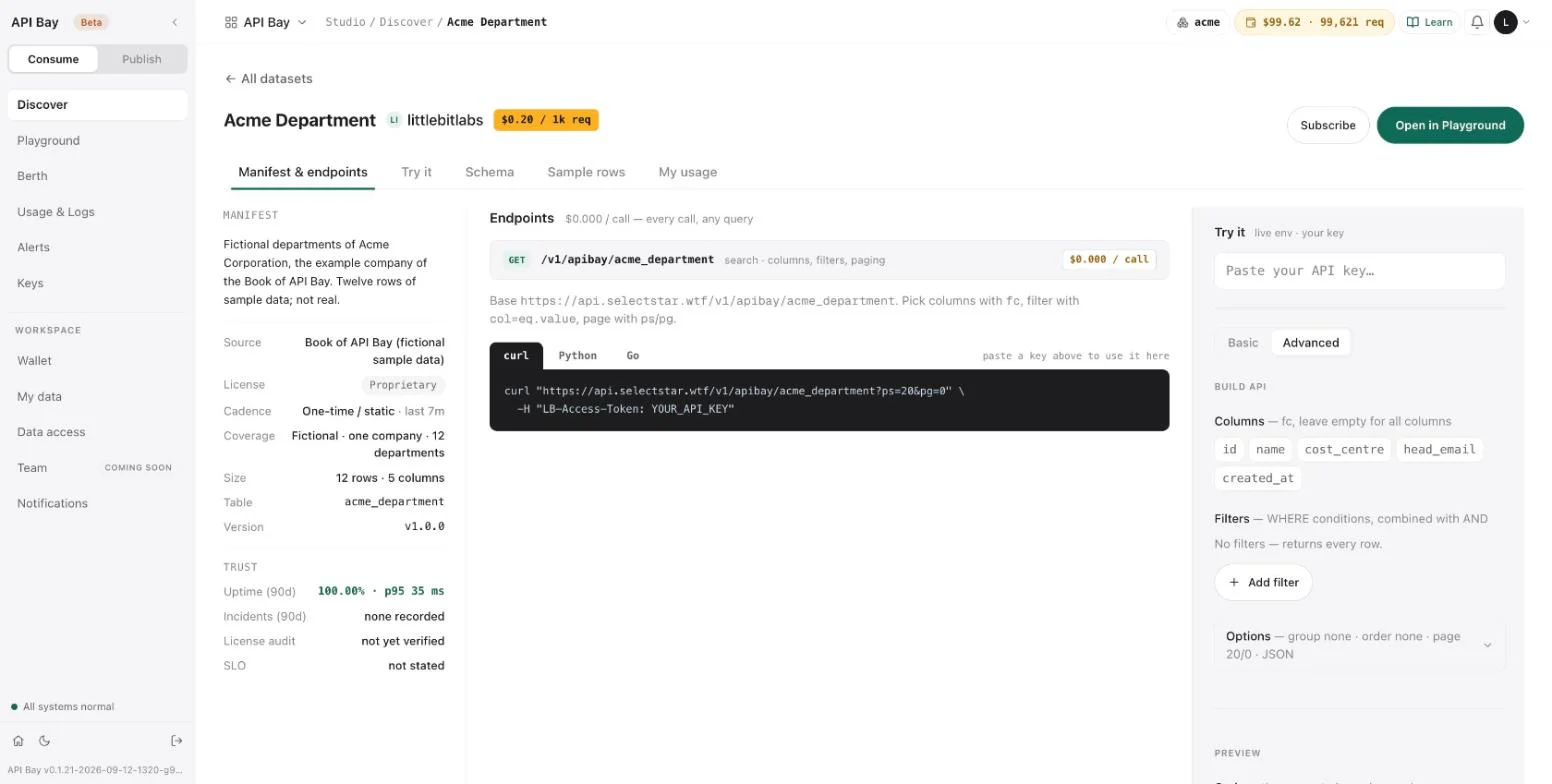
- Select Subscribe. The button becomes a Subscribed badge, and the dataset appears on Status under "Your subscriptions — SLO" (Chapter 11). Select the badge to unsubscribe; the page asks for no confirmation.
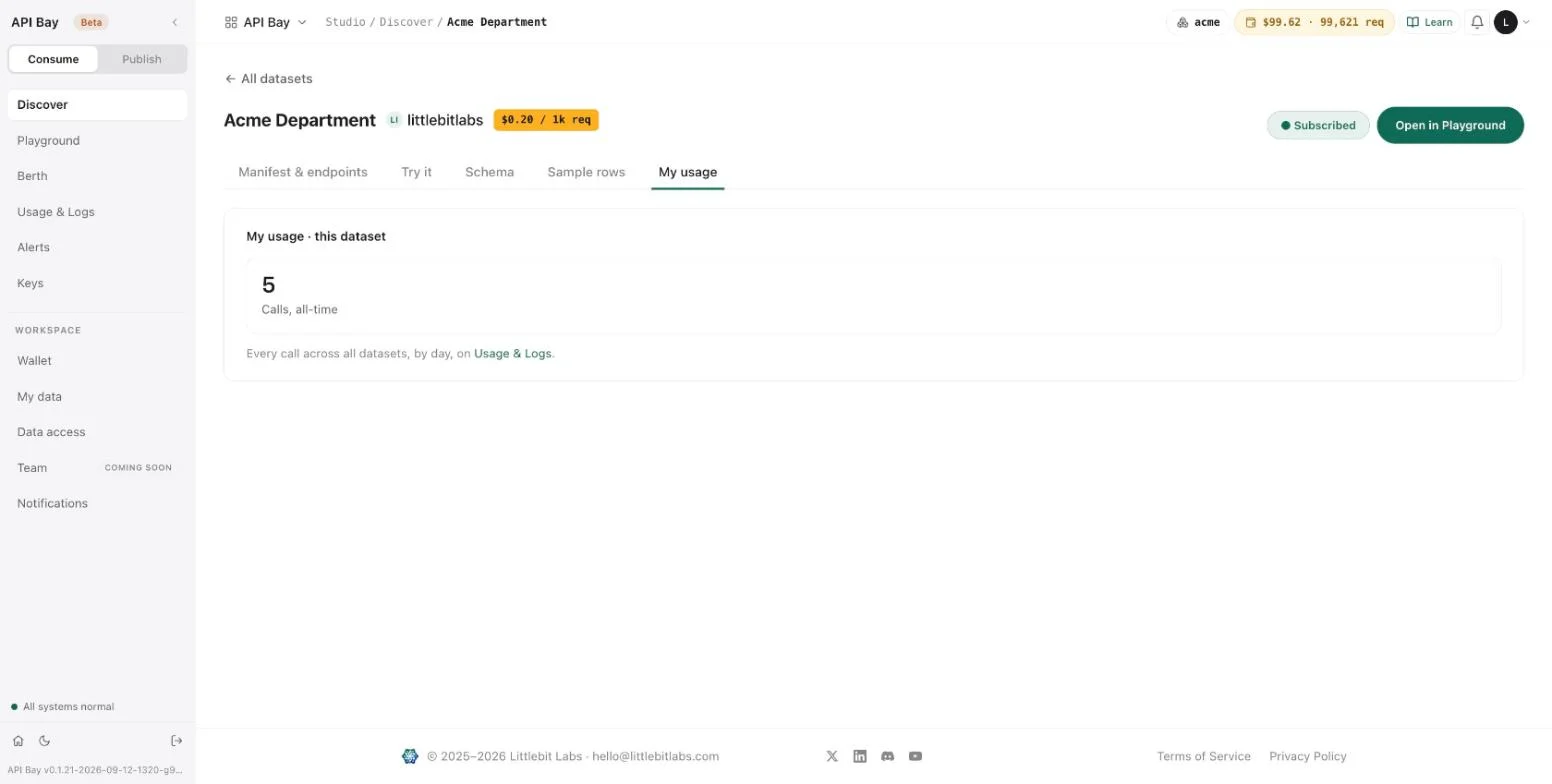
The consumer's call, as shown at the top of the chapter, now succeeds. Because the dataset is not an API Bay dataset, the call does not use the free tier, and the Usage & Logs row of Chapter 1 shows its cost as $0.000, rounded.
Unlisted
An Unlisted listing is live but not shown in Discover. Its dataset page still opens at /d/acme_department when you follow the link, and the data host answers at the same price. To publish one, choose Unlisted on the publish page before you press the button. Choosing it on a listing that is already live does not change the listing: the page shows Public again when you reload it. De-list the listing and publish it again to change who sees it.
Locks on a published table
While acme_department was live, the two changes of Chapter 8 left the data host alone. Each call used a query that had not been sent before, so none was answered from the cache.
Setting of acme_department | Data host, with a live key |
|---|---|
| Read-only, the default | 200, at $0.20 per 1,000 requests |
| Fully locked | 200, at $0.20 per 1,000 requests |
| Template set to — none (open) — | 200, at $0.20 per 1,000 requests |
De-list
Open the publish page of the table again and select De-list on the Live line. The page returns to "Park your data", and the table reads "priced · ready to publish".
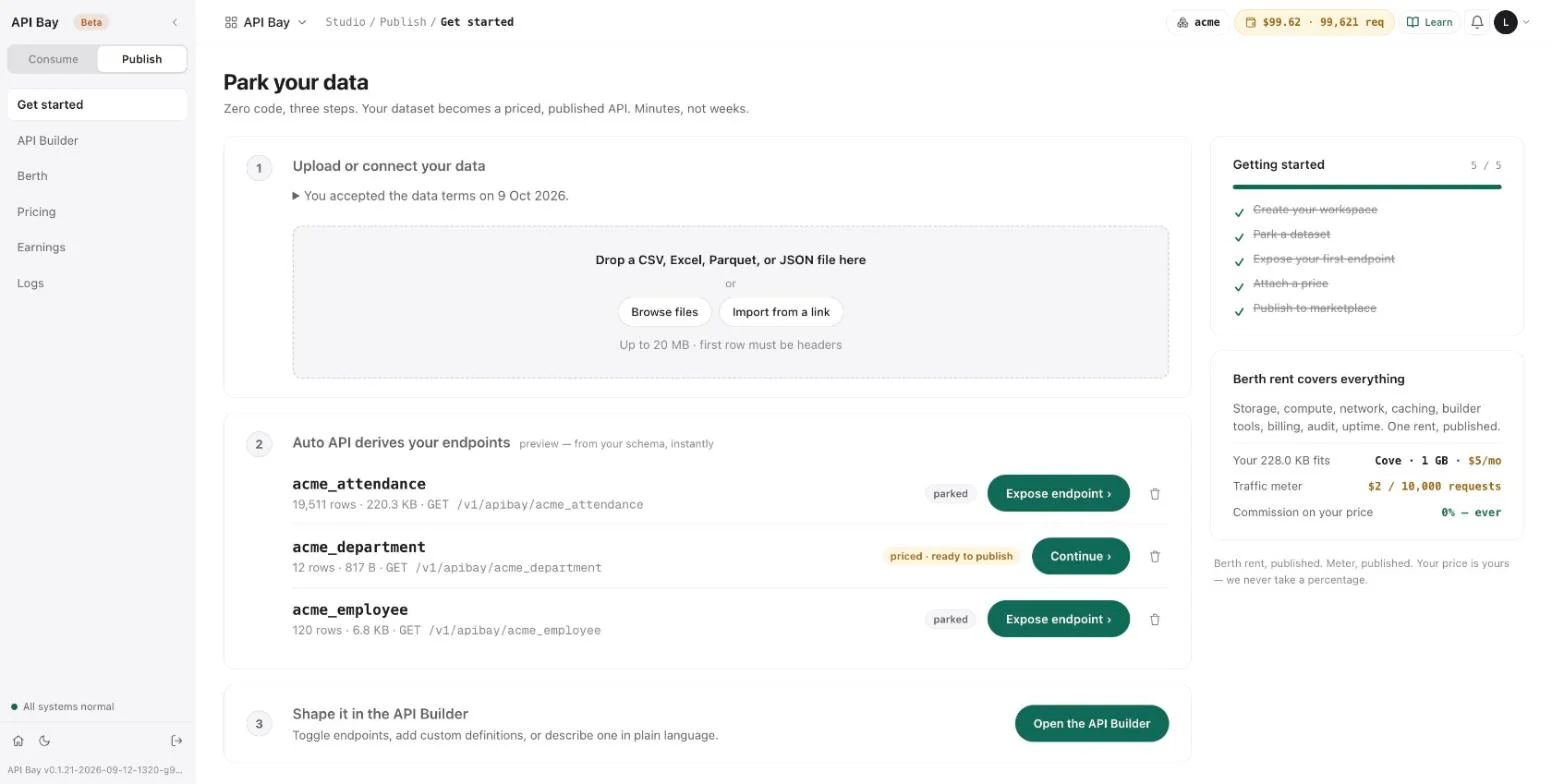
The listing leaves Discover, and its dataset page answers "Dataset not found".
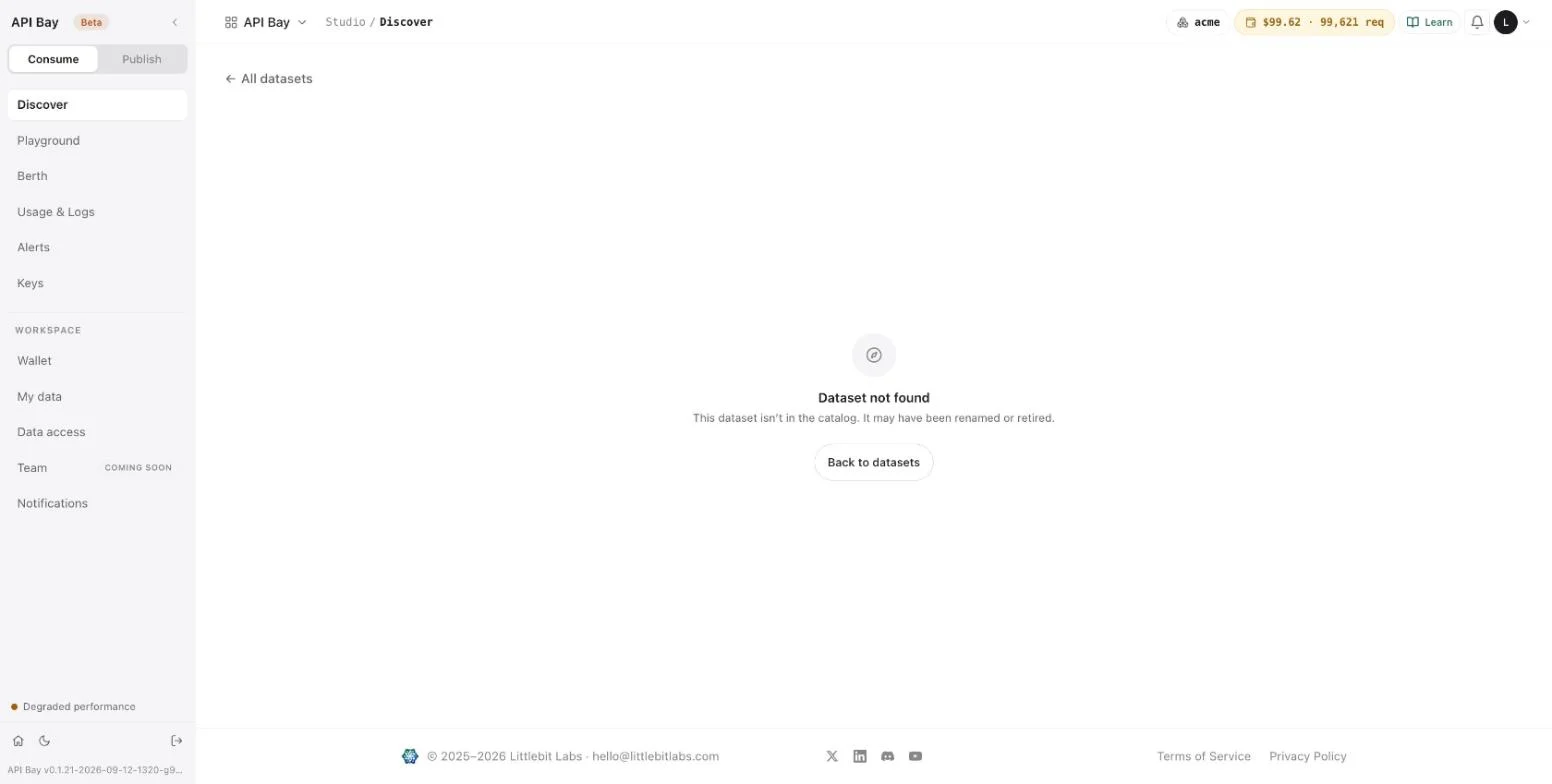
The data host stops serving the table, and says so:
GET /v1/apibay/acme_department?ps=1&pg=0 HTTP/1.1
Host: api.bay.example
LB-Access-Token: <your-api-key>HTTP/2 503
content-type: text/plain; charset=utf-8{
"detail": "this dataset is temporarily unavailable",
"error": "dataset_disabled"
}The answer carries no metering headers, is not billed, and is not in Usage & Logs. It counts as a failure all the same. After one 503 the dataset's page read an uptime of 85.71% for the last 90 days, and Status (Chapter 11) read "Degraded performance". The publish page says that active subscribers get 30 days' notice of a de-listing. The private address answers throughout, as Chapter 8 shows.
The API Builder
API Builder lists the endpoints derived from your tables. Build path offers one path, Auto API: every parked table becomes an endpoint, instantly. Each row has an Expose toggle, the endpoint, its access, which reads "search", and its price per call, with a trash icon at the end. A header counts the exposed endpoints, "1 of 3 exposed", and a card on the right previews how consumers will see the one that is exposed. A strip across the top follows the steps above: Draft, Test, Attach price and Publish to marketplace. Test in sandbox belongs to the Test step, which the strip captions "inline try-panel, free in TEST env".
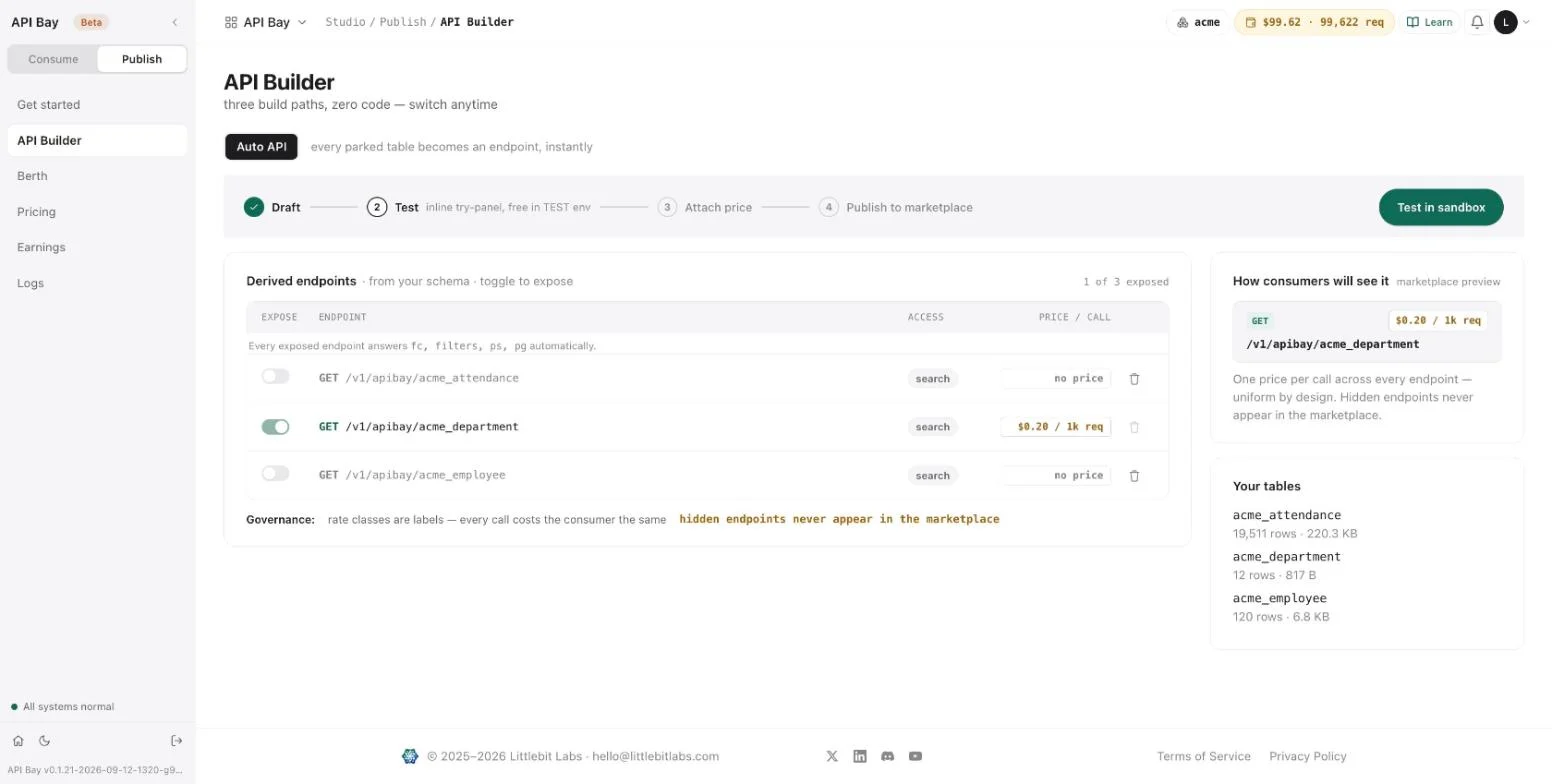
Pricing shows the controls of the price step for a published dataset: the dataset, the number, the slider and the three lines of the split, with Apply price below, dim while the number is unchanged.
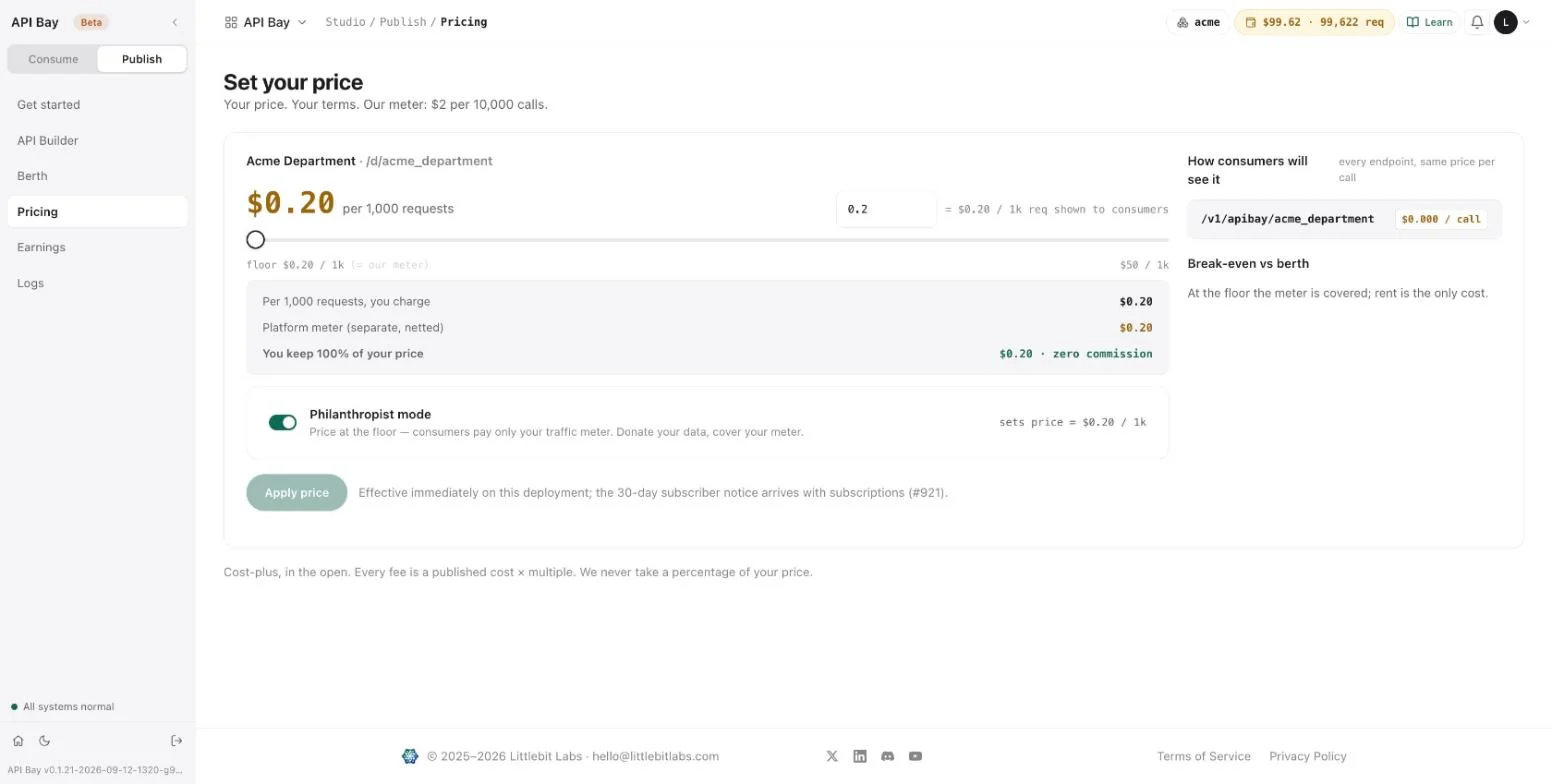
Exercises
Publishing lists a dataset in the catalog, and a call to it is billed at your price. Use a disposable workspace and a throwaway table of three rows, priced at the floor, which is the cheapest listing there is: a call costs $0.0002. Publish as Unlisted so that nobody else sees it, and de-list when you are done.
- Upload a throwaway CSV of three rows. Expose it, describe it as fictional, price it at the floor and publish it as Unlisted. Open its dataset page by its link and call it with your live key. Read
x-cost-per-1k. - Call the published table on the data host with
ps=1and a column list of your choice, and then again with the same request. Readapisix-cache-statuson both answers, and confirm that each call is a row in Usage & Logs. - De-list the table. Request it on the data host, and record the status line, the
errorand whether the call appears in Usage & Logs. Then publish it again and call it once more.
10Earnings and the berth
A published dataset has costs and an income, and API Bay shows both as one monthly statement. The costs are the rent of the space your tables occupy, which API Bay calls the berth, and a meter that counts the calls you serve. The income is your price, kept in full. Here is the statement of the Acme dataset after five served calls:
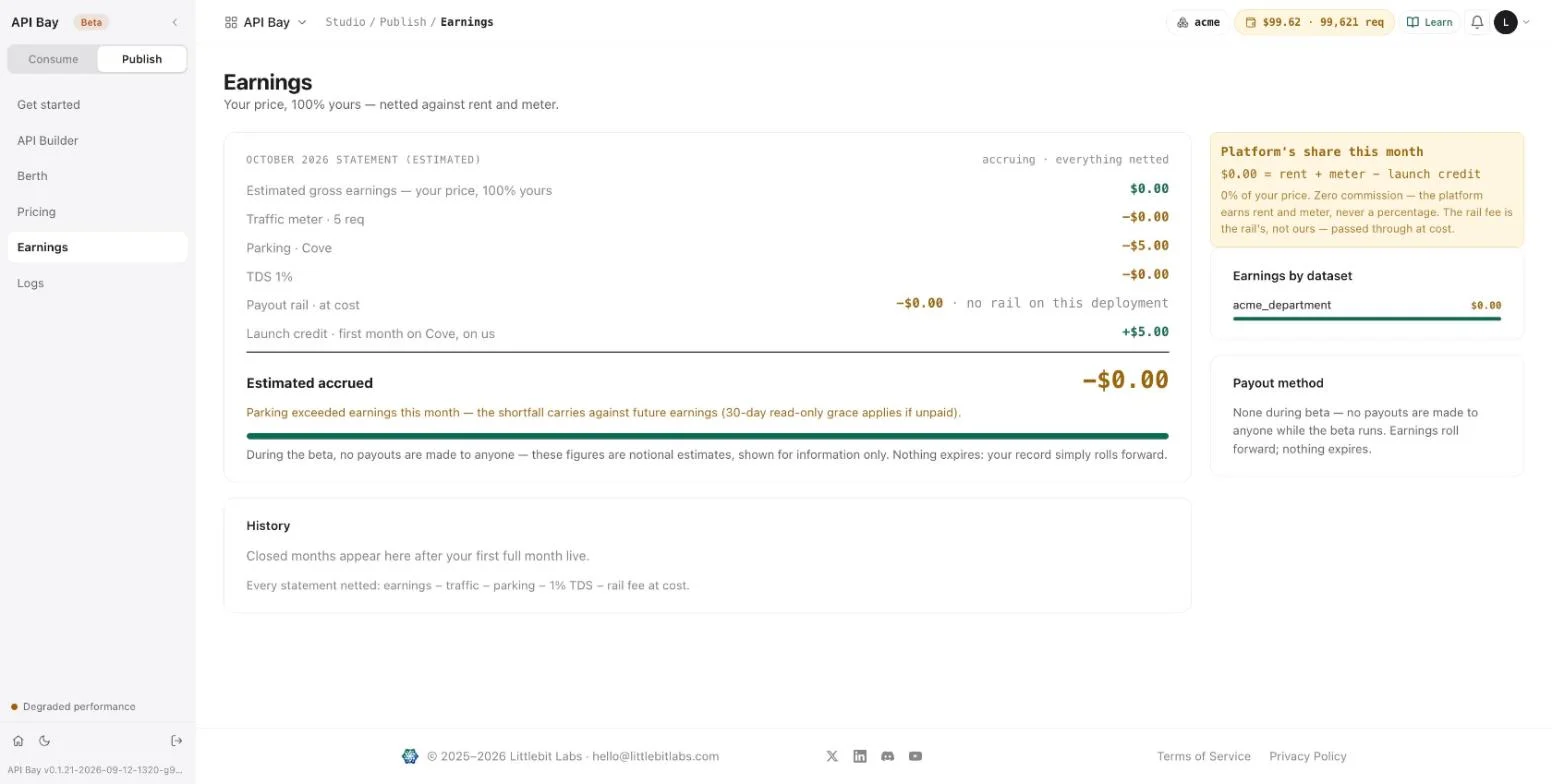
Each line of the statement answers a question:
| Line | Amount | What it counts |
|---|---|---|
| Estimated gross earnings — your price, 100% yours | $0.00 | Your price times the calls served |
| Traffic meter · 5 req | −$0.00 | Five requests, at $2 per 10,000 |
| Parking · Cove | −$5.00 | The rent of the berth for the month |
| TDS 1% | −$0.00 | A 1% deduction, shown on every statement |
| Payout rail · at cost | −$0.00 | "No rail on this deployment" |
| Launch credit · first month on Cove, on us | +$5.00 | Covers the first month of rent |
| Estimated accrued | −$0.00 | What is left |
Every amount is under half a cent except the rent and its credit, which cancel. The statement nets to zero, and the minus sign on the last line is a negative amount too small to show. The page adds that parking exceeded earnings this month, and that the shortfall carries against future earnings.
The pages describe the model as cost-plus, in the open: every fee is a published cost times a multiple, and the platform never takes a percentage of your price. The meter is $2 per 10,000 calls, and the rent is $5 a month for a berth of 1 GB. Both are on the screens below.
The berth
- Open Publish, then Berth. The heading names the tier and its rent, "Cove · 1 GB · $5/mo". Footprint shows how much of the gigabyte your tables use, 228.0 KB here, and lists each table with its size; the page says that everything counts: tables, views and indices.
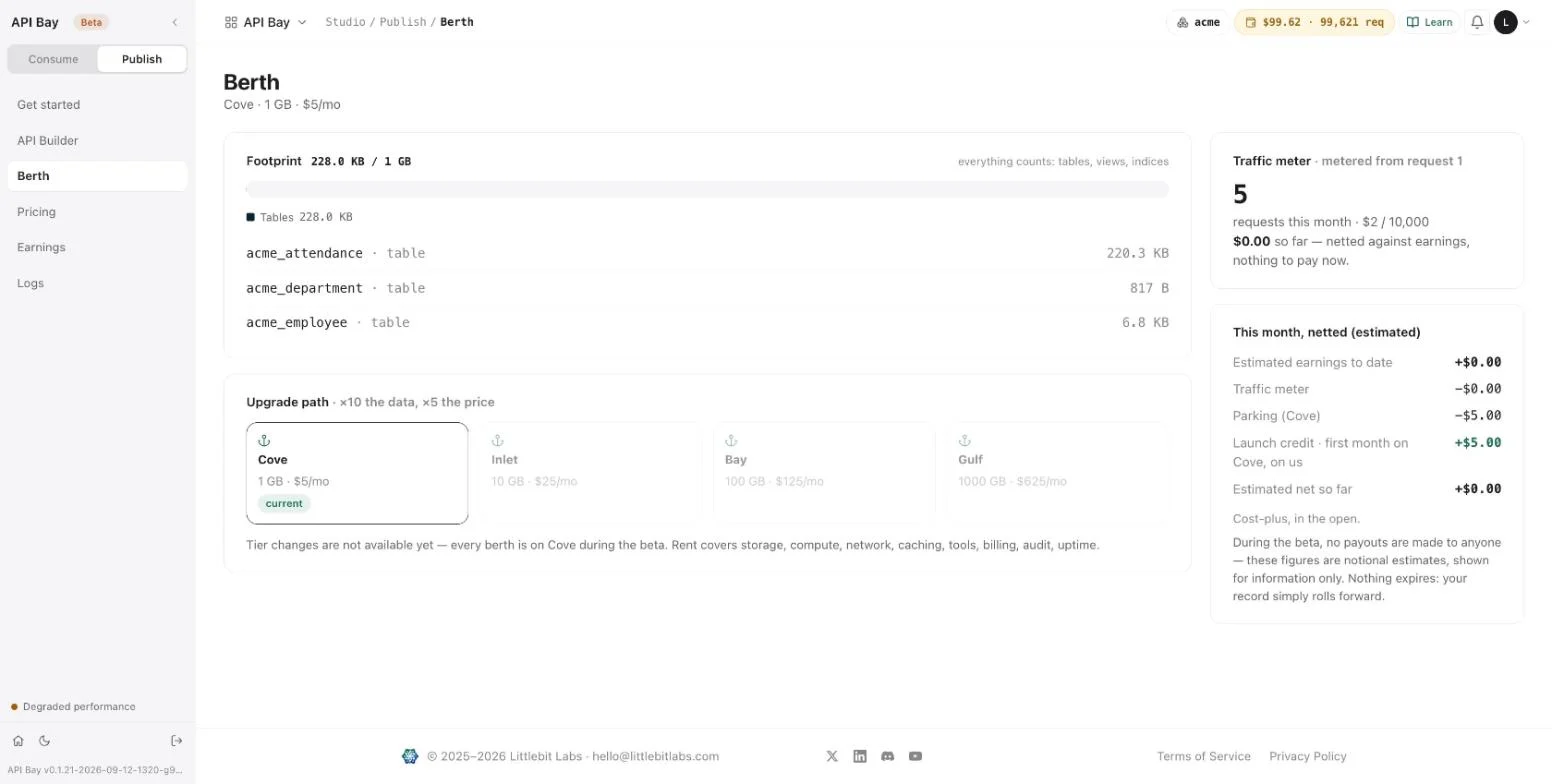
Read the Upgrade path, "×10 the data, ×5 the price". It lists the four tiers, and marks the one you are on:
Tier Data Rent Cove 1 GB $5 a month Inlet 10 GB $25 a month Bay 100 GB $125 a month Gulf 1,000 GB $625 a month The page says that tier changes are not available yet and that every berth is on Cove during the beta. The rent covers storage, compute, network, caching, tools, billing, audit and uptime.
- Read the Traffic meter card. It counts the requests served this month, 5 here, at $2 per 10,000, "metered from request 1", and says that what you owe so far is netted against earnings. Under it, "This month, netted" shows the same netting in short, as an estimate.
The Berth of the Consume side, in Chapter 4, is a different page. It shows your plan and your rate limits. The one in Publish shows your rent.
Earnings
Open Earnings. The statement is headed with the month, "accruing · everything netted". Three cards stand beside it. "Platform's share this month" reads $0.00 and says that the platform earns rent and meter, never a percentage of your price. "Earnings by dataset" lists the datasets that served calls this month, with what each earned. "Payout method" reads "None during beta": the page says no payouts are made to anyone while the beta runs, that the figures are notional estimates, and that nothing expires, because your record rolls forward.
Below the statement, History stays empty until your first full month live, and states how every statement is netted: earnings, minus traffic, minus parking, minus 1% TDS, minus the rail fee at cost.
flowchart LR
    G[Gross earnings: your price times the calls] --> S[Statement]
    T[Traffic meter] -->|minus| S
    P[Parking: the rent] -->|minus| S
    X[TDS 1%] -->|minus| S
    R[Rail fee at cost] -->|minus| S
    C[Launch credit] -->|plus| S
    S --> A[Estimated accrued]
A statement nets one income against four costs and one credit.
Logs
Open Logs. It lists every call your published datasets served, with the time, the endpoint, the dataset, the status, the duration in milliseconds and what the call earned. The header counts the rows and sums the earnings, "5 shown · earned $0.00". Two selectors narrow the list: the window, 24h, 7d or 30d, and the status, all, 2xx, 4xx or 5xx.
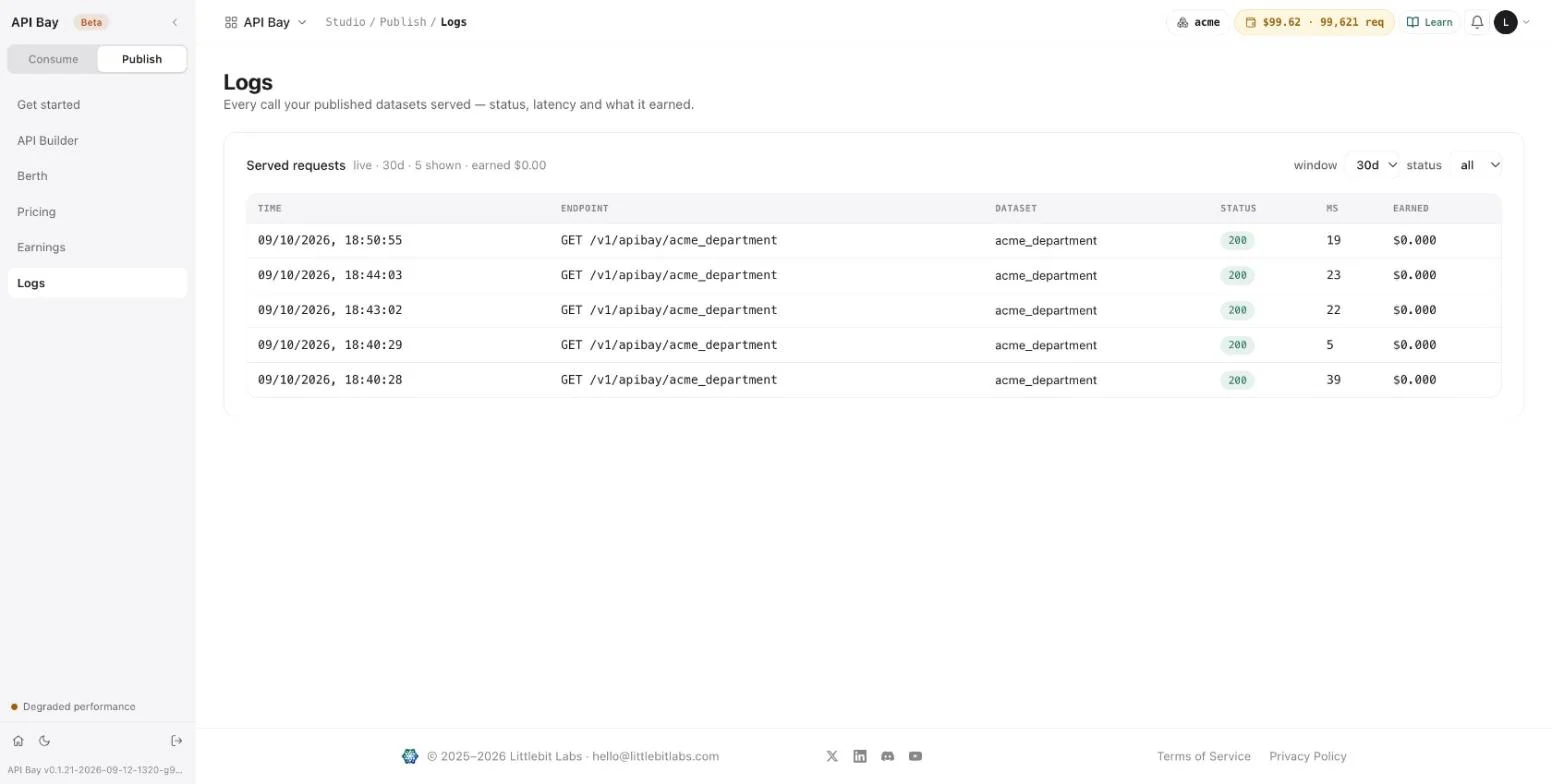
A call answered from the cache is a served call like any other. In the figure, the second call is the same request as the first and took 5 ms against 39. Both are rows, and both count on the meter. Refusals at the door, such as the
503of Chapter 9, are not served calls and are not listed. Each row shows what it earned as$0.000: a call at $0.20 per 1,000 requests earns $0.0002, and the screen rounds to three decimals.
What a price has to cover
At the floor, a call earns what it costs to serve: the price per 1,000 requests, $0.20, is the meter, so rent is the only cost left. Any price above the floor leaves something per call. At $1.00 per 1,000 requests a call earns $0.001 and costs $0.0002 of meter, which leaves $0.0008 before the TDS line. Rent of $5 a month is covered by about 6,250 calls a month: five dollars divided by $0.0008. The first month of rent is covered by the launch credit.
The Pricing screen of Chapter 9 has a panel for this, "Break-even vs berth". At the floor it reads "At the floor the meter is covered; rent is the only cost."
Exercises
Calls to your own published dataset, priced at the floor, cost $0.0002 each. Use a disposable workspace and the throwaway dataset of Chapter 9, published as Unlisted, and de-list it when you are done.
- Open Earnings and Berth. For each line of the statement, write the amount and the other screen that shows the same figure.
- Read the price on Pricing and the meter on Berth. Work out how many calls a month cover the $5 rent at a price of your choice, leaving out the TDS line, and write down the arithmetic.
- Call the published dataset twice with the same request. In Logs, compare the duration of the two rows. On Berth, compare the traffic meter before the calls and after them.
11Alerts, notifications and status
A wallet stops calls at zero, a cap stops a dataset at its limit, and a plan stops you at its rate. An alert rule watches your spend, your balance, your error rate or your latency, and tells you by email or by webhook when a threshold is crossed. Two more screens carry what API Bay has to say to everyone: Notifications and Status.
Start with the end of the story: a rule that has been created and has never fired.
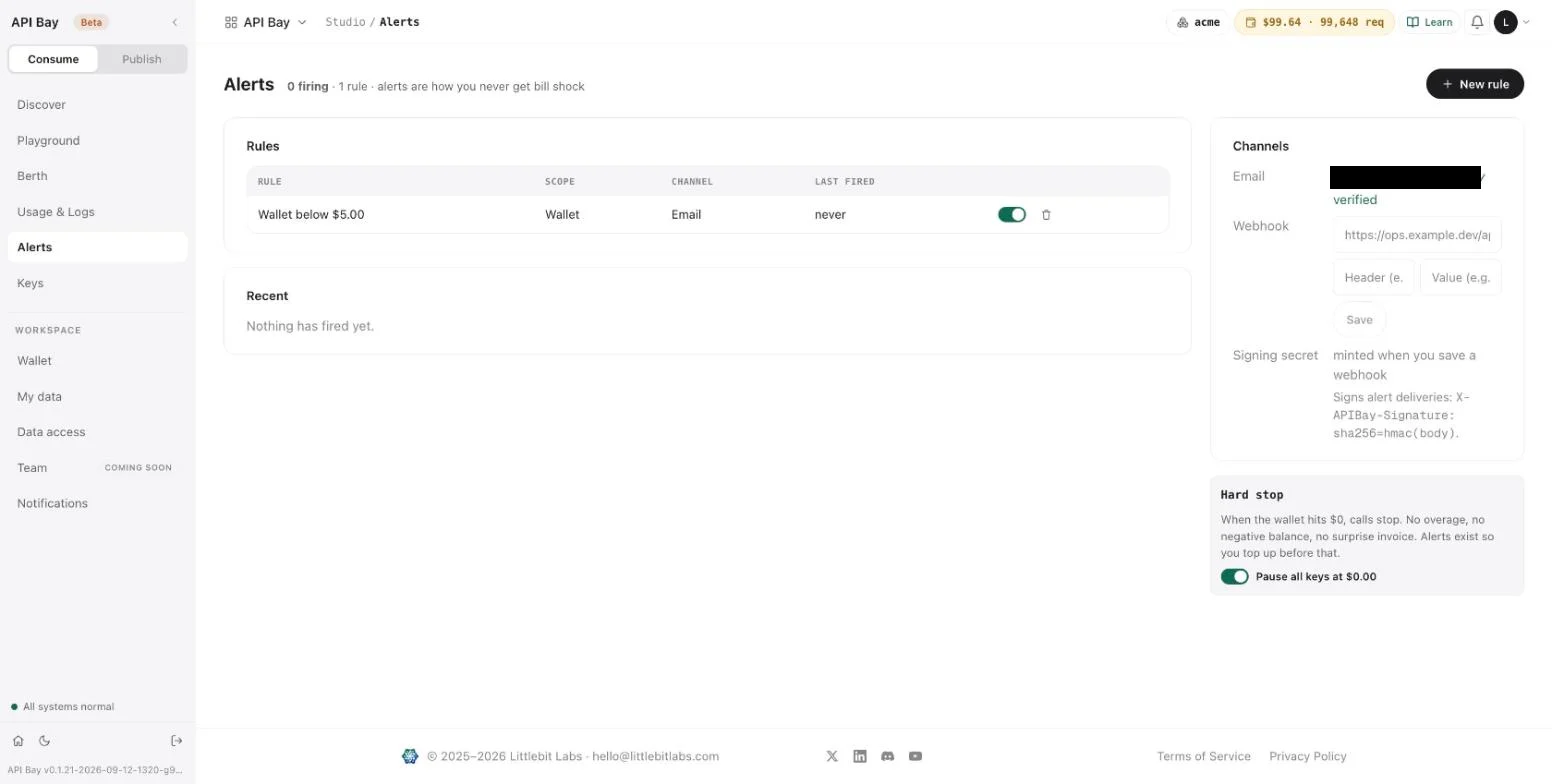
The table has four columns. Rule names the condition and its threshold. Scope says what it watches. Channel says where the alert goes. Last fired says when the rule last triggered, or "never". A switch turns the rule on and off, and a trash icon deletes it, at once, with no confirmation.
Read the Alerts screen
Open Alerts. The heading counts what is firing and how many rules you have, and New rule sits at the right. Four cards fill the page. Rules is empty until you create one; it suggests the two that stop a surprise bill, "Daily spend above" and "Wallet below". Recent lists the alerts that fired, and says "Nothing has fired yet" until one does. Channels holds where alerts go, and Hard stop restates the wallet's rule.
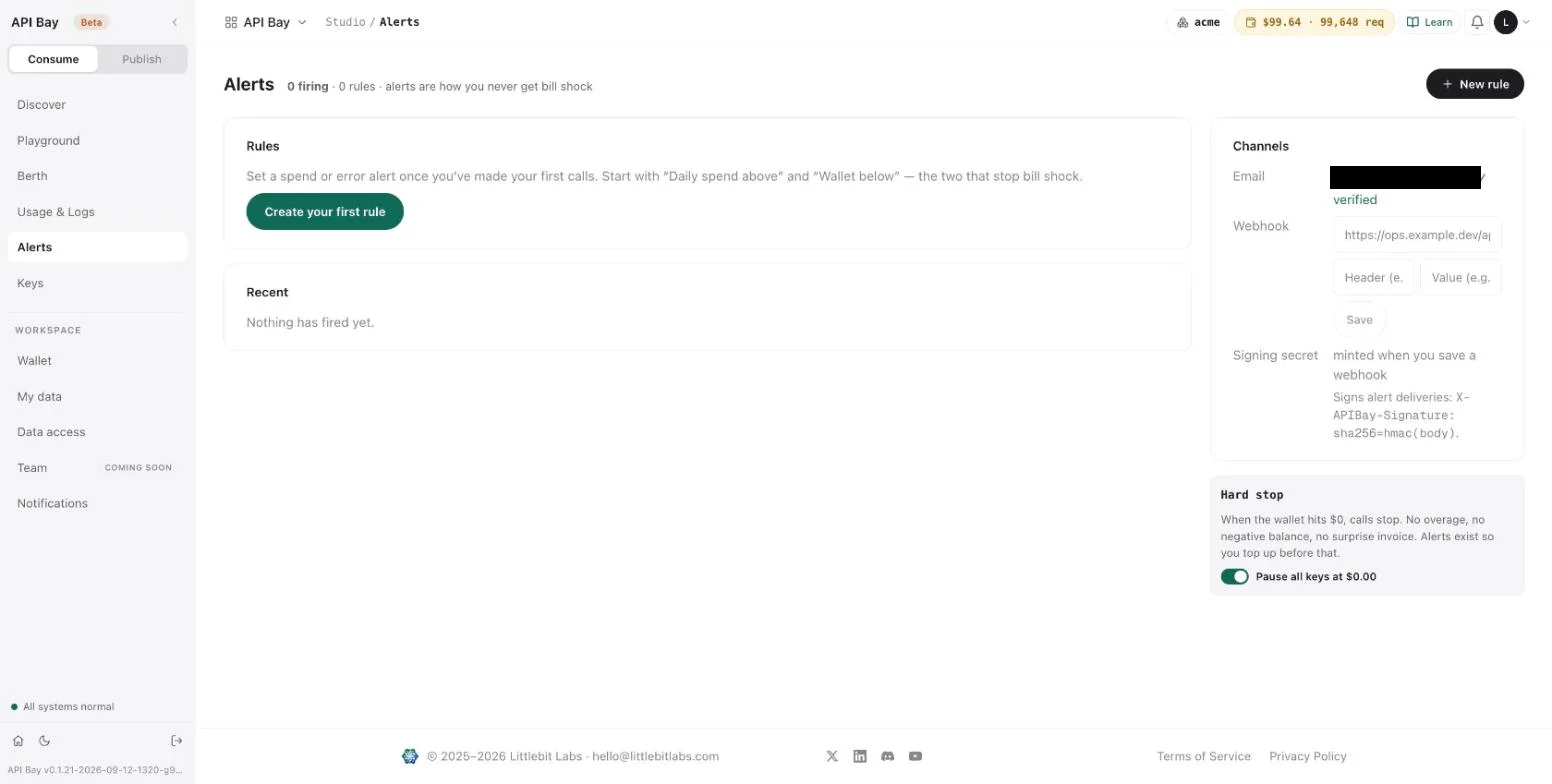
Under Channels, Email shows an address and marks it verified. Webhook takes an address, a header name and a value for it, and has a Save button. When you save a webhook, the product mints a signing secret and signs every delivery: the page says the signature travels in an X-APIBay-Signature header, as sha256= followed by the HMAC of the body.
The Hard stop card restates the rule of Chapter 5: when the wallet reaches zero, calls stop, and alerts exist to warn you before that. It carries one switch, Pause all keys at $0.00, which is on.
Create a rule
- Select New rule. A form opens above the rules.
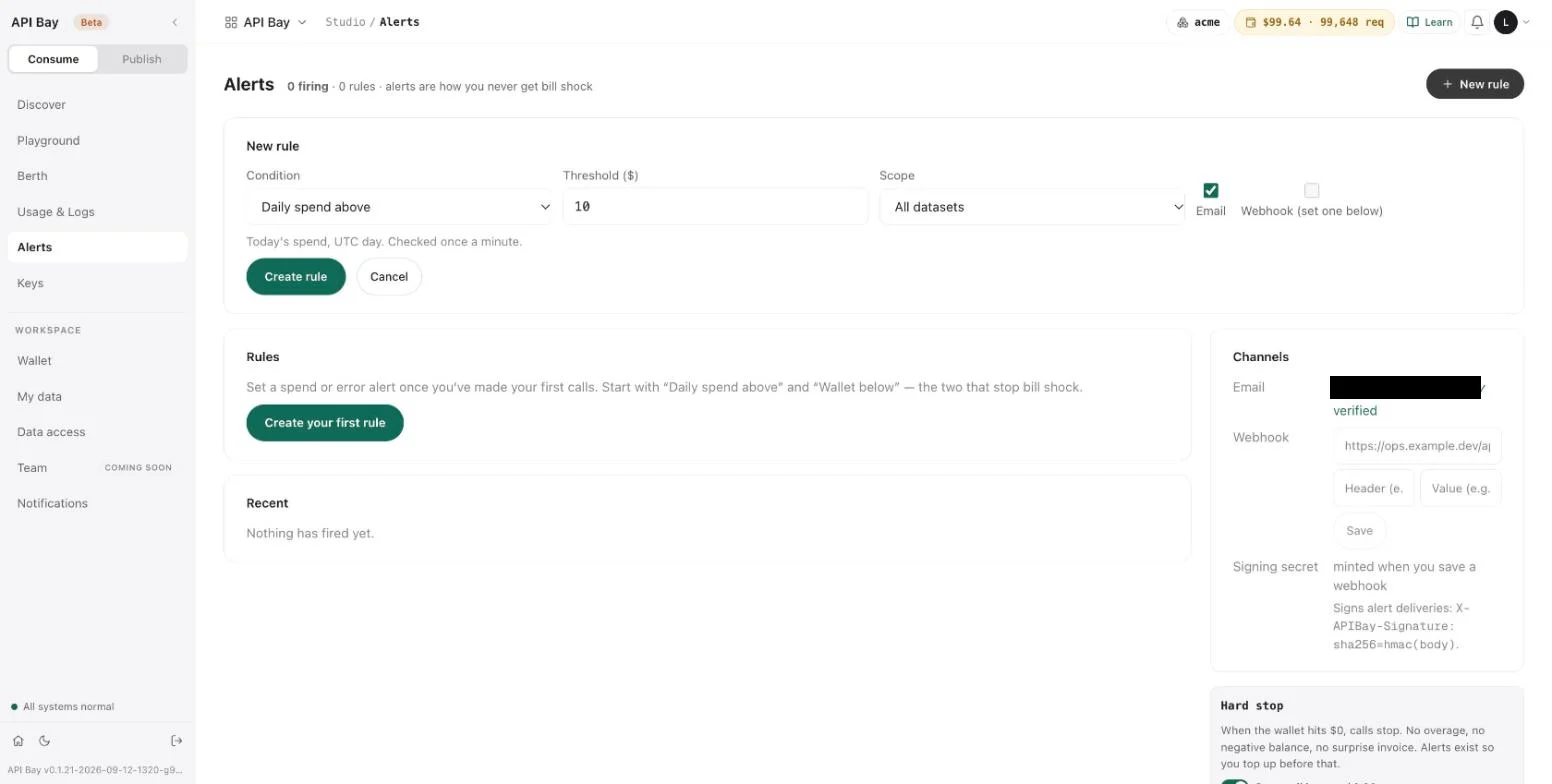
The form has a condition, a threshold, a scope and a channel. The condition is one of four, and each has a line under the form that defines it; every line ends with "Checked once a minute."
| Condition | Threshold | The line under the form |
|---|---|---|
| Daily spend above | dollars | Today's spend, UTC day. |
| Wallet below | dollars | Prepaid balance. |
| Error rate above | percent | 5xx share of your calls, last hour. |
| p95 latency above | milliseconds | Last hour. |
Think of thresholds in calls rather than dollars. At $0.0017 a call, a daily spend of $1 is about 590 calls, and a wallet of $5 is about 2,900 calls. The scope is All datasets, Subscribed datasets or one dataset by name; a rule on the wallet has no scope. Email is ticked; Webhook is unticked and says "set one below".
- Choose Wallet below, enter 5, and select Create rule.
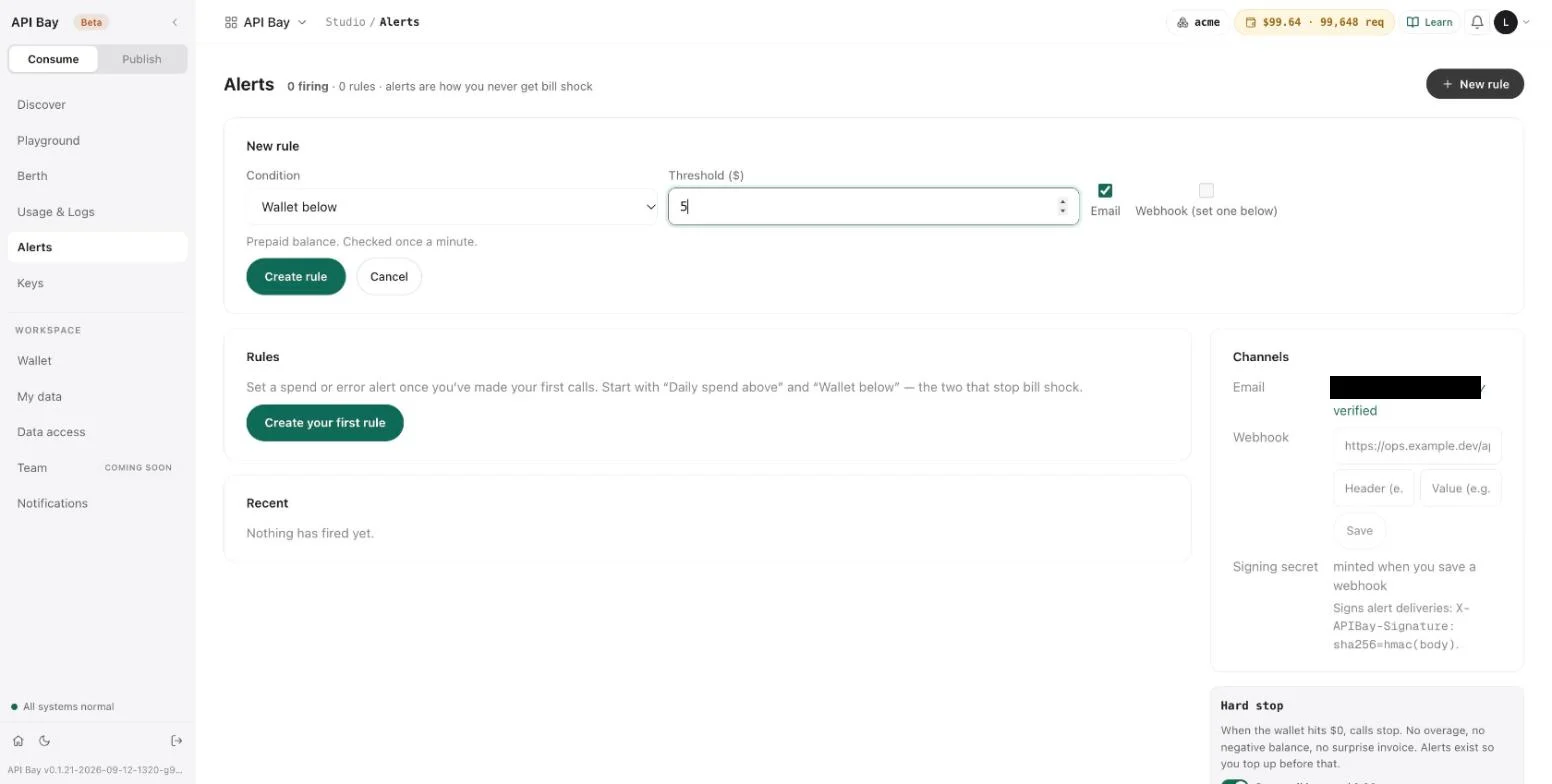
The form closes and the rule appears in the table, as at the top of the chapter. A rule is not instant: it may take up to a minute to fire.
flowchart LR
    R[Rule: condition, threshold, scope] -->|checked once a minute| T{Crossed?}
    T -->|yes| C[Email or webhook]
    T -->|yes| L[Listed under Recent]
A rule is checked every minute; when it crosses its threshold it goes to its channel and to Recent.
Wallet shows your rules too. Its Budget alerts card lists each rule with its channel, and Manage alerts returns to this screen.
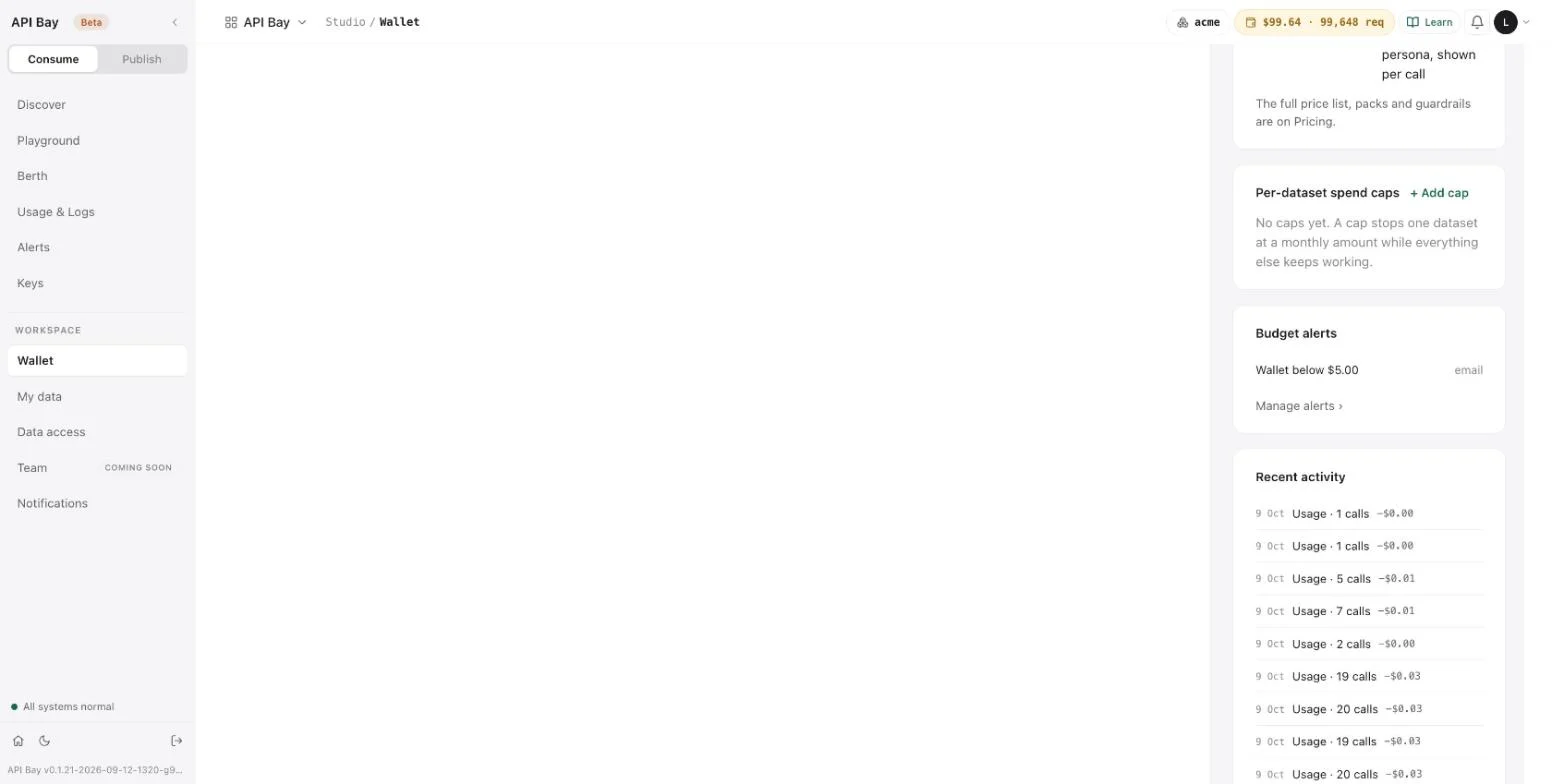
Notifications
Notifications carries announcements for API Bay and platform-wide updates. It has an Inbox, an Archived tab, and Mark all read, and when there is nothing new it says "You're all caught up."
Status
Status is the page that shows how API Bay itself is doing. A green label at the top reads "Operational", and Subscribe to updates sits beside it. Four tiles follow: the platform's uptime over 90 days, the gateway calls over the same 90 days with the number of errors among them, how many datasets are verified, and the license audits for the month, shown as a percentage.
A bar chart shows the gateway day by day, Incident history lists incidents or says there were none, and Your subscriptions — SLO lists the datasets you subscribed to, each with its uptime over 90 days and its p95 latency. You subscribe from a dataset's page, as Chapter 9 shows. The same status appears at the foot of every screen's sidebar, as "All systems normal", and selecting it opens this page.
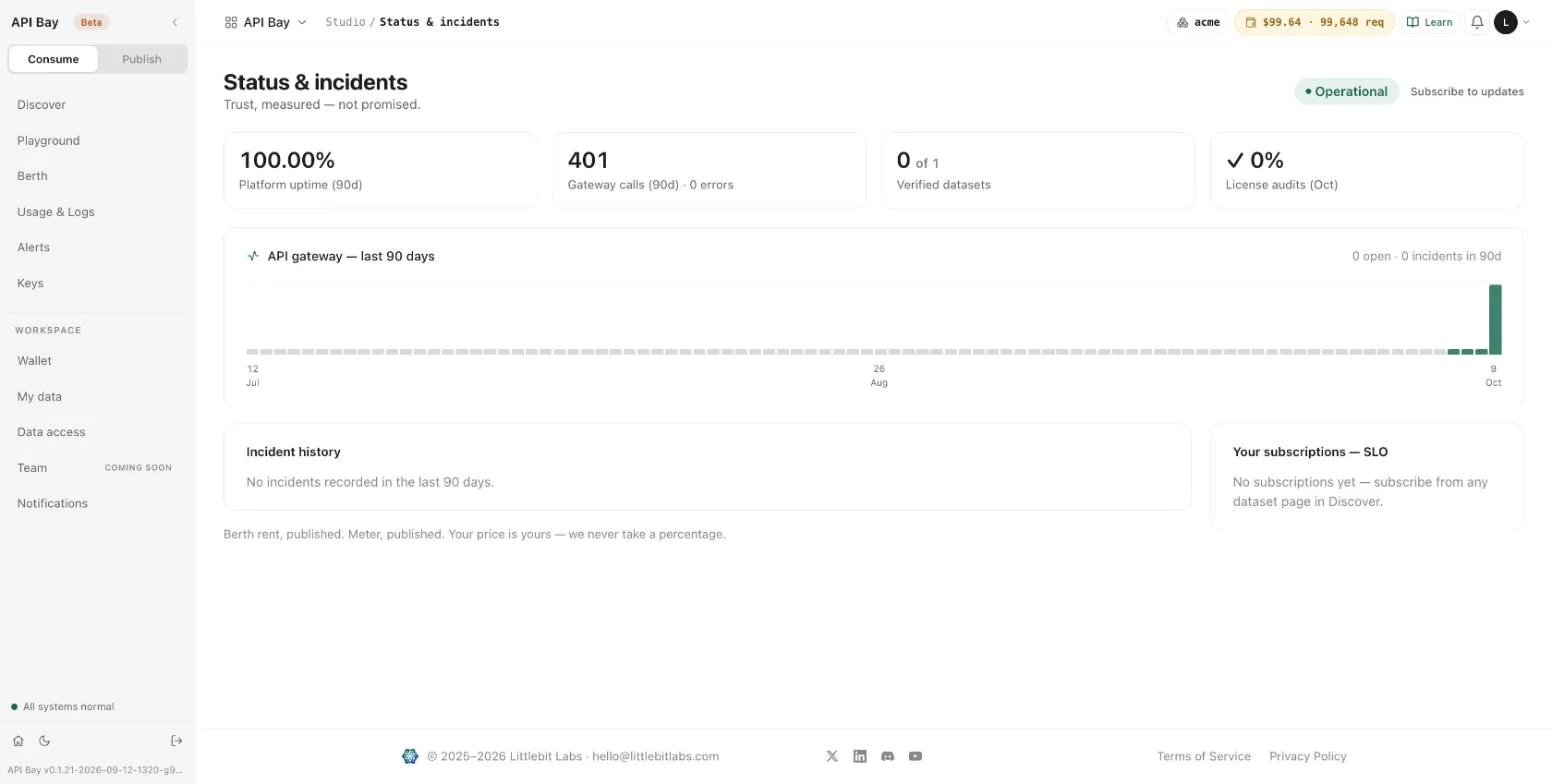
The label follows the failures of the gateway. After the data host refused a call with a 503 (Chapter 9), the label read "Degraded performance" in amber, the uptime tile read 99.76%, the gateway tile counted 1 error in 424 calls, and the bar of that day turned amber. The sidebar footer changed with it, and Incident history still read "No incidents recorded".
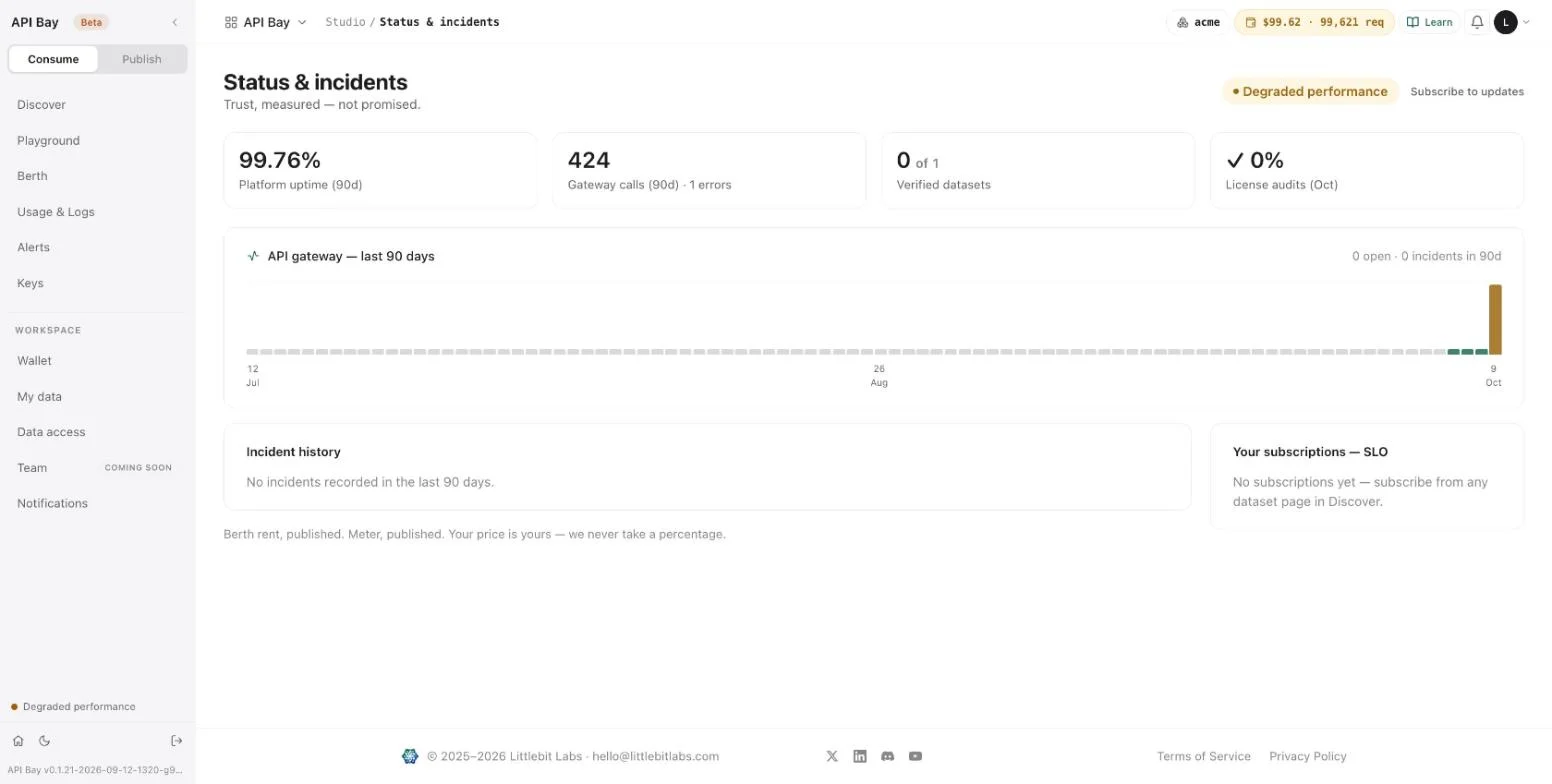
Exercises
Alerts can email you. Use a disposable workspace and a threshold that cannot be crossed by accident.
- Create a Daily spend above rule of $1 for one dataset, by email. Read the line under the form. Then delete the rule and confirm that the table is empty again.
- Create a Wallet below rule. Turn its switch off and on, and each time open Wallet and note what the Budget alerts card shows.
- On Status, read the number of gateway calls in the last 90 days. On Usage & Logs, read the number of your own calls. Write the two numbers side by side.
12Calling API Bay from code and agents
A program that calls API Bay has four jobs. It sends the key in a header. It reads the status before it reads the body. It waits when it is told to wait. And it stops when a page comes back empty.
Here is a client of about thirty lines that does all four, in apibay_client.py:
import os
import time
import requests

BASE = "https://api.bay.example/v1/apibay"
KEY = os.environ["APIBAY_KEY"]


def get(table, **params):
    """One request. Waits and retries when the plan's rate limit answers 429."""
    while True:
        r = requests.get(f"{BASE}/{table}", params=params, headers={"LB-Access-Token": KEY}, timeout=30)
        if r.status_code == 429 and "Retry-After" in r.headers:
            time.sleep(int(r.headers["Retry-After"]))
            continue
        r.raise_for_status()
        return r.json()


def rows(table, **params):
    """Every row that matches, a page of 100 at a time."""
    pg = 0
    while True:
        page = get(table, ps=100, pg=pg, **params)
        if not page:
            return
        yield from page
        pg += 1
Run it against the dataset of Chapter 1. This asks for every menu item of 3,000 calories or more, the highest first, with three columns:
from apibay_client import rows

found = list(rows(
    "nyc_food_cart_menu_statistics",
    calories="ge.3000",
    fc="restaurant,item_name,calories",
    oy="calories.ds,menu_item_id.as,year.as",
))
print(len(found))
print(found[0])144
{'calories': 13960, 'item_name': 'Crave Crate w/ Any 100 Sliders in a Crate', 'restaurant': 'White Castle'}Read the client
get sends one request. The key comes from the environment, so it is in no command line and no file you commit, which is why Chapter 1 kept it in a file only you can read. It travels in the LB-Access-Token header, not in the address. requests writes the parameters into the address for you and percent-encodes them, and timeout=30 makes it give up after 30 seconds, because requests otherwise waits without limit.
get handles two answers. A 429 that carries a Retry-After header is the plan's rate limit of Chapter 4: the client sleeps that many seconds and sends the request again. Any other refusal is raised by raise_for_status. That is on purpose. A 400, 406 or 417 is a mistake in the request (Chapter 3), and sending it again would fail again; the refusals that reach the dataset are billed each time. A 429 without a Retry-After, such as the sandbox's sandbox_daily_limit, is not a wait of seconds, and the client raises that too instead of looping until midnight.
rows pages through a result. It asks for the largest page, ps=100, starts at page 0, and stops at the first empty page, which Chapter 2 showed is how the end of a result looks. It is a generator, so list(...) is only one way to use it: a loop over rows(...) handles each row as it arrives. It sends the order you give it, and a result of more than one page needs an oy that puts every row in a fixed place, as Chapter 2 explained, or pages can overlap or skip rows.
Stay inside the limits
Two small changes make the client careful. To pace it, sleep 0.7 seconds after each page: that is about 85 calls a minute, under the 100 a minute of the Pro plan in Chapter 4. To stop before the wallet runs dry, read x-wallet-remaining-requests from the response in get and raise when it falls under a floor you choose. The header is on metered responses and not on refusals at the door, so test for it before you convert it.
What a run costs
The run above made three requests: a page of 100 rows, a page of 44, and the empty page that ends the loop. A result of n rows costs n divided by 100, rounded up, plus one request, and every one of them is billed at the dataset's price. At $1.70 per 1,000 requests, the run costs about half a cent. Two habits keep a program cheap. Filter on the server, as calories="ge.3000" does, rather than reading a table and filtering in the program. And do not repeat a request you have already made: Chapter 2 showed that a repeat answered from the cache is billed like any other.
Develop against the sandbox
Point the client at the sandbox of Chapter 6 by changing two things: BASE becomes https://sandbox.bay.example/v1/apibay, and APIBAY_KEY holds a test key. Calls are free, but the sandbox allows 10 rows on page 0 and 100 calls a day. get works there with ps=10 and pg=0. rows does not: its first request asks for ps=100, and the sandbox refuses it with 400, which raise_for_status raises.
A dataset as a tool for an agent
An agent is a program that decides which function to call. To let one read a dataset, wrap the request in a function and describe it. On a dataset's page, Try it, Advanced, Preview has a langchain button that writes such a tool for the request you built.
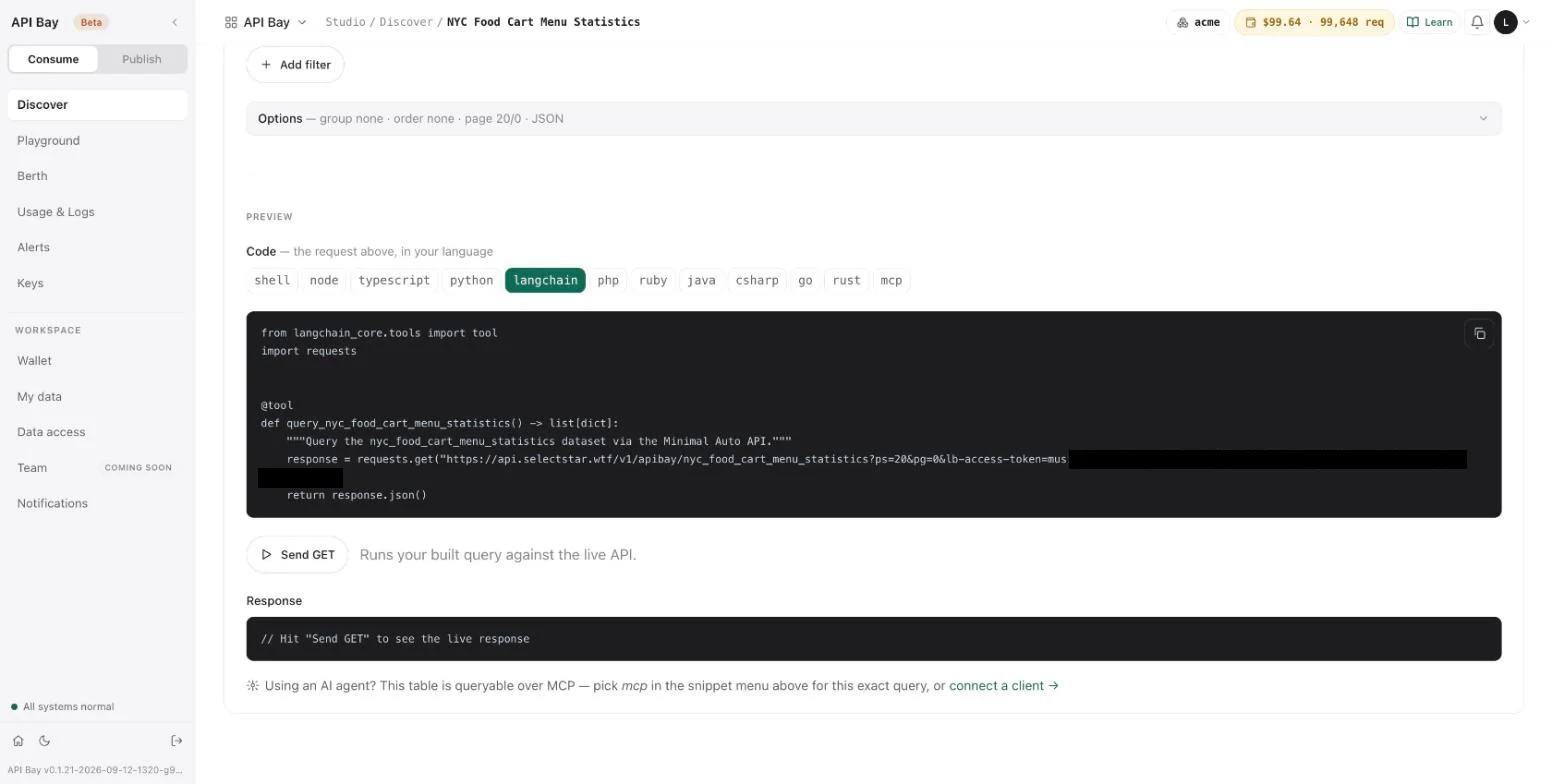
from langchain_core.tools import tool
import requests


@tool
def query_nyc_food_cart_menu_statistics() -> list[dict]:
    """Query the nyc_food_cart_menu_statistics dataset via the Minimal Auto API."""
    response = requests.get("https://api.bay.example/v1/apibay/nyc_food_cart_menu_statistics?ps=20&pg=0&lb-access-token=<your-api-key>")
    return response.json()
Read what the generator gives you. The tool takes no arguments, so the agent cannot choose a filter, a column or a page: the request is fixed when you build it, and this one always returns the first 20 rows. The key is in the address. For a real agent, write the tool yourself around get: let it take the filter as arguments, cap ps, and read the key from the environment. An agent that decides when to call will call more often than a person, so put the controls of Chapters 5 and 11 in place first: a cap on the dataset and an alert on the wallet.
sequenceDiagram
    participant Agent
    participant Tool as Your tool
    participant API as Data host
    Agent->>Tool: question, as arguments
    Tool->>API: GET with filter and key
    API-->>Tool: rows and metering headers
    Tool-->>Agent: rows
An agent reaches API Bay through a function you write.
MCP
Agents also speak MCP, a protocol in which a client discovers tools on a server. The snippet menu has an mcp button, and it writes the request as two calls:
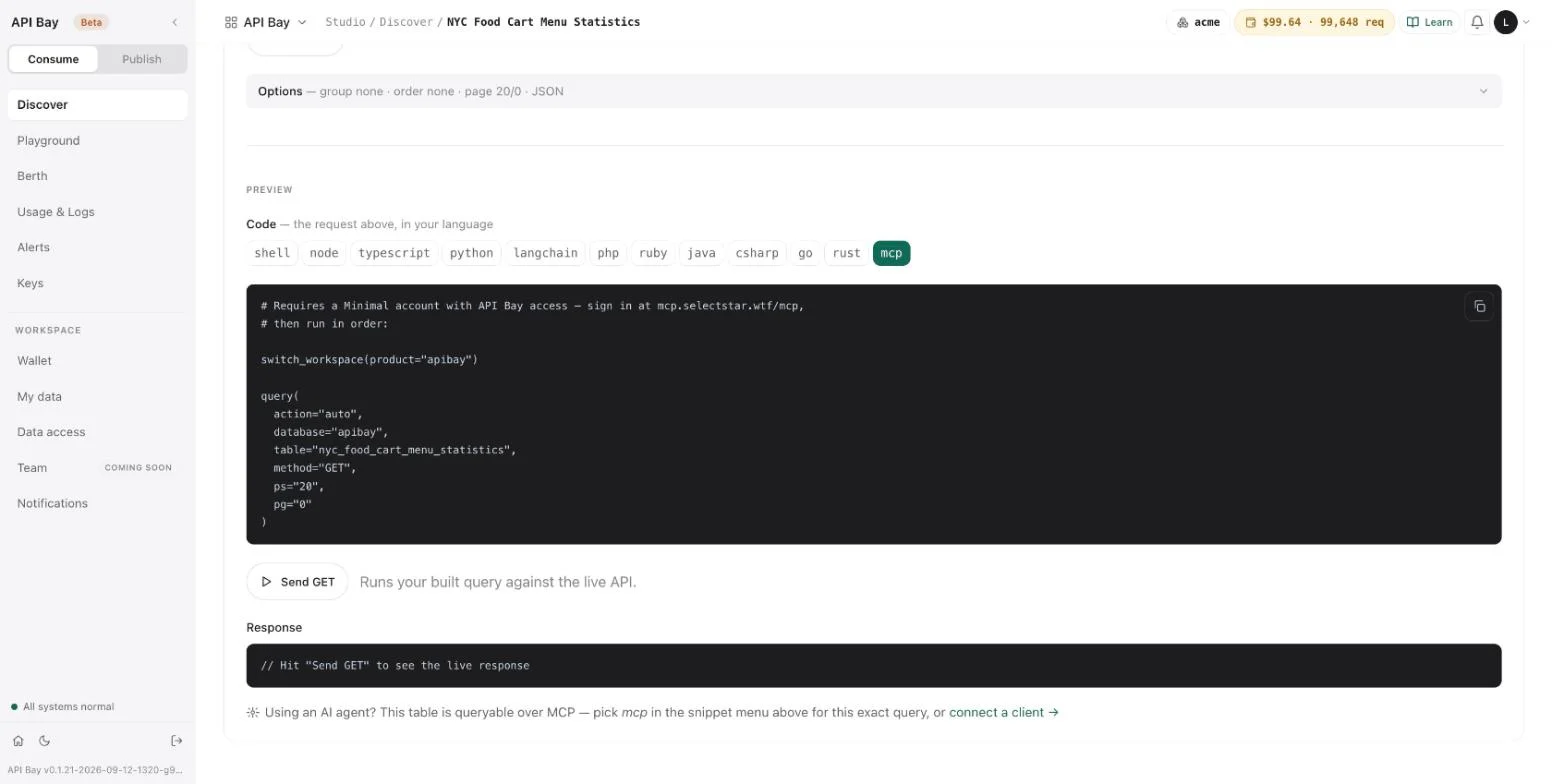
switch_workspace(product="apibay")

query(
  action="auto",
  database="apibay",
  table="nyc_food_cart_menu_statistics",
  method="GET",
  ps="20",
  pg="0"
)
The page behind connect a client → says "MCP — coming soon". It lists what MCP will offer: one address for a whole catalog, plain-language questions, sign-in with your account instead of a key, and the same metering and wallet as REST. Until it is enabled, it says, use the Playground or the REST API.
Everything an agent can do with API Bay today, it does over REST, with the client and the tool above.
Exercises
Live calls are billed to your wallet. The first exercise runs on the free sandbox; the other two cost no more than a few cents, the cap of the third. Use a disposable workspace.
- Run the client against the sandbox with a test key. Call
getwithps=5andpg=0, then callrows, and read the error. Record which call raises, and the status it raises with. - Write a function
count(table, **filters)that returns the number of rows that match, usingrows. Run it on a filter with fewer than 100 matches and on one with none, and count the requests each run makes. - Put a cap of a few cents on a dataset, as in Chapter 5, and run
rowson a filter that would cost more than the cap. Note which line of the client raises, and the status it raises with.
AThe Acme data
The examples of Chapter 7 run on three tables of Acme Corporation's HR data: its departments, its employees and their attendance. They are cut from the Acme database that Book of Minimal uses, so a reader of both books works on one company. The values are fixed, not random: the files you download are the files the book was written against.
The files
| File | Table after upload | Rows | Size |
|---|---|---|---|
| acme-department.csv | acme_department | 12 | 0.8 KB |
| acme-employee.csv | acme_employee | 120 | 11.3 KB |
| acme-attendance.csv | acme_attendance | 19,511 | 594.8 KB |
The first row of each file is its header. Upload each one as Chapter 7 describes; the table name the upload proposes is the one the book uses.
The columns
acme_department: id, name, cost_centre, head_email, created_at. head_email is empty for the one department that has no head, Research.
acme_employee: id, full_name, email, department_id, manager_id, title, hired_on, left_on, phone, is_active. department_id is an acme_department id, and manager_id is an acme_employee id. manager_id is empty for the chief executive, who reports to no one. left_on is empty while a person is employed; 11 employees have left, and is_active is false for them. 14 employees have no phone.
acme_attendance: id, employee_id, on_date, hours, source. employee_id is an acme_employee id. source is badge, manual or vpn. The dates run from 2025-08-19 to 2026-04-24.
Every id runs from 1 in the order of the rows. Several values were chosen to make a filter earn its keep: names with an accent (Müller) and with an apostrophe (O'Brien), phone numbers with a plus sign and spaces, and the empty cells above.
Rebuild the files
acme-database.sql is the full Acme database, as a script for Postgres: the schema and over 22,000 rows. cut-apibay-csvs.py reads it and writes the three CSV files:
python3 -I cut-apibay-csvs.py acme-database.sql outout/acme-department.csv: 12 rows
out/acme-employee.csv: 120 rows
out/acme-attendance.csv: 19511 rowsThe directory out must exist. The files it writes are the files above, byte for byte.
The client
apibay_client.py is the client of Chapter 12, with the data host written as api.bay.example. Set BASE to the host your dataset's page shows, and APIBAY_KEY to a key.
BQuick reference
Everything here is explained in a chapter; this is where to look it up.
Addresses and keys
| Address | Written here as | Key | Billed | Chapter |
|---|---|---|---|---|
| Data host, for catalog datasets | api.bay.example | live key, from Keys | yes, at the dataset's price | 1 |
| Sandbox host | sandbox.bay.example | test key, from Keys > Test | no | 6 |
| Workspace address, for your own tables | acme.bay.example | workspace key, from My data | no | 7 |
The path after the host:
| Address | Path |
|---|---|
| Data host and sandbox host | /v1/apibay/<table> |
| Workspace address | /minimal/api/rest/auto/v1/<org>/<project>/ch/acme/acme.<table> |
A key travels in the LB-Access-Token header. The query parameter lb-access-token is accepted too; use the header. A key works on its own address only.
Query parameters
| Parameter | Meaning |
|---|---|
ps, pg | Page size and page number, both required. pg counts from 0. ps is at most 100. |
fc | Columns to return, comma-separated. * or no fc returns all. |
column=operator.operand | A filter. Filters combine with AND. Operands are percent-encoded. |
or=(column.operator.operand,…) | A group of conditions joined with OR. in and nin are refused inside it. |
oy | Order: column.as or column.ds, comma-separated; ~rand for random. |
df | Distinct values of one column. Not with fc; oy may name only that column. |
gy, hv | Group by columns; filter the groups, as column.operator.operand. |
format | json (default), csv, xml or yaml. Unknown values give JSON. |
Operands are percent-encoded. The characters the book meets:
| Character | Write | Seen in |
|---|---|---|
apostrophe ' | %27 | restaurant=eq.Denny%27s, Chapter 1 |
| space | %20 | nis.NOT%20NULL, eq.DROP%20TABLE, Chapters 2 and 3 |
caret ^ | %5E | restaurant=mt.%5Epan, Chapter 2 |
semicolon ; | %3B | Chapter 3 |
Operators
| Operator | Meaning |
|---|---|
eq ne | equals, not equals |
gt ge lt le | greater than, greater or equal, less than, less or equal |
bw | between two values: bw.100.110 |
in nin | in a list, not in a list |
li nli | contains, does not contain |
rli nrli | starts with, does not start with |
lli nlli | ends with, does not end with |
il | contains, ignoring case |
mt | regular expression, ignoring case |
is nis | is.NULL, is.NOT%20NULL, nis.NULL |
Response headers of a metered call
| Header | Meaning |
|---|---|
x-cost-per-1k | The dataset's price per 1,000 requests. 0 (test) on the sandbox. |
x-wallet-remaining | Your balance in dollars. |
x-wallet-remaining-requests | Your balance in requests at the company rate, $1 per 1,000. |
x-free-tier-remaining | Free requests left this month. |
x-plan-tier | Your plan. |
x-ratelimit-limit | Calls allowed in the 24-hour window. |
x-ratelimit-remaining | Calls left in the window. On the sandbox, the day's 100. |
x-ratelimit-reset | End of the window, in Unix seconds. |
apisix-cache-status | HIT when a repeat was answered from the cache; a hit is billed. |
Refusals on the data host
| Status | error or message | Cause | Billed |
|---|---|---|---|
401 | none | missing or invalid key | no |
401 | key_env_mismatch | a key used on the other host | no |
403 | read_only | a method other than GET | no |
400 | page_too_large | ps above 100 | no |
503 | dataset_disabled | a dataset its publisher has de-listed | no |
403 | insufficient permissions for this operation on this table | a dataset name the product does not know | takes one free-tier request |
406 | GET request must use PAGINATION, unable to parse ps, page index or page size cannot be negative | ps or pg missing, not a whole number, or negative | yes |
417 | unable to perform select | an unknown column or operator, parameters that cannot be combined, or an operand that does not fit its column | yes |
400 | the value for "…" carries the SQL keyword "…", the query string is malformed … | a SQL keyword as a whole word in a value, or an unencoded ; | yes |
429 | rate_limit_exceeded | the 101st request in a minute; Retry-After gives the wait | no |
402 | dataset_cap_reached | the dataset's monthly cap; an empty wallet gives a 402 too | no |
Refusals on the sandbox and on the workspace address
| Address | Status | error | Cause |
|---|---|---|---|
| Sandbox | 400 | sandbox_page_too_large | ps above 10 |
| Sandbox | 400 | sandbox_first_page_only | pg other than 0 |
| Sandbox | 429 | sandbox_daily_limit | the 101st call of the day |
| Workspace | 401 | credential_not_recognised | a live key |
| Workspace | 401 | none | a write, with a read-only key |
| Workspace | 302 | none | no key |
| Workspace | 417 | none | a table that was removed |
Limits
| What | Limit |
|---|---|
| Rate, Pro plan | 100 a minute, 6,000 an hour, 144,000 a day |
| Page size, data host | 100 rows |
| Sandbox | 10 rows, page 0 only, 100 calls a day |
| Workspace address | pages tile while ps is 100 or less |
| Free tier | 100 requests a month, on API Bay datasets only |
| Upload | 20 MB a file, first row headers |
| Keys | 50, live and test together |